
Turn a Product Brief Into Design Concepts With AI
Describe the product, audience, and style. Get multiple concept options you can compare, share with your team, or take into a mockup.
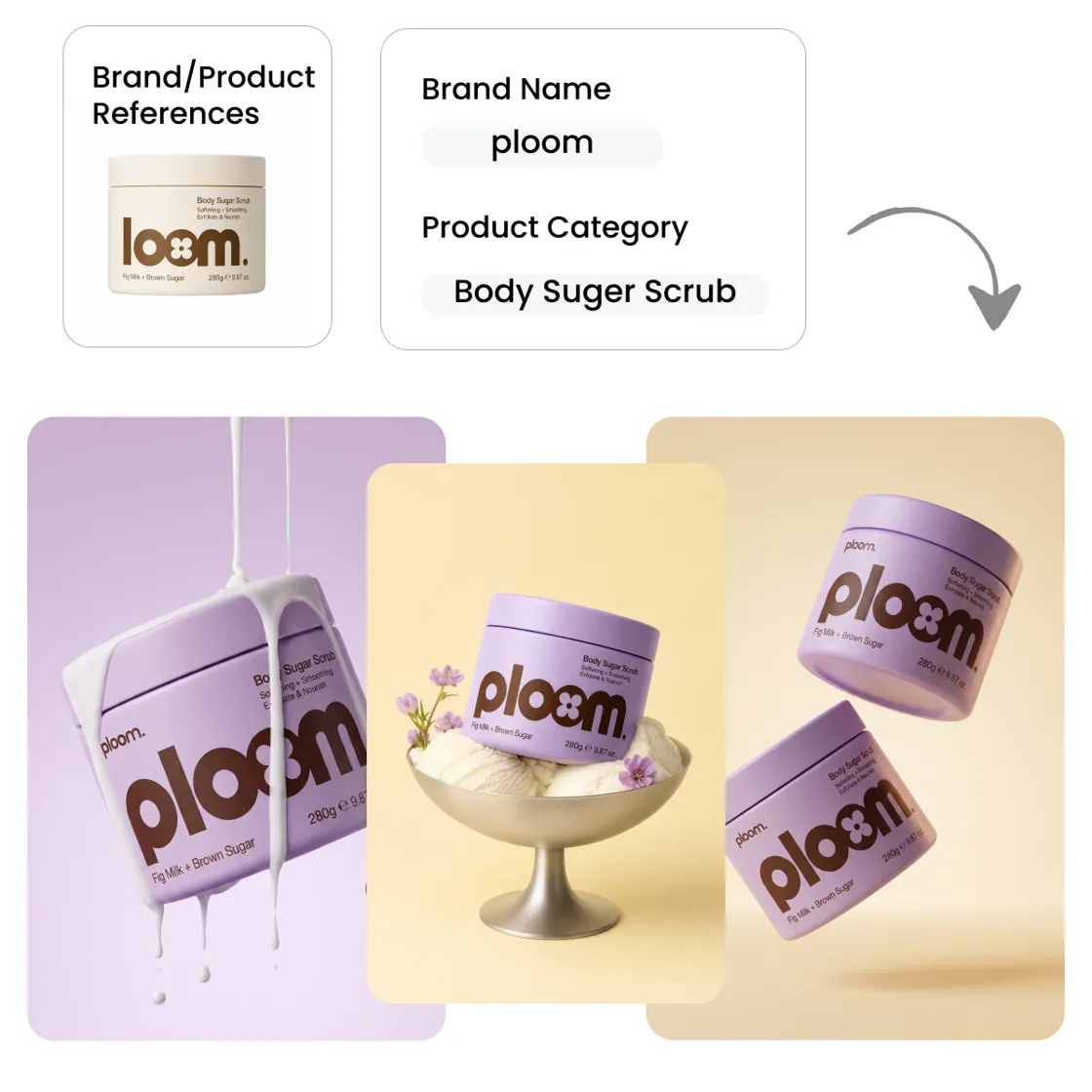
How to Create a Product Design With Designkit
Step 1. Add Your Product or Brand References
Sign up or log in to Designkit. Choose Brand Design and click Product Design to create branded merchandise and physical product concepts. Add your references, then describe the product you want to explore.
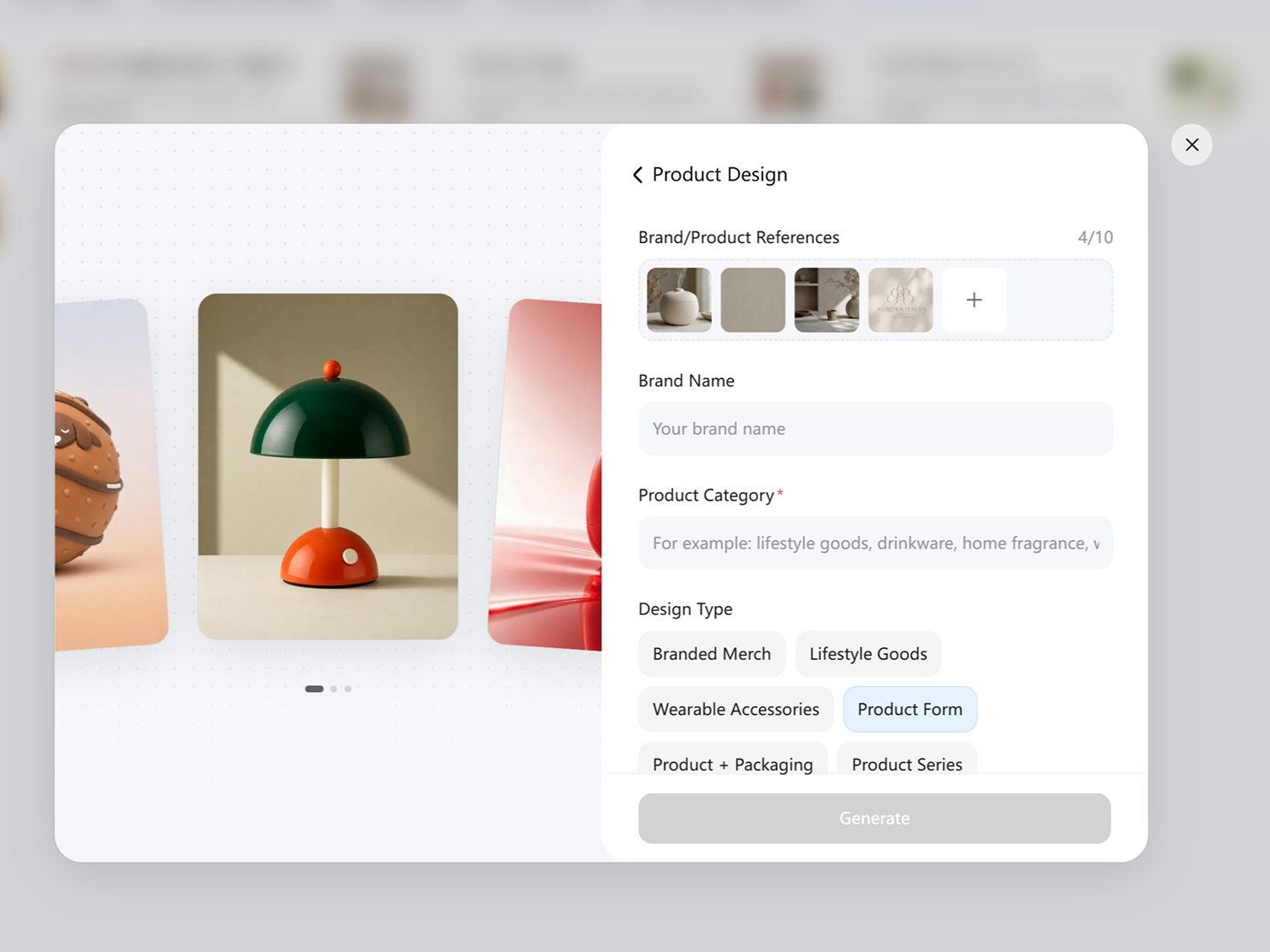
Step 2. Define the Product and Design Direction
Upload your product or brand references, enter the Brand Name and Product Category. Define the Design Type and add any additional requirements needed to guide the concepts, then click Generate.
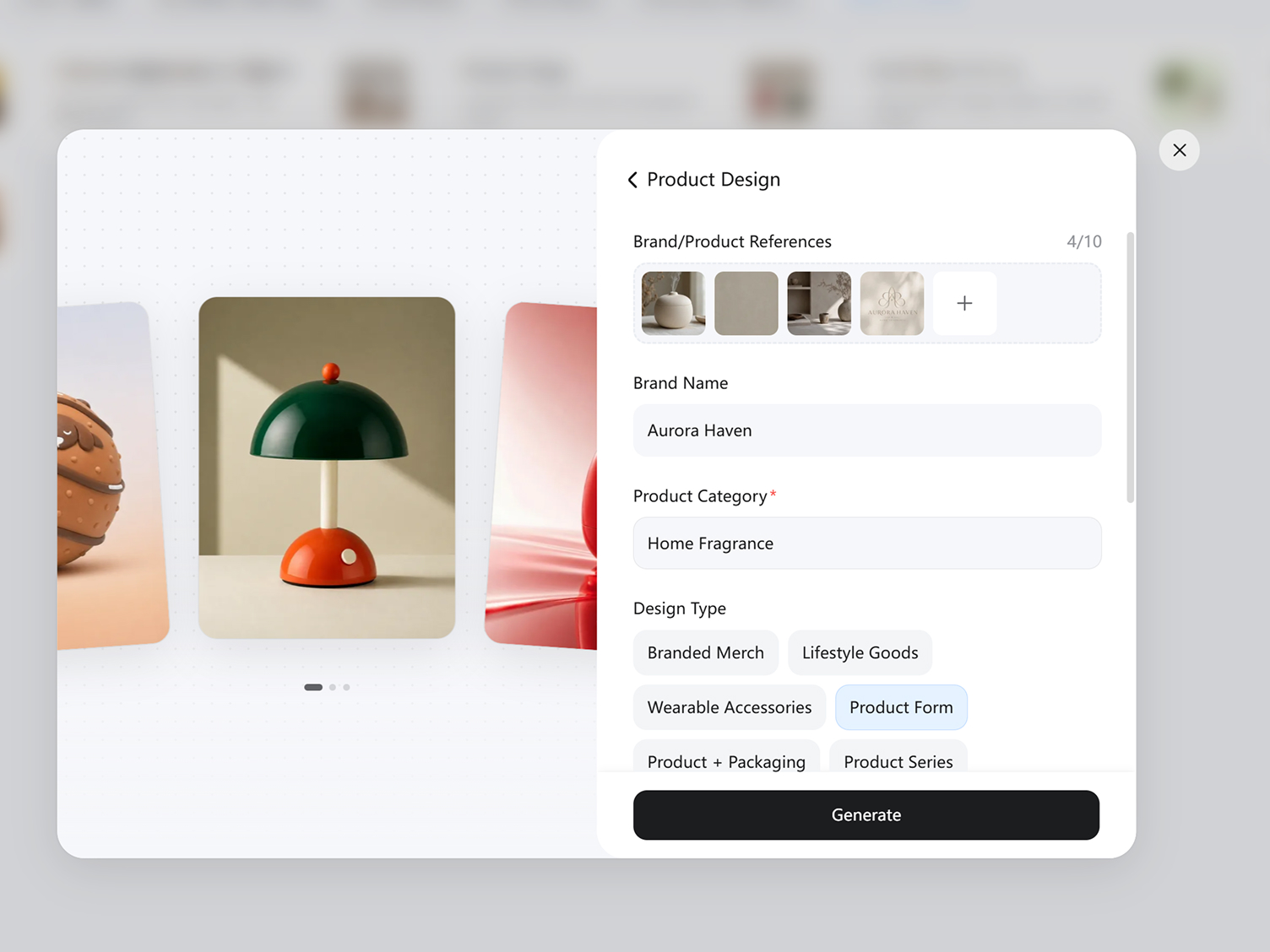
Step 3. Generate and Compare Multiple Concepts
Review the generated product concepts and compare the different directions shown in the workspace. Once the final design is ready, click Download to save the generated product design.
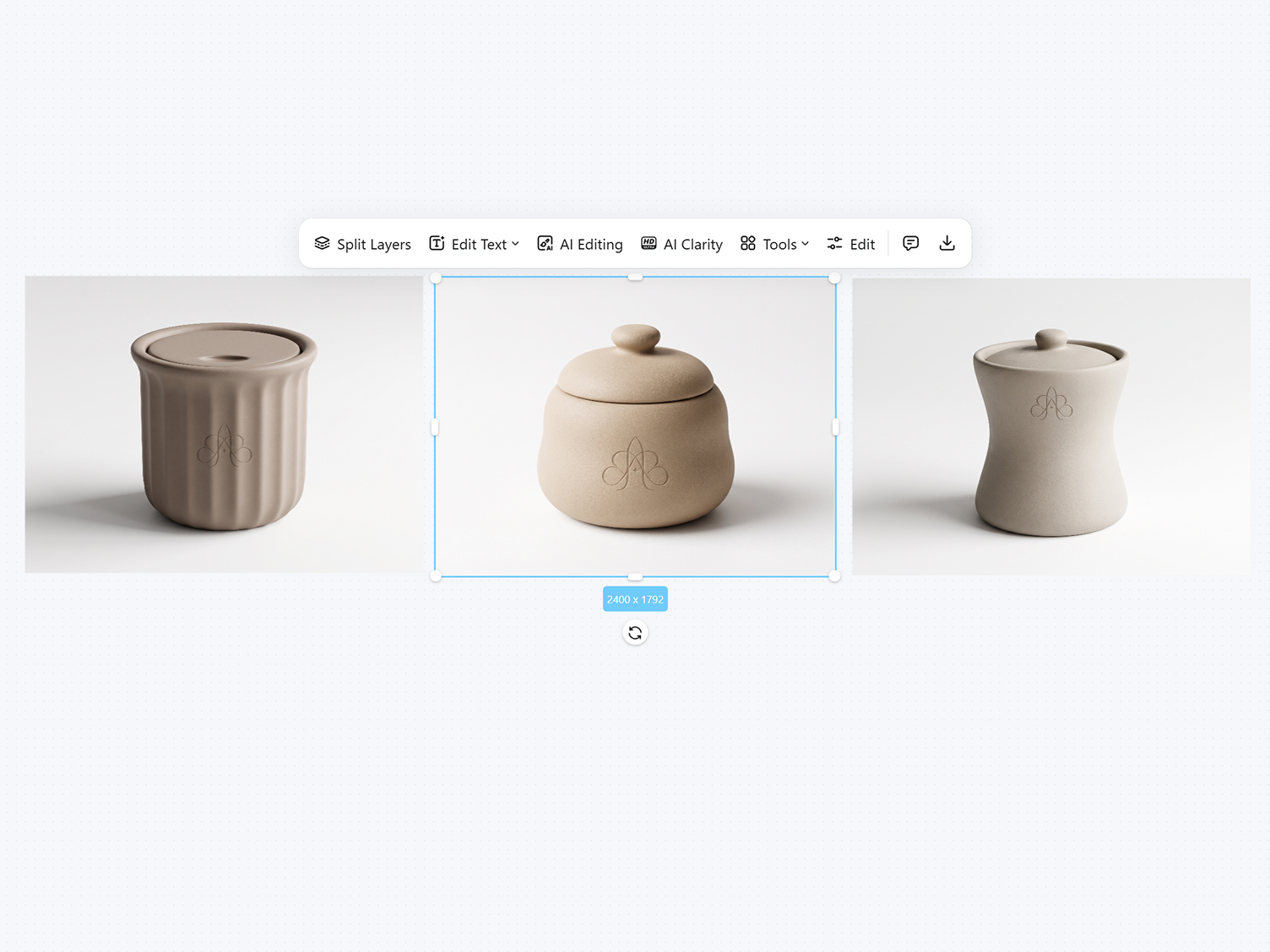
Design Product Concepts Around Real Requirements
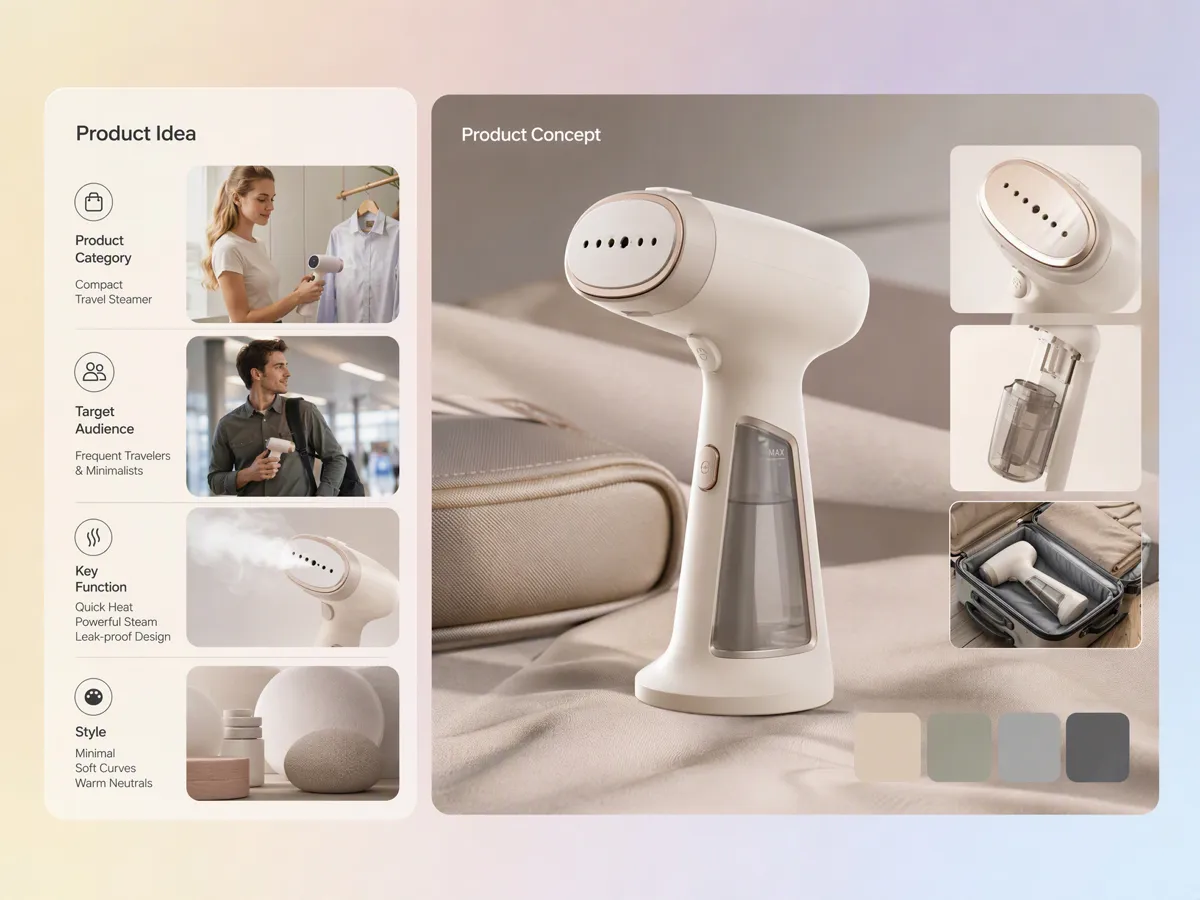
Turn Your Product Idea Into a Clear Design Concept
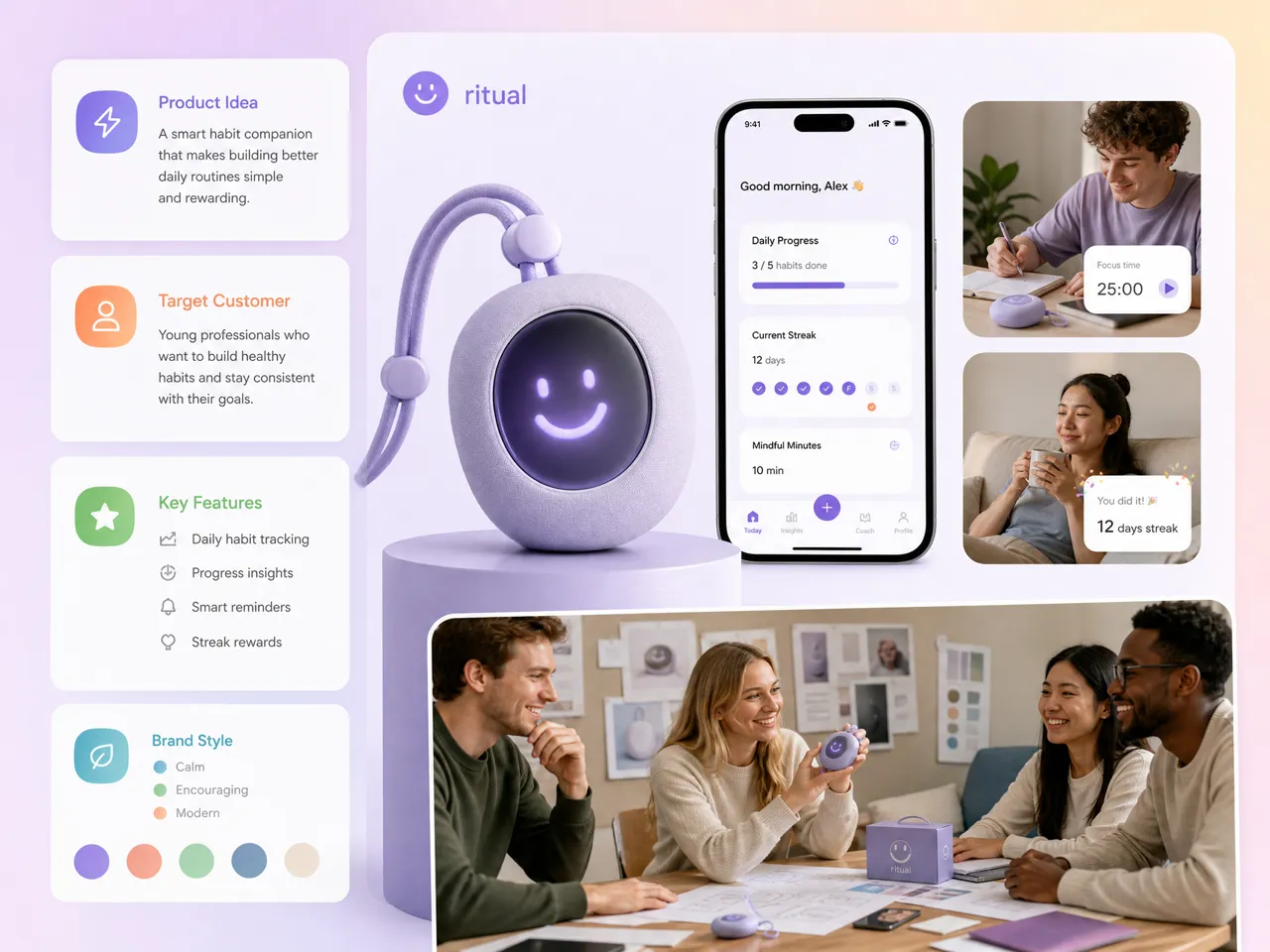
Start with a product idea, description, or set of requirements and turn it into a visual concept. Designkit works as an AI product design generator, helping you explore the product's appearance, form, styling, and visual direction before moving into detailed design work. You can describe what you want rather than starting with a blank canvas.
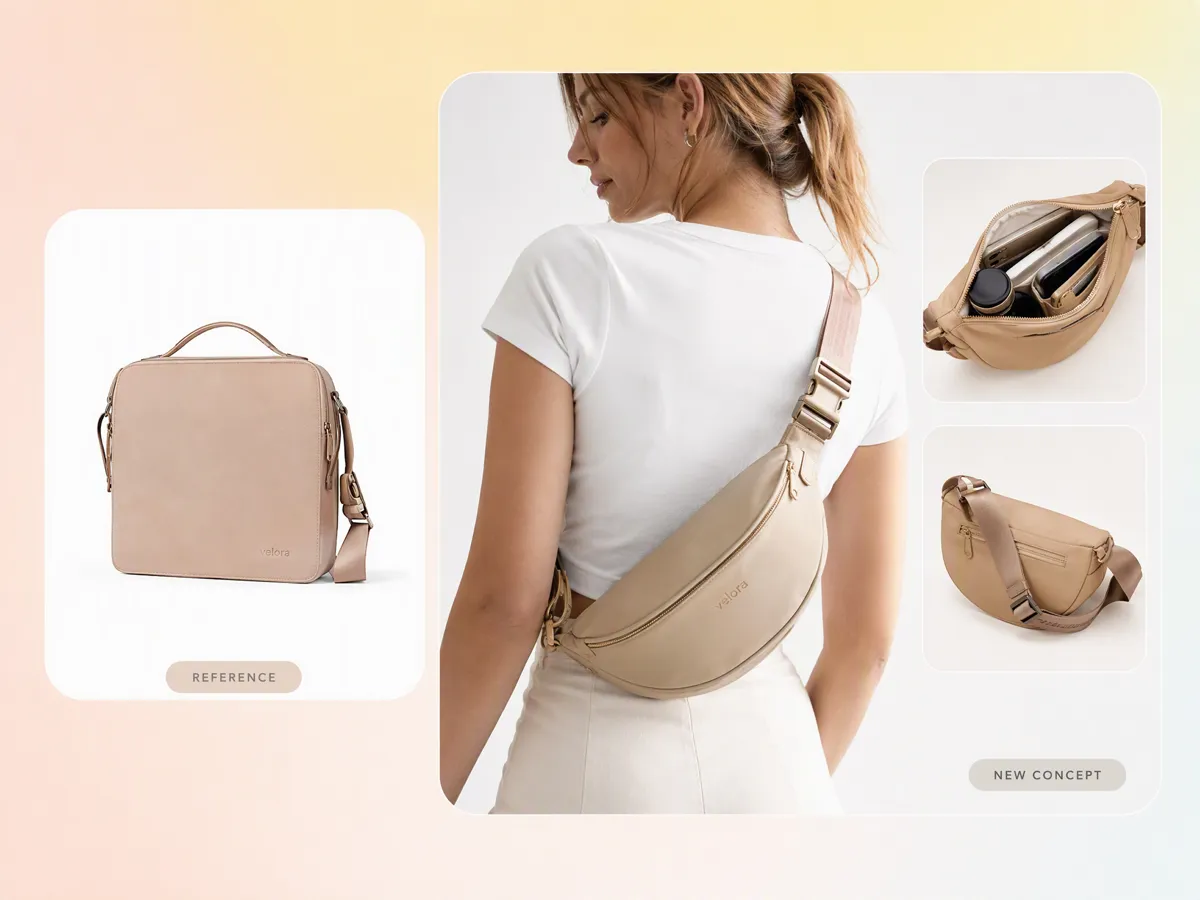
Develop a New Concept From a Product Reference
Have an existing product, sketch, or visual reference but want to explore a different direction? Upload the reference and describe what you want to change. Designkit can use an image to image workflow to develop a new product concept while keeping useful elements from the original reference, giving you a starting point for further exploration.
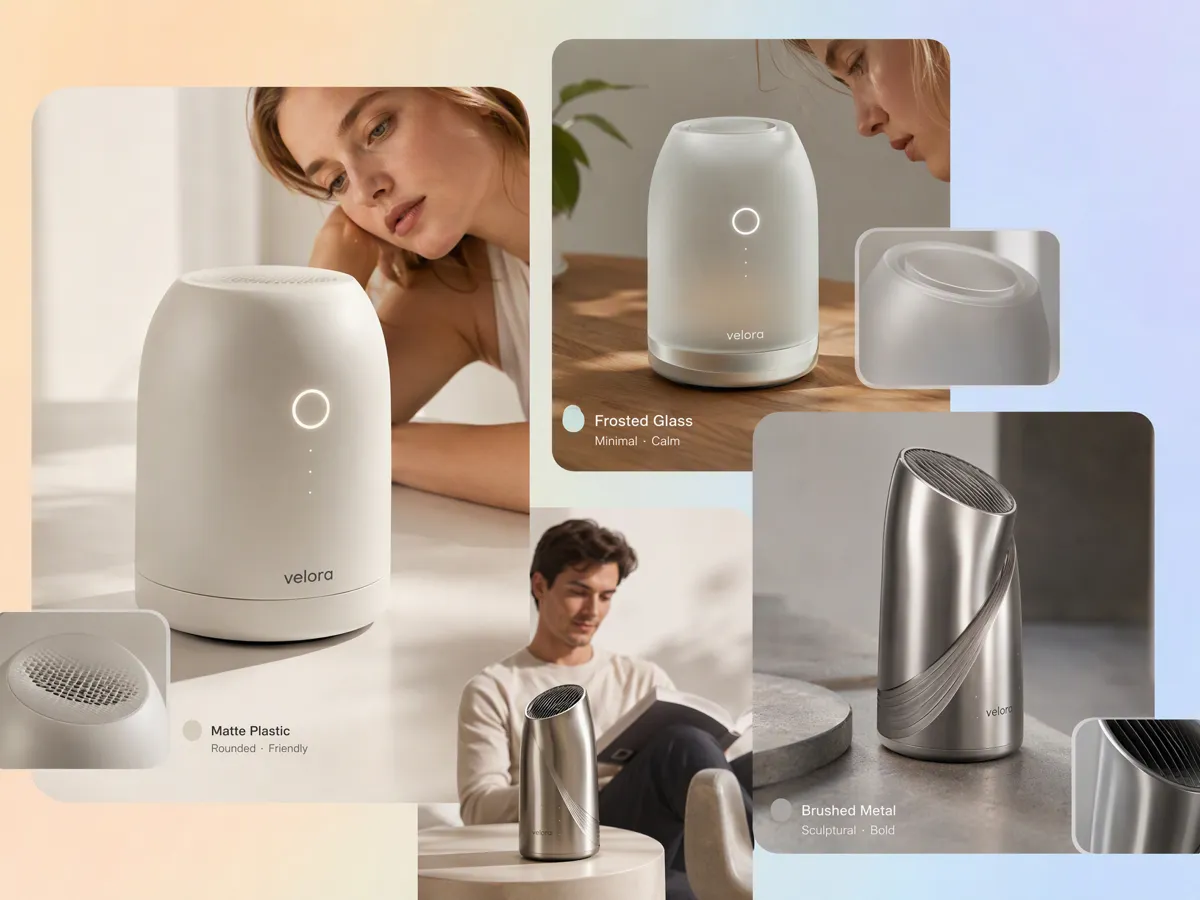
Explore Different Forms, Materials, Styles, and Looks
Product design often involves comparing shapes, finishes, materials, colors, and construction details before settling on a direction. Use Designkit as an AI tool for product design to generate different visual approaches from the same product idea. This lets you explore alternatives for the product's physical appearance without manually recreating every variation.
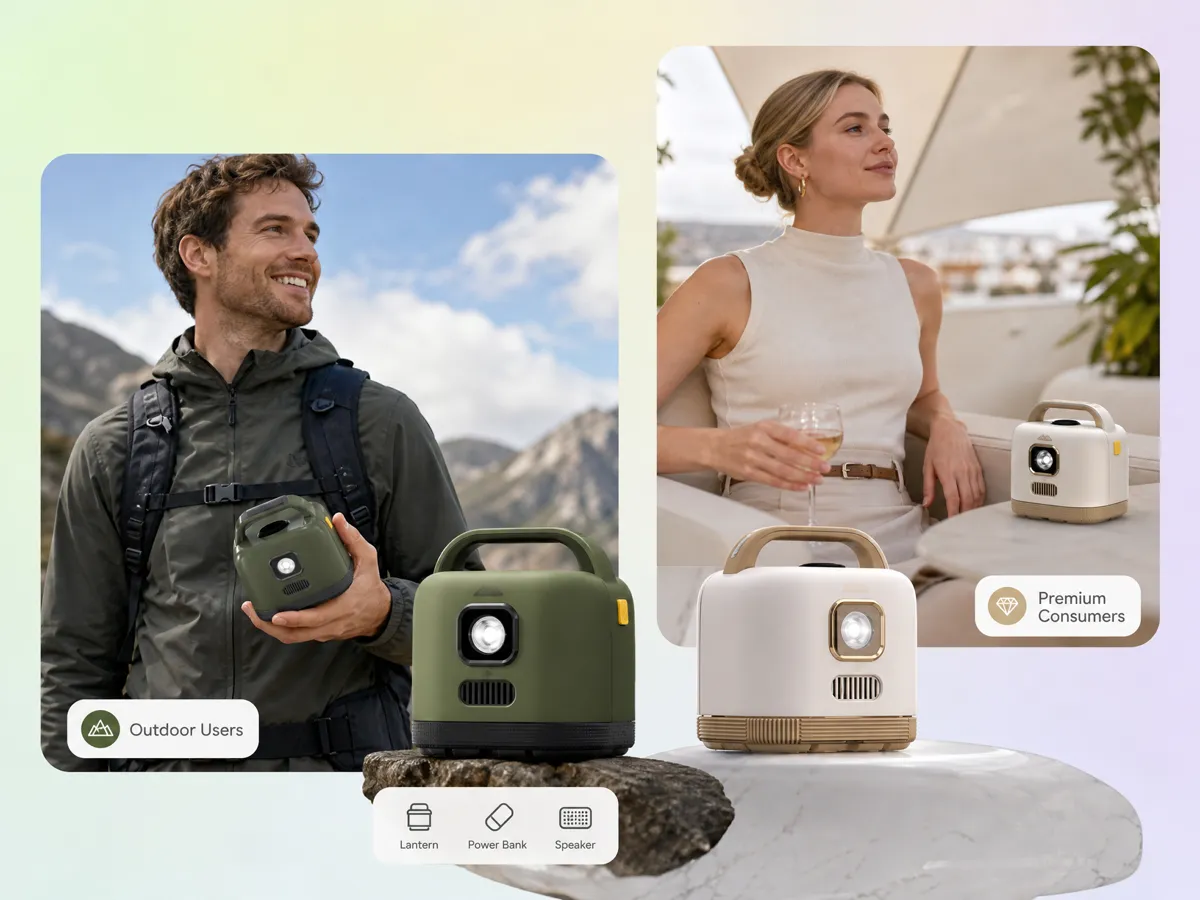
Design Around the Product's Use Case and Audience
A product's design needs to reflect how it will be used and who it is intended for. Describe the audience, use case, product category, and desired visual style to guide the concept. Designkit's product design AI can turn these requirements into visual directions that help you explore whether the concept fits the intended customer and market.
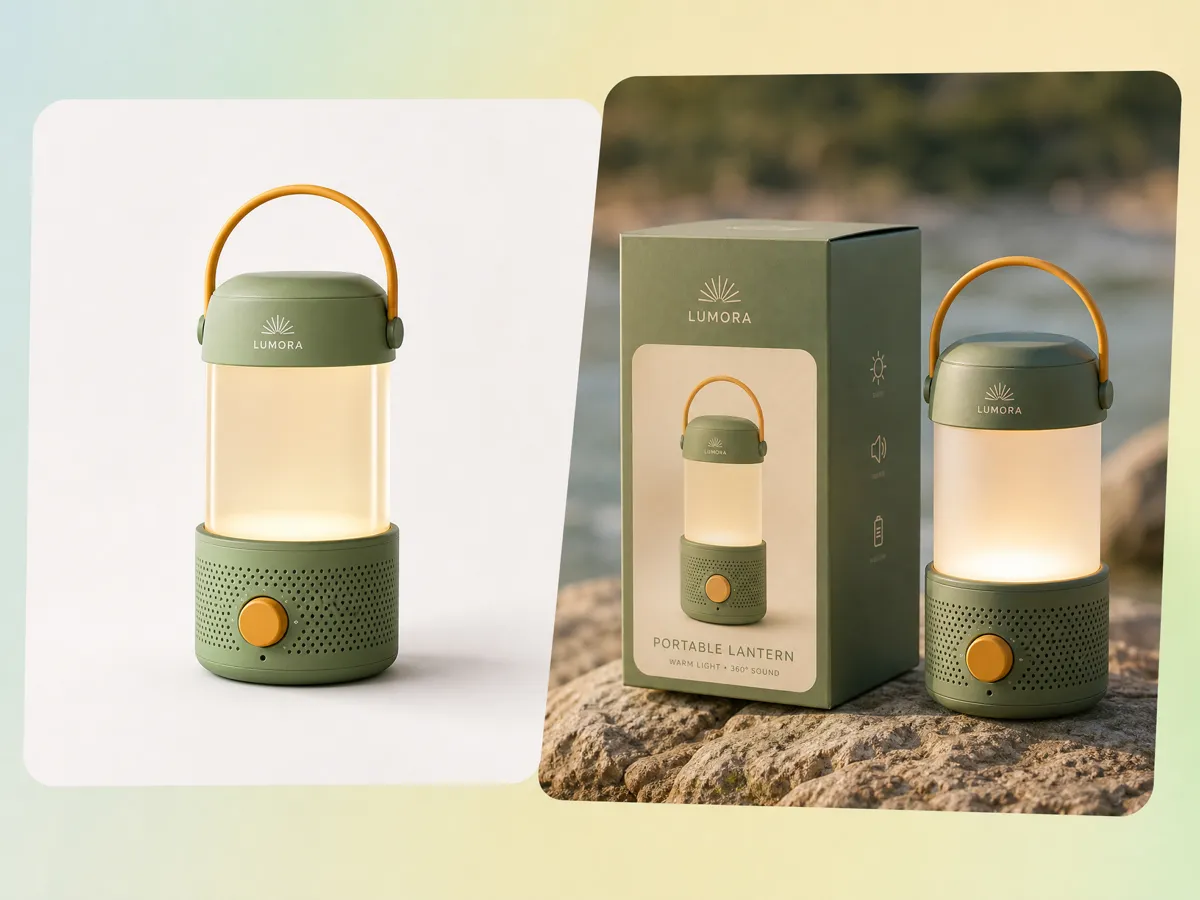
See How Your Design Works as a Product Mockup
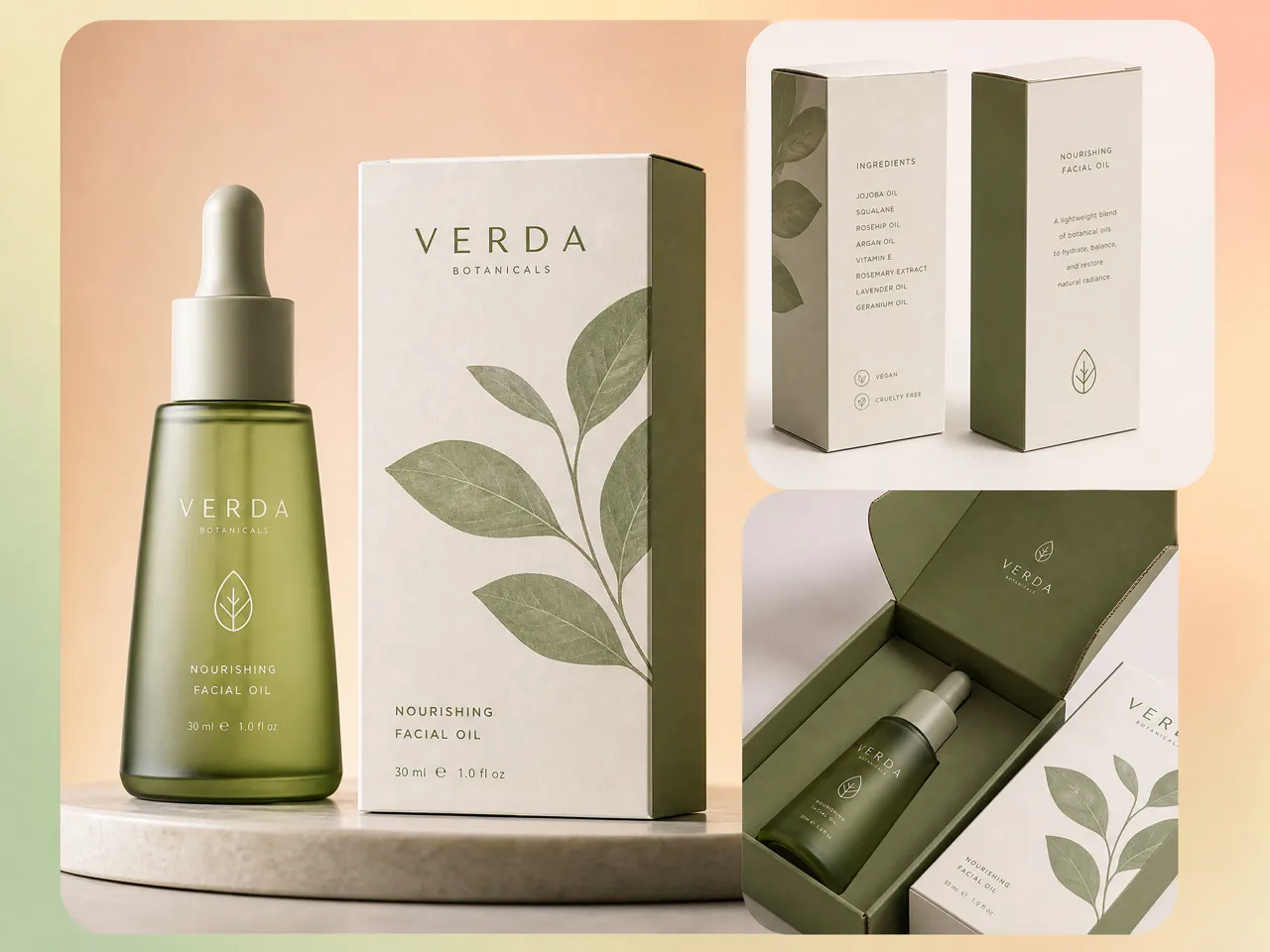
A product concept can look different when presented as something people would actually use. Turn the generated concept into a mockup to explore how the design could appear in a realistic product presentation. Designkit helps you move from the initial concept to a more contextual visual without having to recreate the design for every presentation.
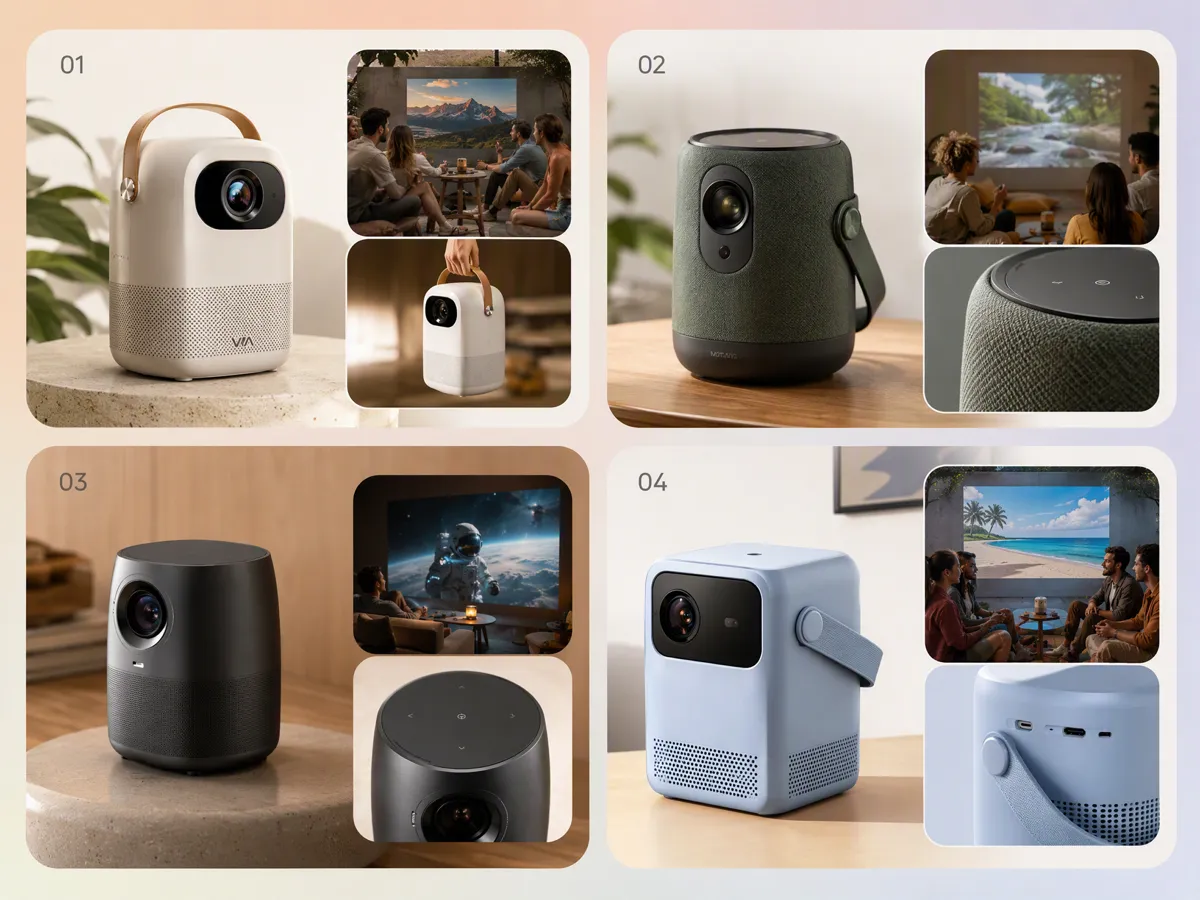
Explore Multiple Product Concepts Before Choosing One
Don't stop at the first concept when the product could work in several directions. Generate variations with different forms, styles, colors, or visual treatments and compare the options against your original requirements. Designkit works as an AI product generator for exploring multiple concepts before you invest time in detailed design or production decisions.
What Can You Design With Designkit Product Design Generator
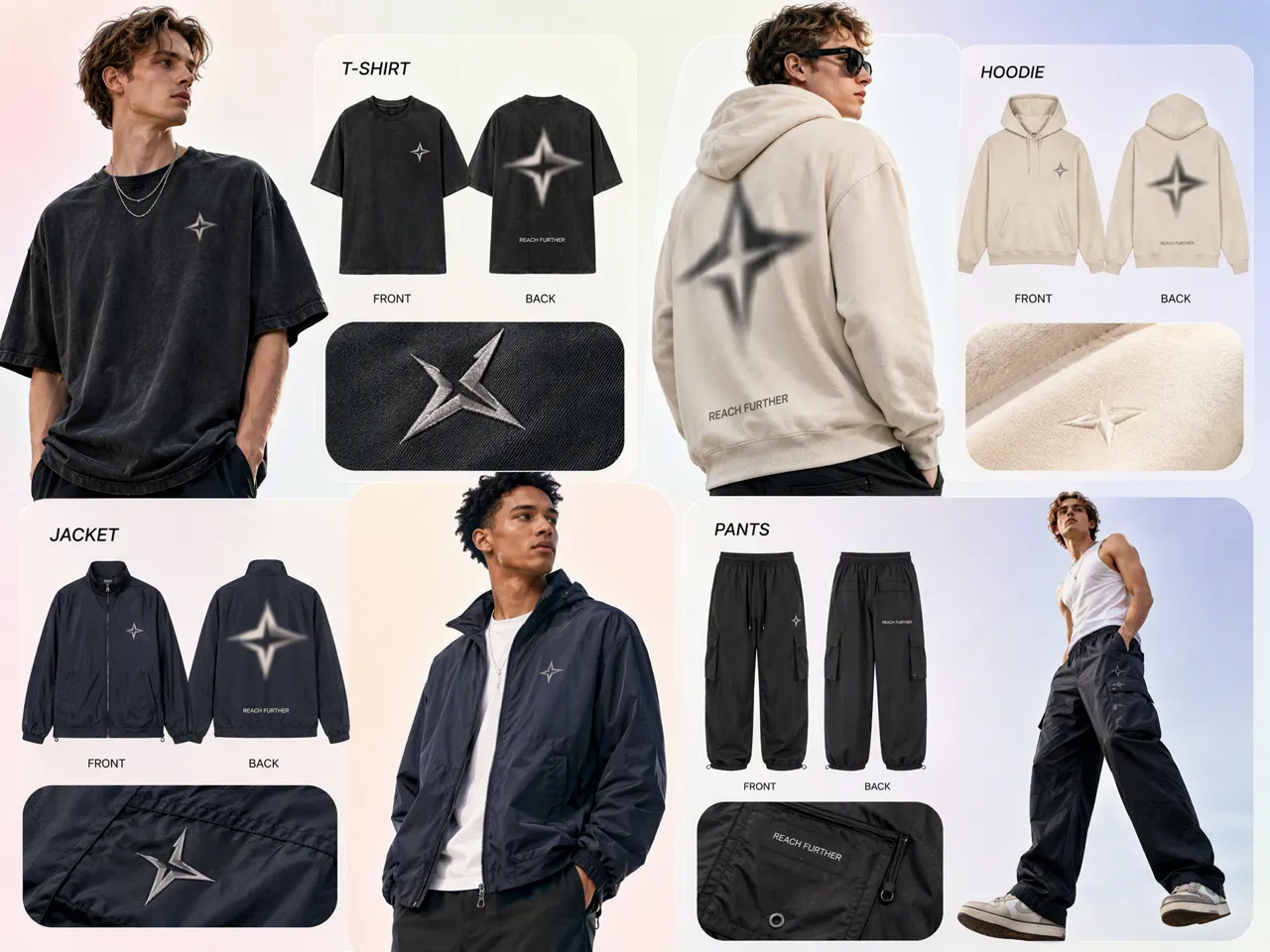
Explore Apparel Concepts Before Sampling
Develop clothing concepts by exploring silhouettes, materials, colors, and styling before making physical samples. Designkit can turn a product direction into visual options, while a clothing photography generator can support later product presentation.
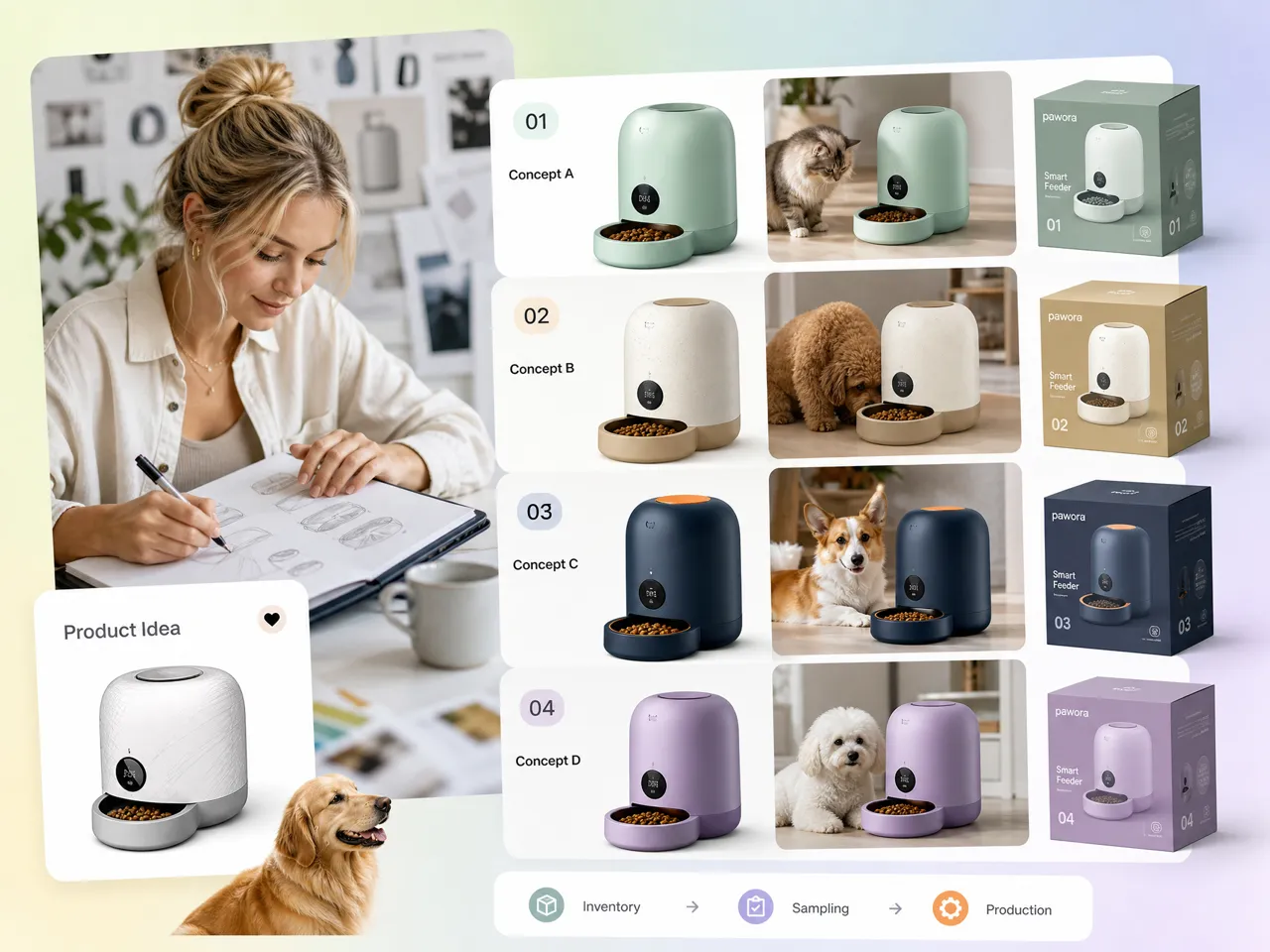
Why Use Designkit for AI Product Design

Design Products Without Hiring a Designer
Create product concepts from simple ideas with Designkit’s AI image generator, giving you a practical starting point before working with a designer.
Take Product Designs Into Your Online Store
Adapt your product visuals for ecommerce with tools such as virtual try on, helping you preview how products may look in real customer use.
Try AI Product Design With Free Credits
Explore product concepts from written descriptions using text to image, so you can test different visual directions before committing to a design. User Review
Unlock More Ways to Create Product Designs
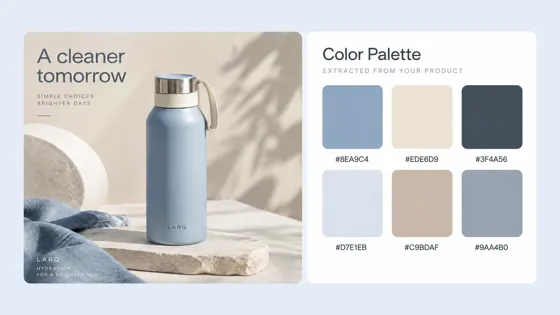
AI Color Palette Maker
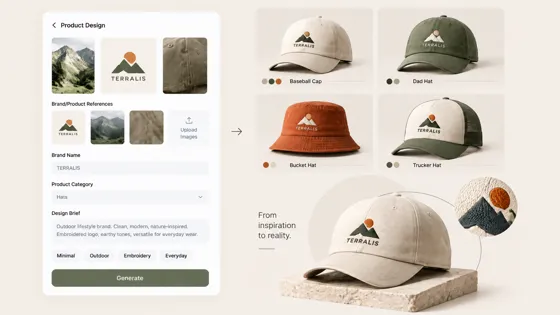
AI Hat Design Tool
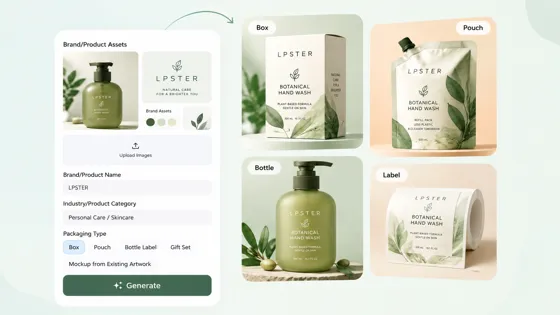
AI Packaging Designer
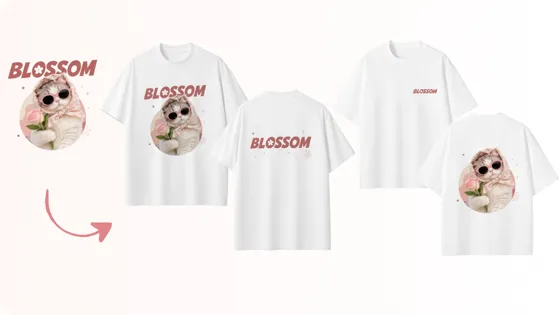
AI T-Shirt Design Maker
Frequently Asked Questions
Can I create a product design from scratch with AI?
Can I use AI to redesign an existing product reference?
An existing product image or reference can provide a starting point for creating a different visual direction. With Designkit, you can bring a reference into the workflow and refine the concept rather than starting entirely from scratch. You can adjust visual treatment, remove unwanted elements, extend the image, or create variations for different ecommerce design needs.
What information should I include in an AI product design brief?
Include the product type, intended audience, style, colors, materials or finishes, key features, placement requirements, and the context where the design will be used. The more specific the brief, the clearer the direction. In Designkit, you can combine these details with reference materials to guide the generation process and develop more relevant product concepts.
Do the generated concepts look realistic enough to share?
They can be developed into realistic visual concepts suitable for reviewing ideas, discussing directions, and planning marketing materials. The final result depends on the prompt, reference quality, and complexity of the product. Designkit also provides editing tools that let you refine generated visuals, improve image details, and prepare concepts for presentation or online store design.
Can I design a product for a specific target audience?
Yes. Defining the target audience helps shape the product’s visual direction, styling, colors, and presentation. Designkit lets you build product concepts around a specific customer profile and intended use case, making it easier to explore variations for different markets. You can then adapt the visuals for ecommerce listings, social content, or AI fashion design workflows.
Can I turn an AI-generated product concept into a mockup?
Yes. An AI-generated concept can serve as the visual foundation for a product mockup, especially when you want to preview how an idea could appear on merchandise or packaging. Designkit supports product-focused creation and editing, allowing you to refine the concept and develop usable visual assets. For apparel, you can also explore AI clothing design directions before production.
Can I edit an AI-generated product design after creating it?
Yes. You do not have to keep the first generated version. Designkit lets you continue editing the result by removing objects, changing or adding text, extending the canvas, resizing the image, and enhancing visual details. This makes the workspace useful for refining concepts into different assets, including product mockups, marketplace images, and promotional creatives.
Is this for graphic design or physical product concepts?
AI product design can support both visual graphics and physical product concepts such as apparel, packaging, accessories, and merchandise. Designkit focuses on product-oriented workflows, helping you turn an idea into visual directions, refine the result, and prepare variations for ecommerce or marketing. You can also explore related product photography needs without switching tools.
Try Product Concepts Before You Sample
Use free credits to generate a few directions from your brief, then pick one to refine or mock up.



See How Creators Use Designkit for Product Design
Real-world perspectives from people exploring product ideas before production, photography, or launch.
I Could Finally See My Product Idea Clearly
I had a rough idea for a new product but wasn't sure how I wanted it to look. I added the product details, audience, and style direction, and Designkit gave me several concepts to work from. It made it much easier to figure out which direction actually made sense.
I Had Something I Could Actually Show My Team
Sometimes it's hard to explain a product idea just by talking about it. I used Designkit to create a few directions and shared them with my team. Having something visual to discuss made our conversations much more concrete.
I Used the Finished Design for My Product Listing
I was creating a new product for my online store and wanted to get the product concept figured out before working on the listing. After finishing the design, I could continue creating visuals for the product page. It made the whole process feel more connected.
It Helped Develop Concepts Before a Product Launch
We often need product concepts before manufacturing is complete. I use AI generation to explore product styles, packaging ideas, and launch visuals early, giving the creative team something tangible to build campaign directions around.