
AI Shoe Product Photography Generator: Footwear Shots in Seconds
Chosen by 10,000+ e-commerce sellers, save your time and budget to create a flat lay, lifestyle, and try-on shoe shots without studios, perfect for Amazon, Shopify, eBay, and Etsy.
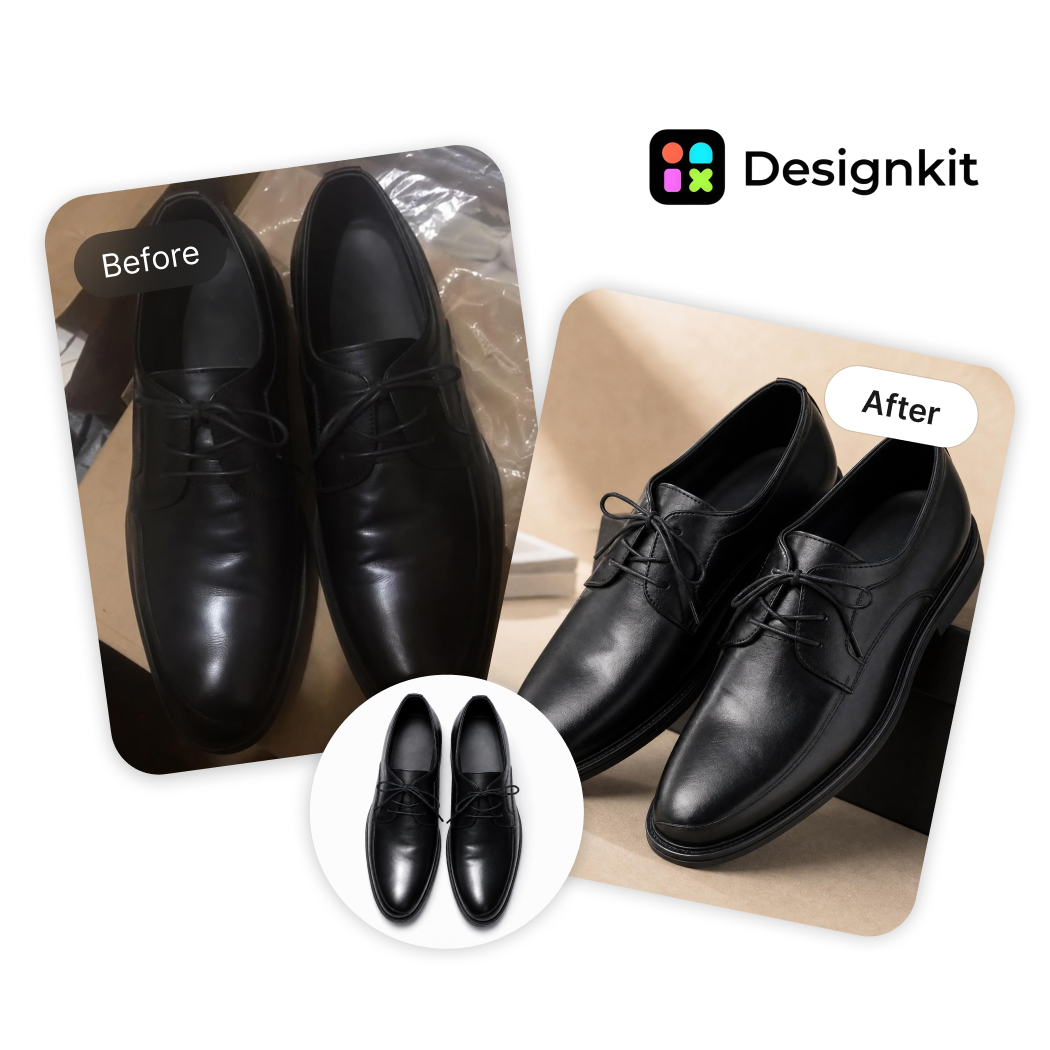
How to Create AI Shoe Product Photography With Designkit
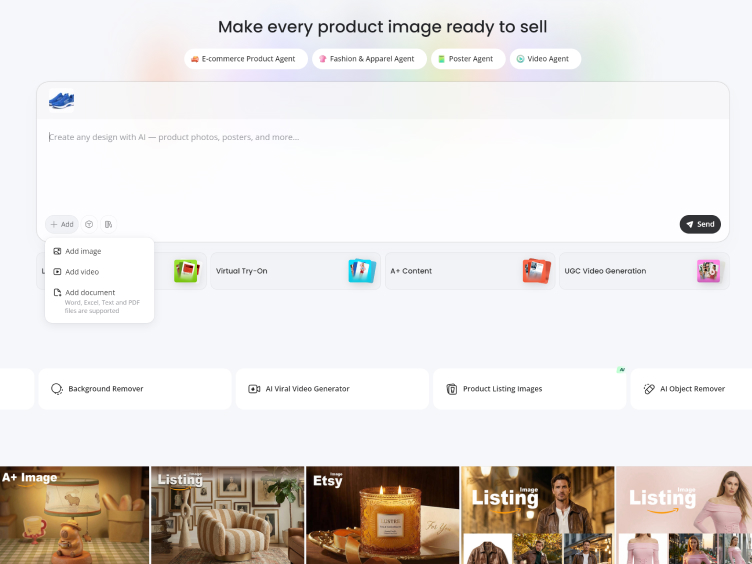
Upload Your Shoe Product Photo
Upload your footwear images to Designkit using the "E-commerce Product Agent." You can batch upload multiple SKUs or use single images to process an entire catalog. Even photos taken from your phone work—any image can be enhanced, edited, and turned into consistent product visuals ready for ecommerce.
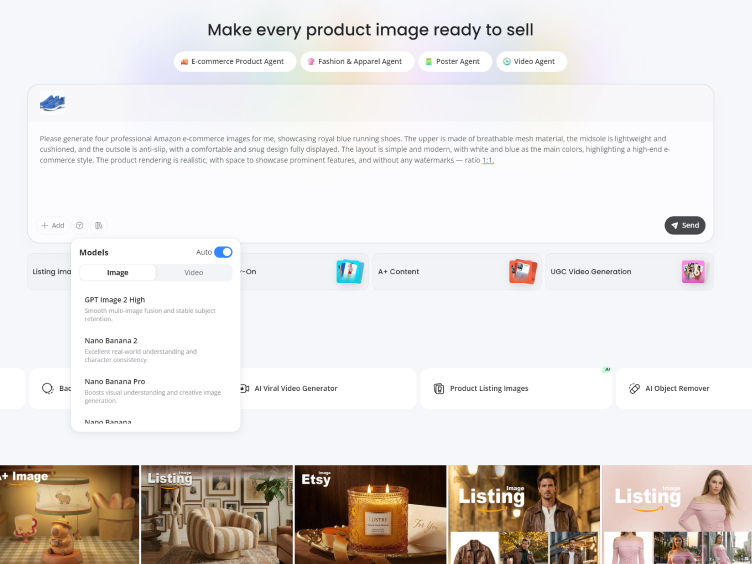
Generate Shoe Product Images
Choose your target platform (Amazon, Shopify, TikTok Shop), image size, and output format. Type in a simple description of background, lighting, and focus on details like color, design, sole, or material. Designkit interprets it into shoe product photography with clear textures and materials, and a professional studio background.
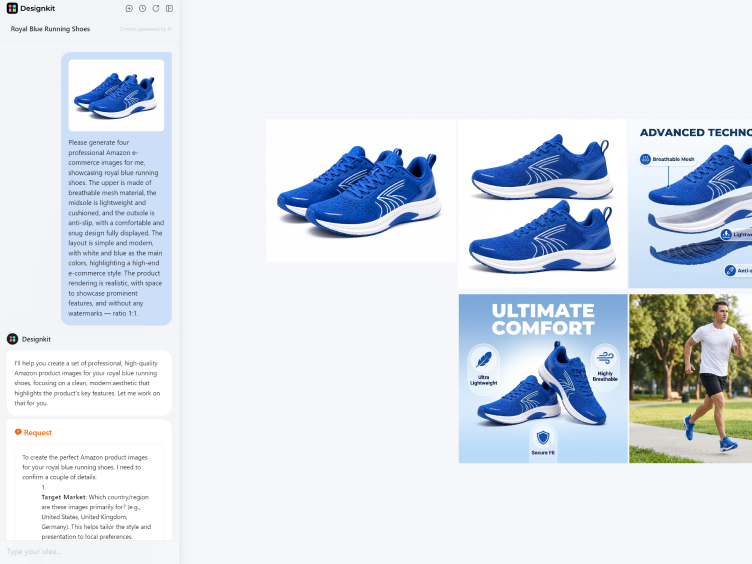
Download AI Shoe Images
Designkit generates high-quality shoe product photography with clean lighting, sharp details, and consistent backgrounds ready for e-commerce use. You can preview results, make quick refinements, and export instantly. Designkit makes sure your product photography is compliant with every e-commerce platform, like Amazon, Shopify, and TikTok Shop, with its auto-resize power. Now, click "Download" to export the listing-ready shoe product photography to your online store.
Capabilities of Designkit for Product Shoe Photography
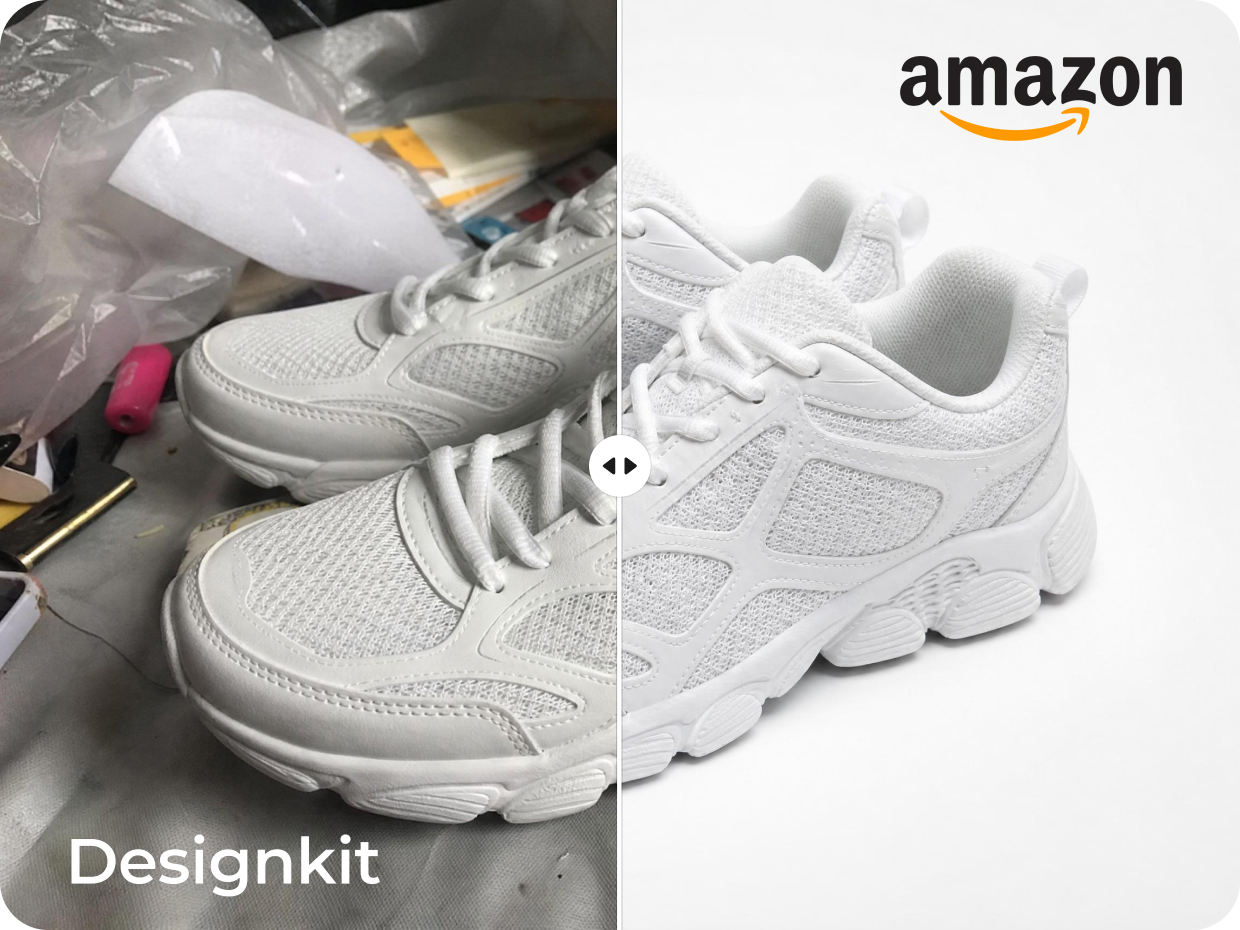
Generate Studio-Quality Shoe Images without Photoshoots
High-quality product photography helps footwear brands build trust and improve ecommerce conversions, but traditional studio shoots require costly equipment, photographers, and editing time. Designkit simplifies the process by transforming simple shoe photos into professional studio-quality visuals with balanced lighting, refined shadows, sharp textures, and clean backgrounds. Brands can create polished shoe images for Amazon, Shopify, catalogs, and ads while maintaining consistent quality across every product listing.
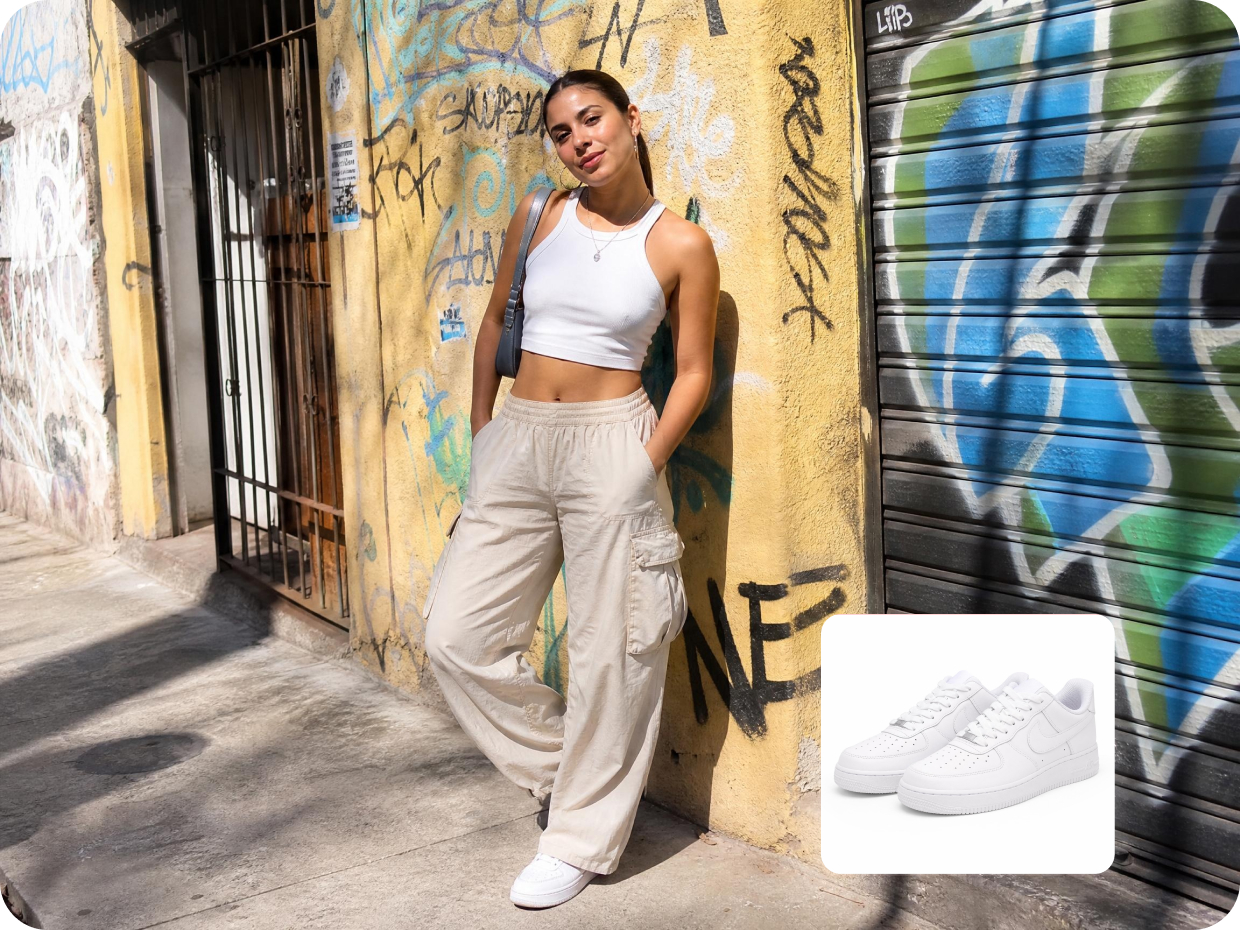
Place Shoes in Realistic Lifestyle Scenes Instantly
Lifestyle product images make footwear more engaging by showing shoes in real-world environments. Traditional shoots require locations, models, and production setups, which can be expensive and slow. With Designkit, you can instantly place shoes into realistic AI-generated scenes like gyms, city streets, outdoor trails, or urban fashion settings. The system keeps natural shadows, perspective, and product details intact, helping brands create scroll-stopping visuals for ads, social media, and ecommerce stores.
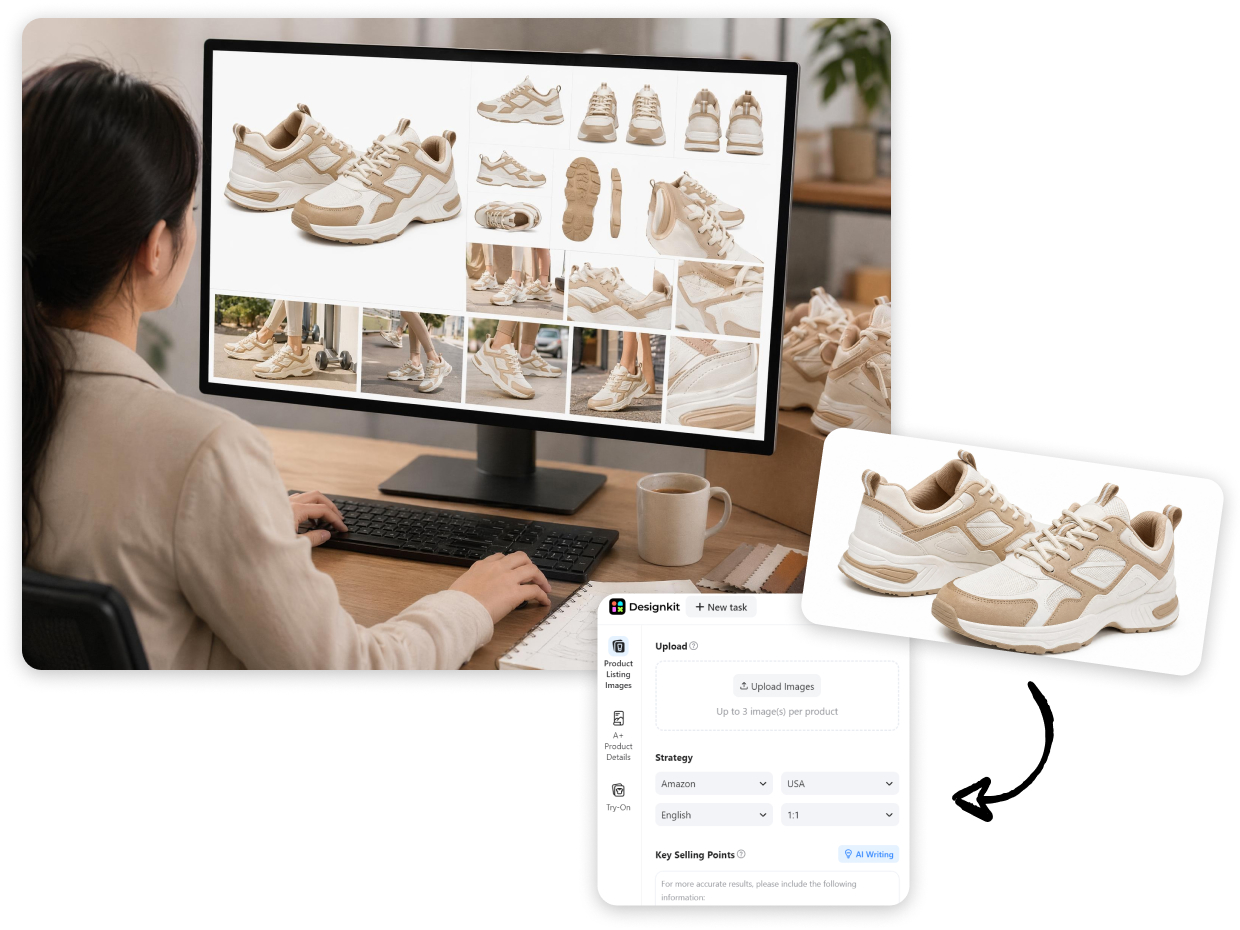
Turn One Product Photo into a Full Ecommerce Image Set
Creating multiple product visuals for every shoe listing can slow down ecommerce growth and increase production costs for smaller brands. Instead of arranging repeated photoshoots, Designkit simplifies the workflow by generating complete eCommerce-ready image sets from a single shoe photo. It can create multiple angles, close-up detail shots, white backgrounds, and marketplace-ready visuals instantly, helping brands maintain consistency across catalogs, product detail pages, online stores, and advertising campaigns.
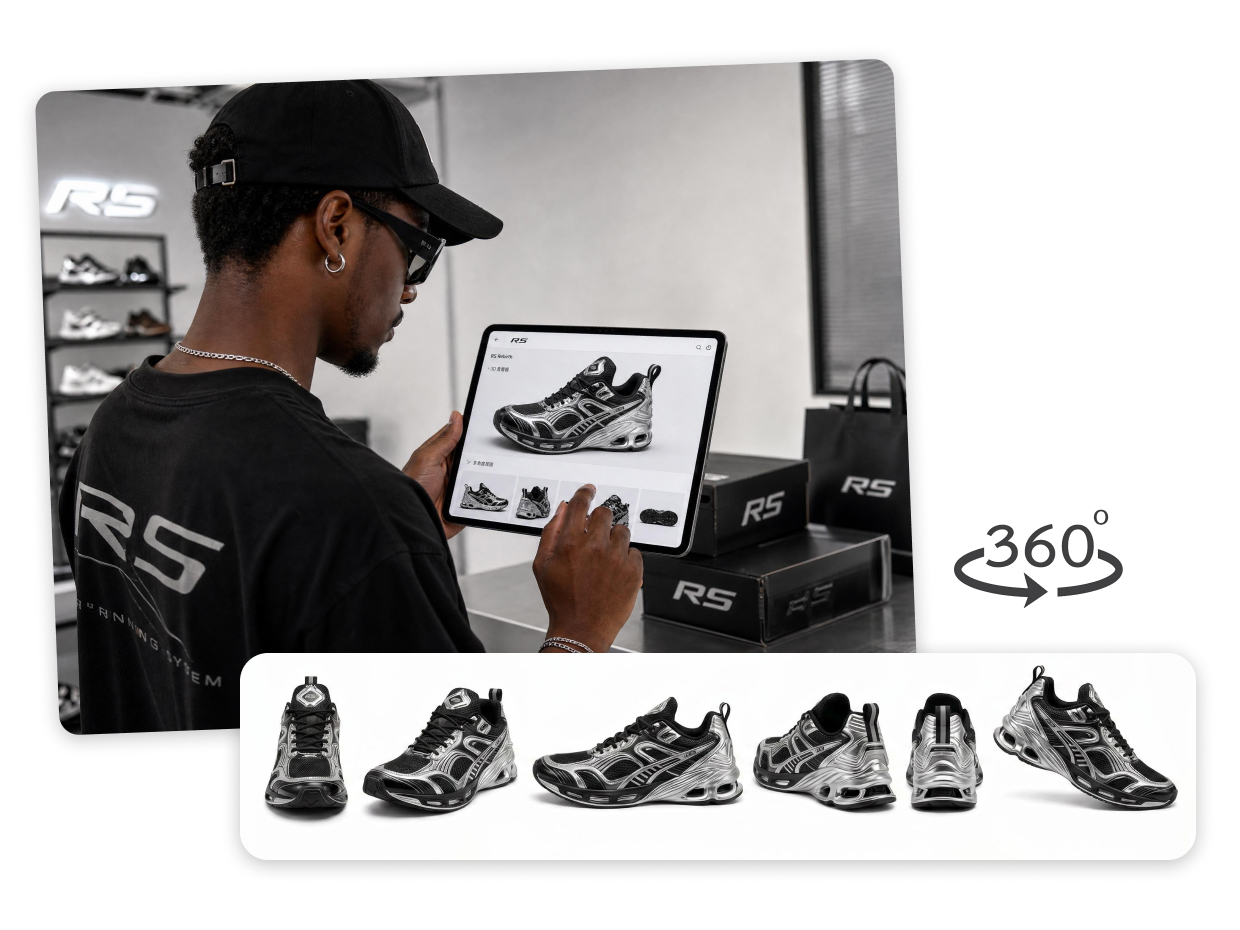
Create Immersive Multi-Angle Shoe Views That Drive Purchase Intent
Detailed multi-angle visuals help customers evaluate footwear more confidently before purchasing online. To make product presentation more interactive, Designkit enables brands to generate consistent shoe visuals from multiple perspectives, highlighting textures, sole patterns, stitching, and overall product structure from every angle. This improves product clarity and helps ecommerce stores increase engagement, build buyer confidence, and improve conversion rates across listings.
Built for Sellers Who Need Professional Shoe Images Fast

Marketplace-Ready Shoe Images for Clean Presentation
Create shoe product images that meet marketplace standards while still looking polished and professional. Designkit improves lighting, removes distractions, and enhances edge clarity to help listings appear cleaner, sharper, and more competitive across ecommerce platforms.
Frequently Asked Questions
How does AI generate shoe images from a single photo?
Do AI shoe images look realistic enough for e-commerce?
Yes, AI editing maintains the shoe structure, color, and texture while enhancing lighting and background. Designkit's technology guarantees the result will look realistic and true to life, matching the quality of product photos for shoes on Amazon and Shopify.
Do I need photography or editing skills to use AI shoe tools?
No, you just need to upload a simple image of your shoe, even taken with a mobile phone, and the AI will do the rest. Here comes Designkit, which makes shoe product photography accessible by eliminating technical barriers, allowing vendors to produce quality images even if they have no experience.
Can I create images for my entire footwear catalog at once?
Yes, Designkit offers batch processing, so you can edit multiple shoe images simultaneously. This ensures you have consistent product shoe photography in the product image library and helps save time to ensure uniform product listings with standard quality and presentation.
Can I use AI shoe images on Amazon listings?
Yes, AI-edited images can be used on Amazon as long as they follow platform guidelines, such as a clean white background and clear product focus. Designkit makes it easier to prepare compliant shoe product photography that meets listing requirements and improves visual appeal.
Are AI-generated shoe photos allowed on Shopify stores?
Yes, AI-enhanced photos are permitted on Shopify as long as they don't misrepresent the product. With the help of Designkit, you can use enhanced product photography for shoes on your product pages, collection pages, and advertising to give a uniform and professional look to your store.
Is AI shoe photography cheaper than traditional photoshoots?
Yes, Designkit eliminates the need for studios, photographers, and retouching. It makes production cheaper while delivering high-quality shoe product photography, making it an efficient choice for startups and brands with large product inventories.
Will my shoe images retain original colors and textures?
Yes, your shoe images will retain their original colors, textures, and material details while improving lighting, background, and overall presentation for a more professional look. With Designkit, every enhancement is designed to preserve product authenticity while upgrading visual quality, helping you create consistent, high-converting ecommerce images that stay true to your real product.
Create Studio-Quality Shoe Photos with AI Now
Designkit generates quality shoe product photography that enhances listing attractiveness, instills confidence, and drives conversions on Amazon and other eCommerce sites. It converts product images into high-quality, sellable assets in one click.
Why Choose Designkit AI Product Photography For Shoes

No Studio Setup Required
Create shoe product photography without lights, backdrops, or camera sets. Upload a basic shoe photo and refine background, lighting, and detail to achieve clean, professional results fast, ready for e-commerce use.

Efficient Catalog Management
Process large volumes of shoe photography with consistent edits across every image. Maintain uniform backgrounds, lighting, and framing to keep your footwear catalog clean and easy to manage.

Flexible Across Platforms
Prepare product photography for shoes that fits Amazon, Shopify, and social channels. Export images in the right format and layout so your visuals stay consistent and ready for every platform.



User Reviews on Designkit's Shoe Product Photography
Finally Launching Products Without Waiting Forever
Honestly, I was tired of waiting days for photographers and editors every time I wanted to launch a new shoe. It slowed everything down and made launches stressful. With Designkit, I can create listing-ready images the same day samples arrive. Last month alone, I pushed out 15+ new listings without the usual production headache, and it honestly felt like a huge relief.
No More Stressing Over Expensive Photoshoots
As a small seller, studio photography costs were killing my budget. Every launch felt stressful because I had to think about photographers, editing fees, and revisions before even making sales. Designkit changed that for me. I can now create clean product visuals myself in minutes, and it saved me hundreds of dollars during my first few product drops.
Editing Shoe Photos Stopped Taking Over My Entire Day
I used to sit for hours cleaning backgrounds, fixing lighting, and trying to make shoe photos look consistent. It honestly got exhausting staring at editing software all day. With Designkit, most of that work is already handled automatically. I can now finish multiple listings before lunch instead of stressing over a single product all day long.
Managing Large Catalogs Feels So Much Easier Now
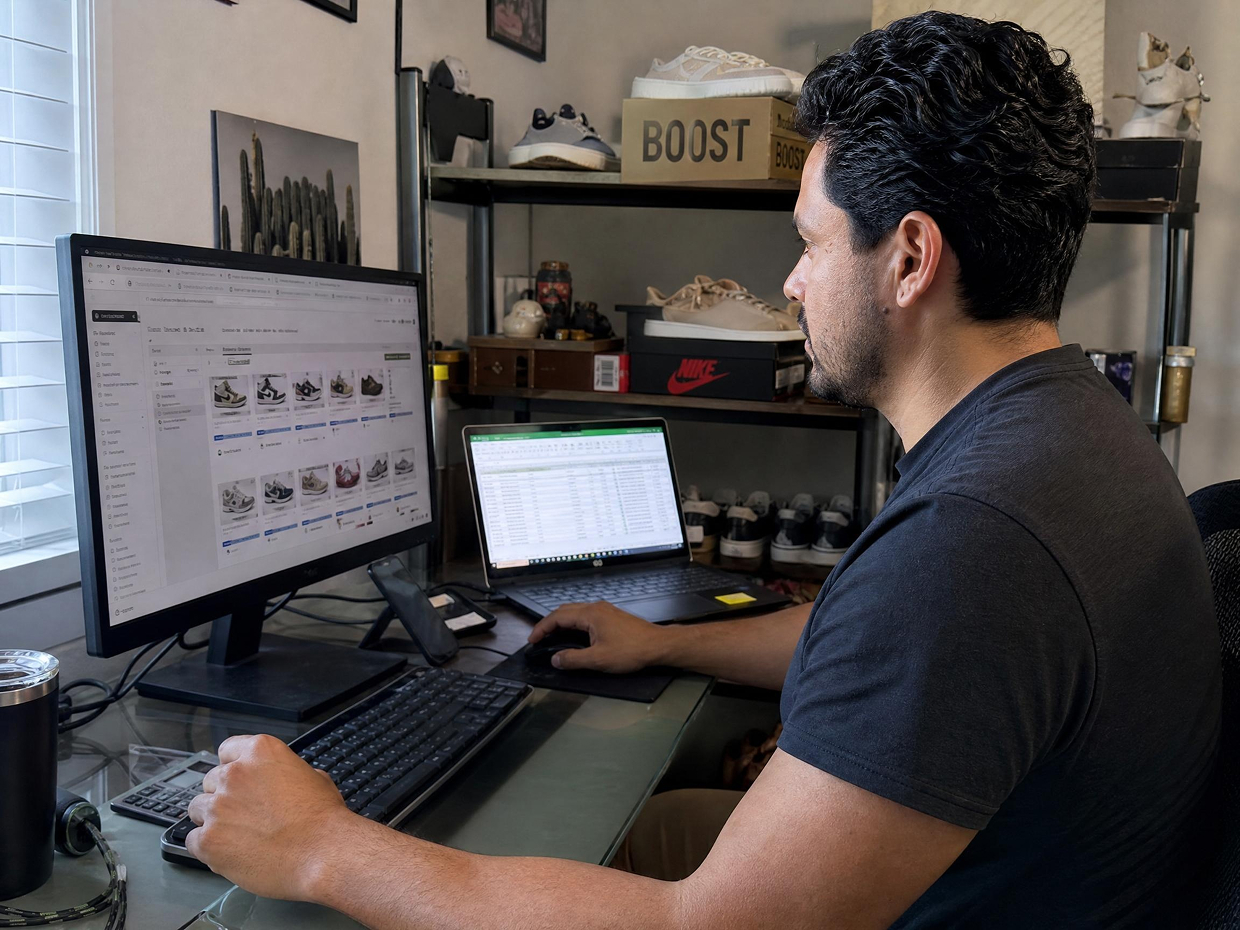
Handling hundreds of shoe SKUs across different marketplaces used to feel chaotic. Every platform wanted different image sizes and formats, and my team was constantly repeating the same tasks. After switching to Designkit, the workflow became way smoother. We now manage 300+ listings with far less manual work, and seasonal launches don't feel overwhelming anymore.
My Store Finally Looks Like a Real Brand
Before Designkit, my storefront looked messy and inconsistent. Different lighting, random backgrounds, uneven product photos—it just didn't feel professional. That honestly bothered me because I wanted customers to trust the brand. After updating my visuals with Designkit, the whole store finally feels clean, premium, and much more polished. Customers now spend more time browsing multiple collections instead of leaving quickly.
Simple Enough That I Didn't Need Outside Help
I'm not a designer, and learning complicated editing tools always felt frustrating to me. I didn't want to waste hours watching tutorials just to update product photos. With Designkit, the process feels simple and straightforward. I refreshed more than 80 shoe listings over one weekend by myself, which honestly would've felt impossible before.