
Generate Stunning Jewelry Product Photos with AI
Transform basic jewelry images into polished product photos with enhanced lighting, realistic metal and gemstone details, and cleaner reflections. Ready for e-commerce without a professional studio.
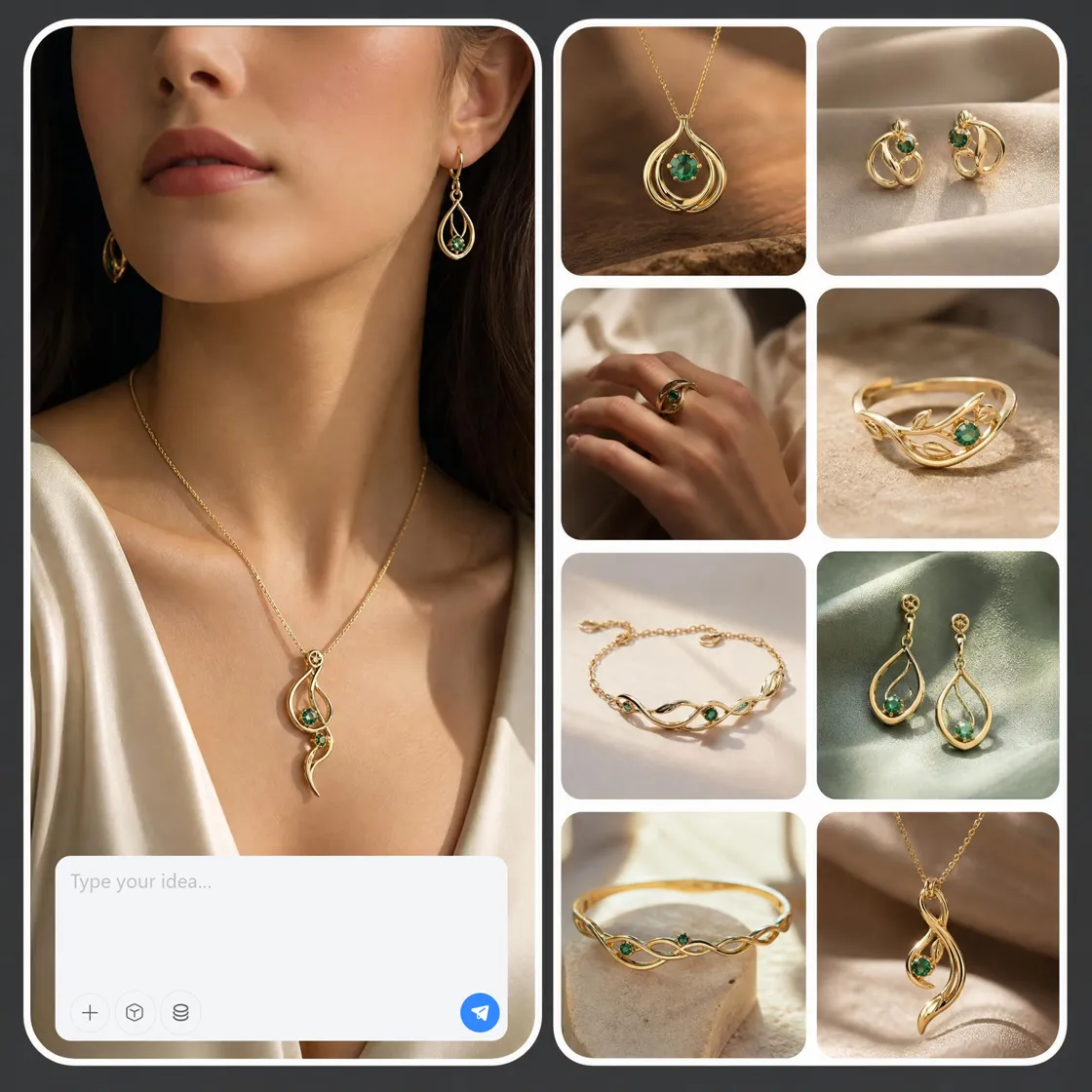
How to Generate Jewelry Product Photography with Designkit
Upload Your Jewelry Photo
Open Designkit workspace and choose "E-commerce Product Agent" to upload your raw jewelry photos, such as a simple photo of a ring, necklace, or earring—even smartphone shots are enough to start creating high-quality jewelry product photography without a studio setup.
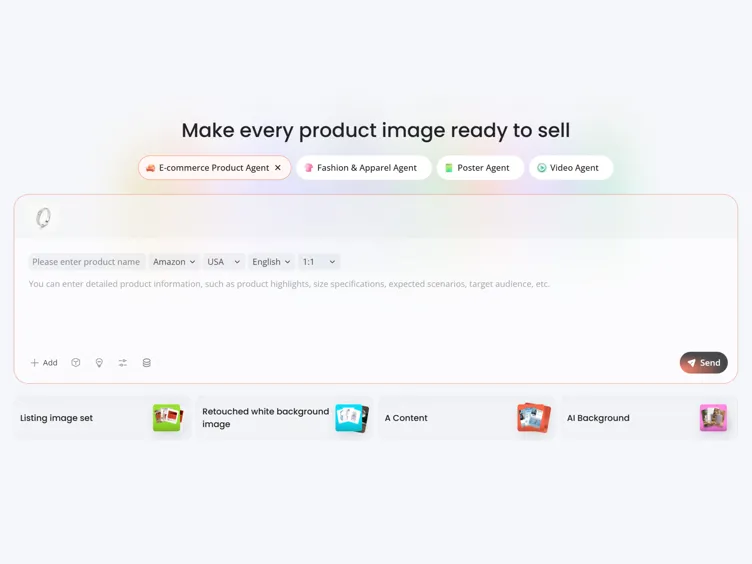
Generate Jewelry Product Photography
Enter your product name and ensure your e-commerce platform, such as Amazon, Shopify, or TikTok Shop with a target country and language. Type your jewelry product photography ideas or selling points and click "Send" to start generating.
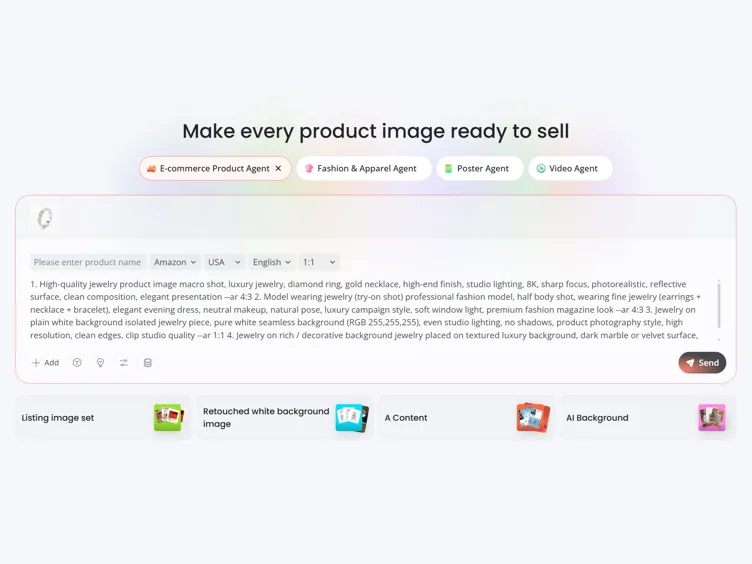
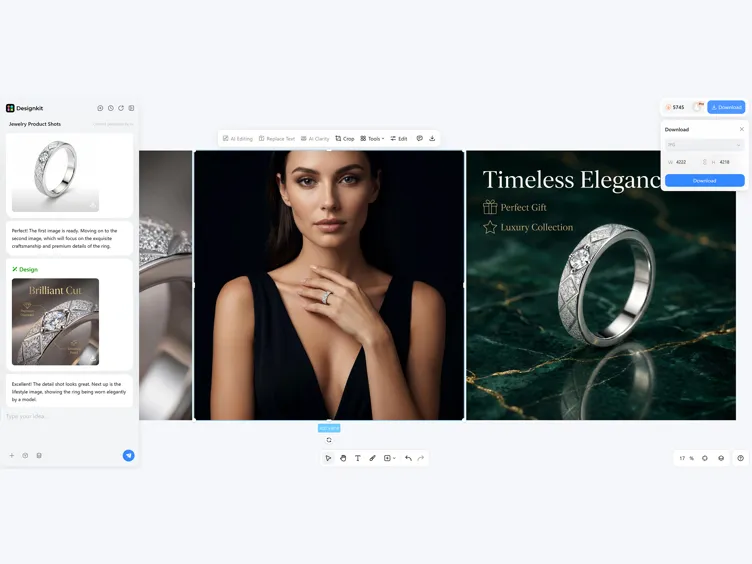
Preview, Refine and Download
Preview your generated jewelry photos to see if any adjustments are needed. Leverage the editing tools to edit and refine your photos. Click "Download" to export your image.
What Designkit Can Do for Your Jewelry Product Photos
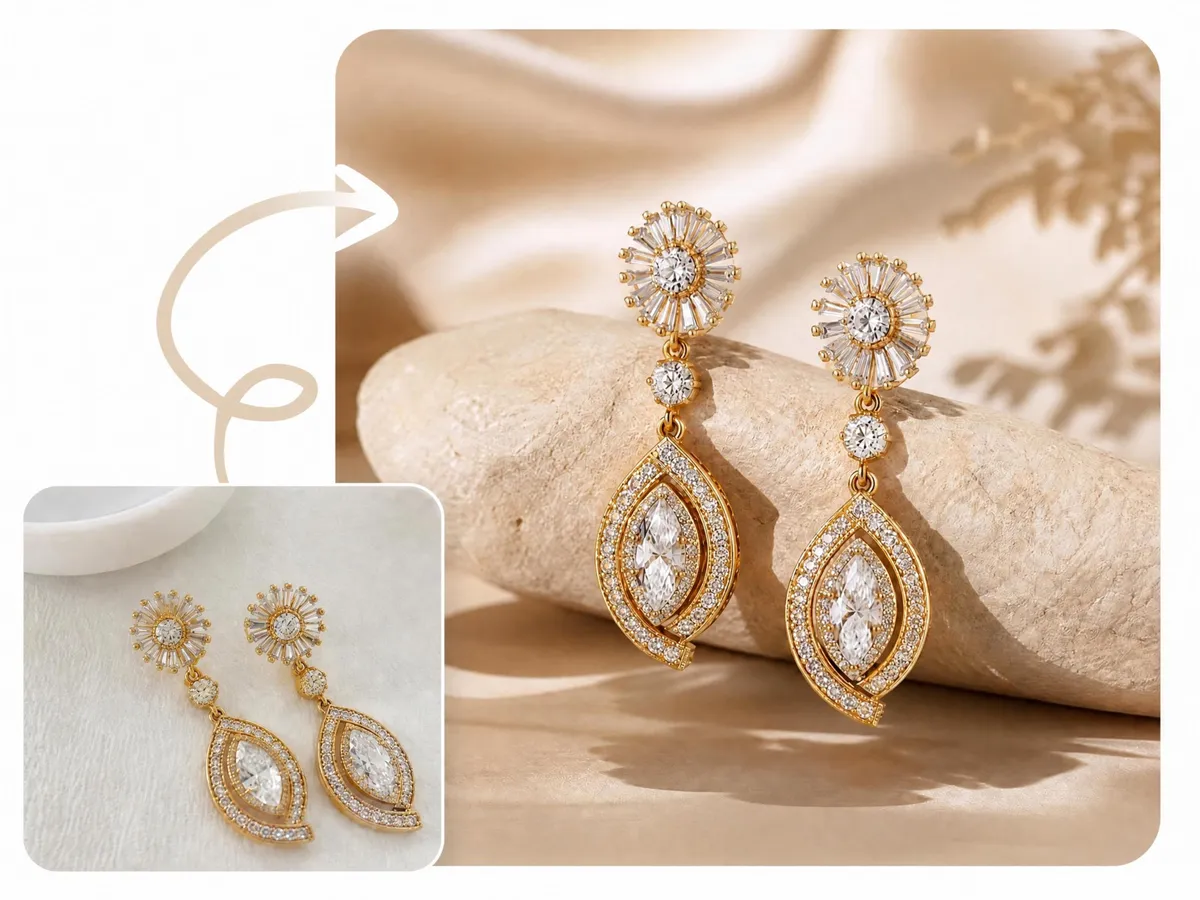
Upgrade Raw Jewelry Photos into Polished Product Images
Reflections, poor lighting, and lost detail can make jewelry look less valuable online. Designkit's AI product photography generator enhances lighting, refines metal and gemstone textures, and creates clean product images ready for Amazon, Shopify, and eCommerce listings.
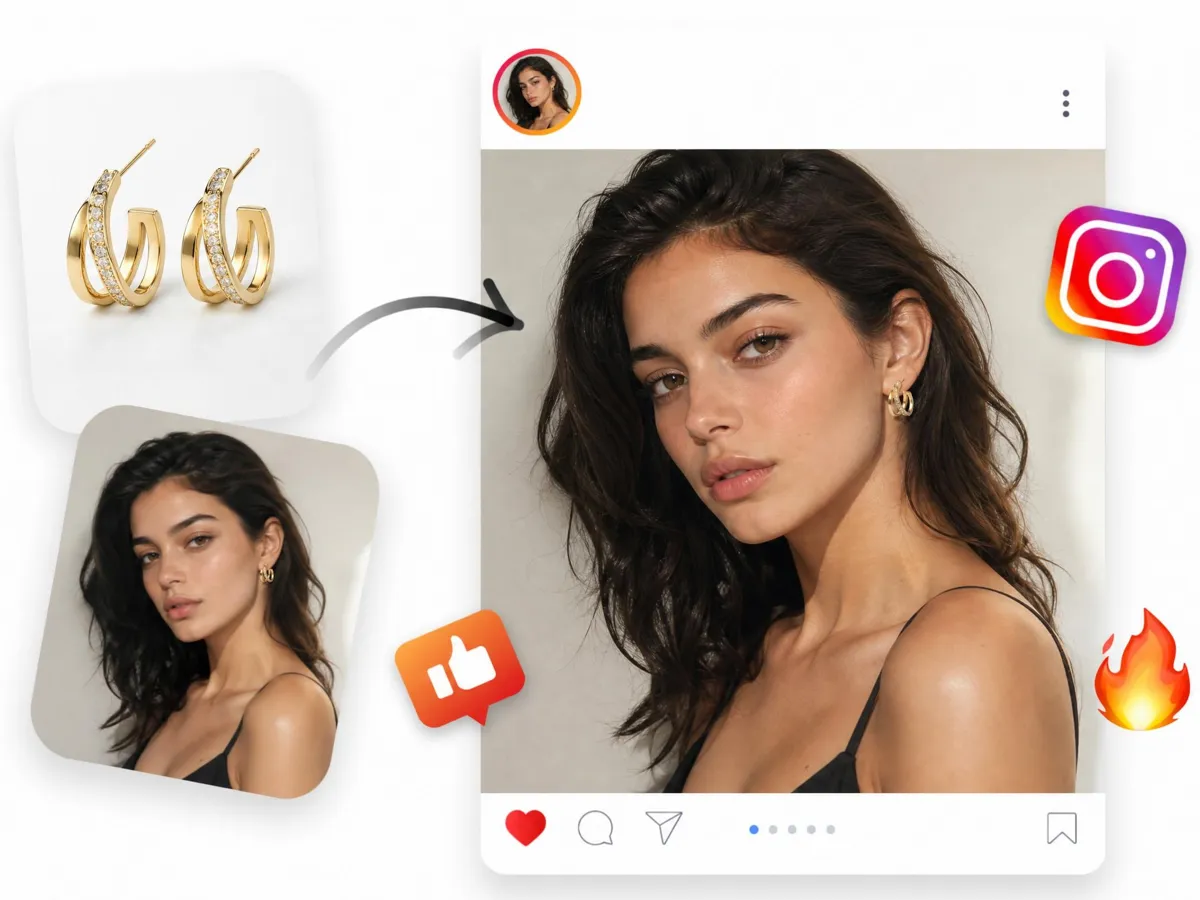
Generate Jewelry Try-On Images with AI Models
Help shoppers visualize how jewelry looks before they buy. Designkit creates realistic AI virtual try-on images that place rings, earrings, and necklaces on lifelike models—making it easier to understand fit, scale, and style while improving purchase confidence.
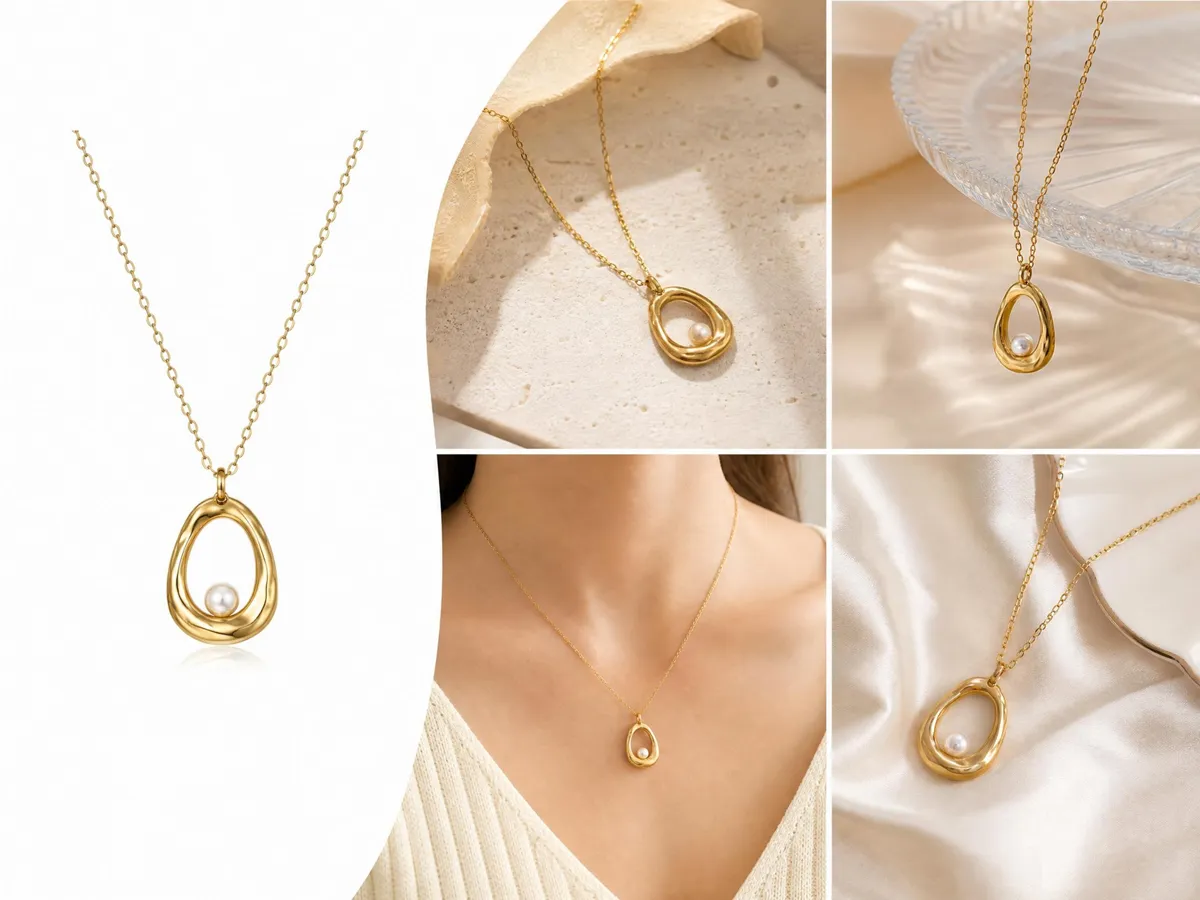
Switch Between White and Lifestyle Backgrounds for Jewelry with AI
Create clean white backgrounds for marketplace-ready listings or generate lifestyle scenes that showcase jewelry in context. Designkit's AI background generator transforms product photos in just a few clicks. No reshoots or manual editing required.
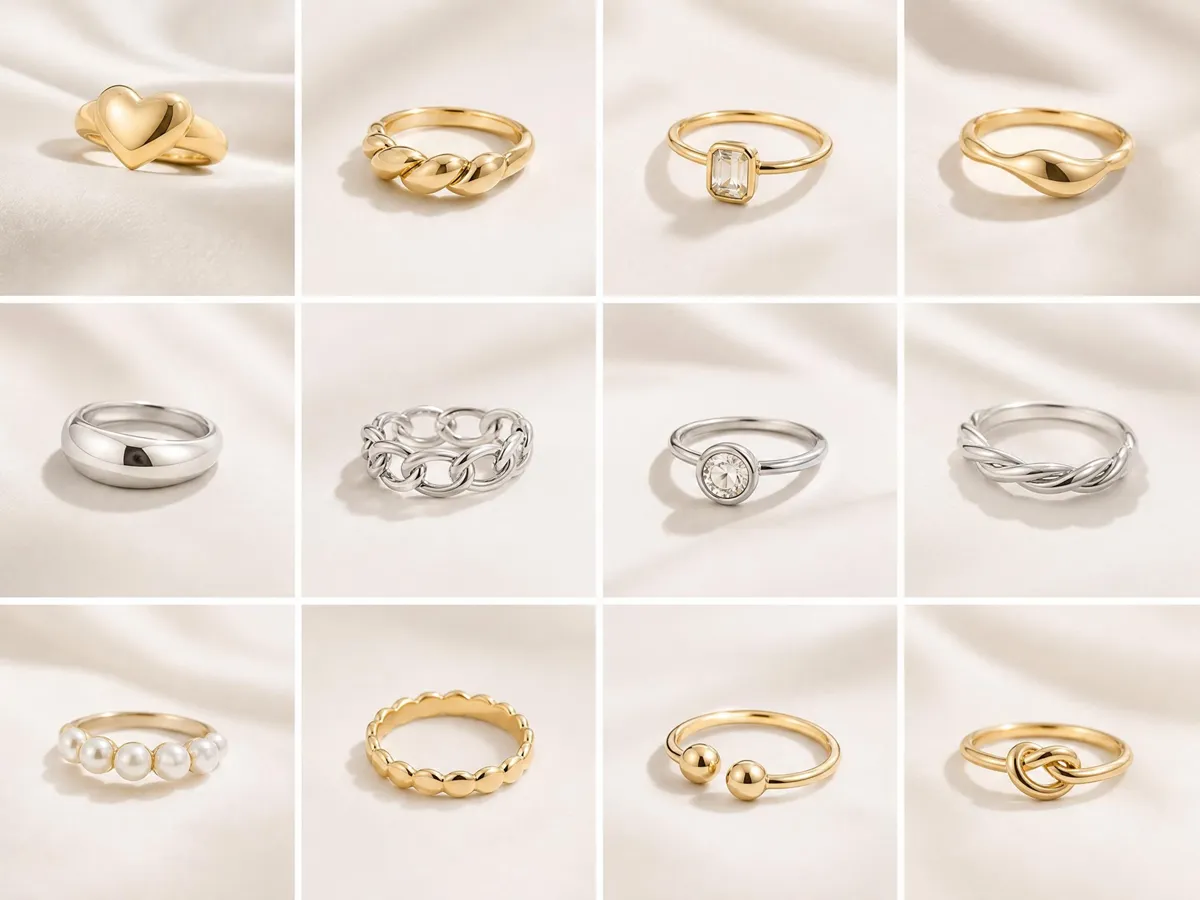
Create Consistent Jewelry Images Across Your Catalog
Keep every jewelry listing visually consistent with AI-generated product images. Designkit's AI image generator keeps lighting, styling, and composition consistent across rings, necklaces, earrings, and more—creating a cleaner storefront that builds trust and supports conversion.
Designkit AI Jewelry Product Photography: Built for Every Jewelry Seller
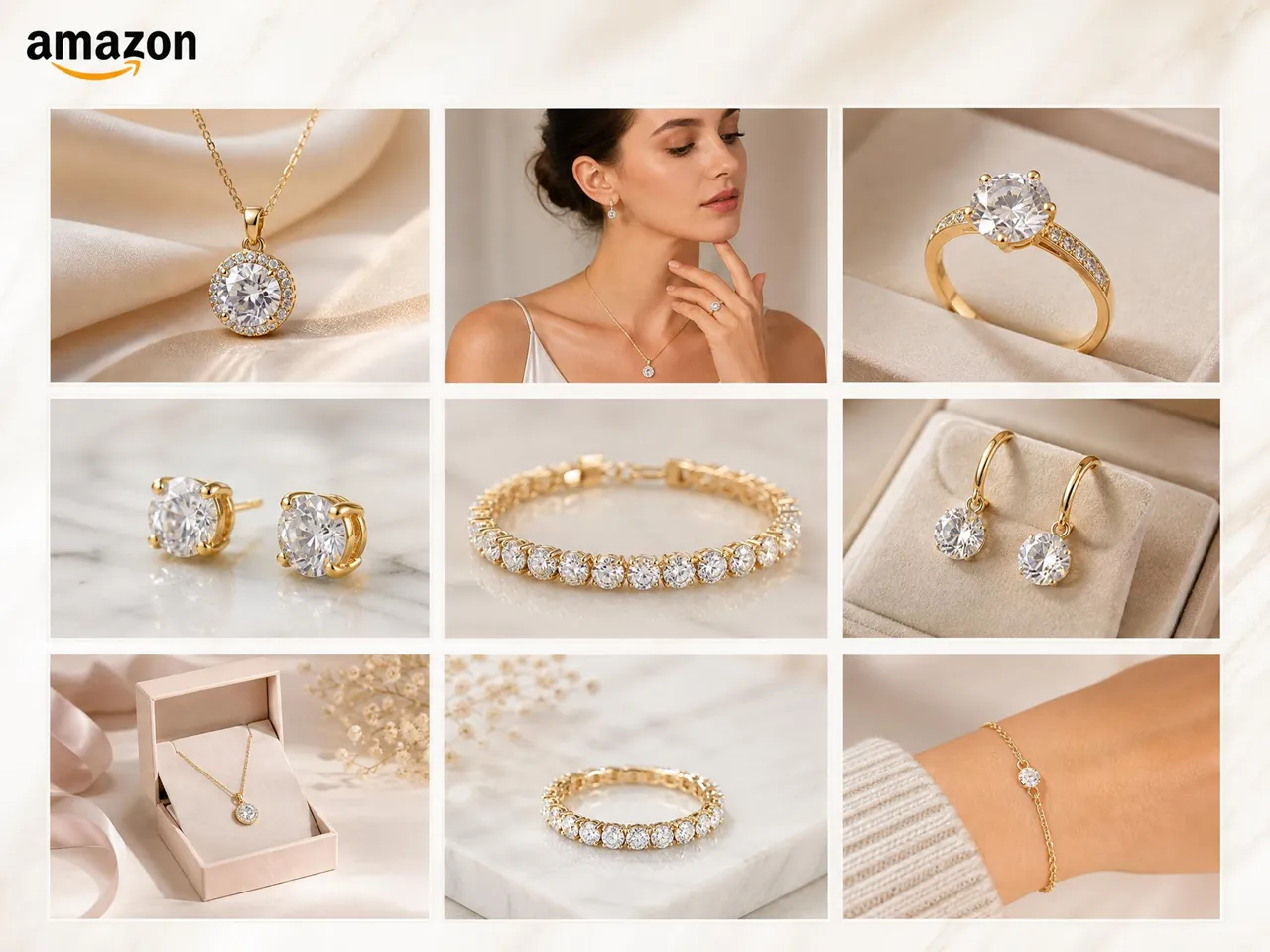
Scale Jewelry Listings with Amazon-Compliant Images
Amazon sellers use Designkit's AI jewelry product photography to generate clean white background images that meet Amazon's main image requirements. It helps maintain consistent visuals across large SKUs, improve listing clarity, and support better visibility and click-through performance.
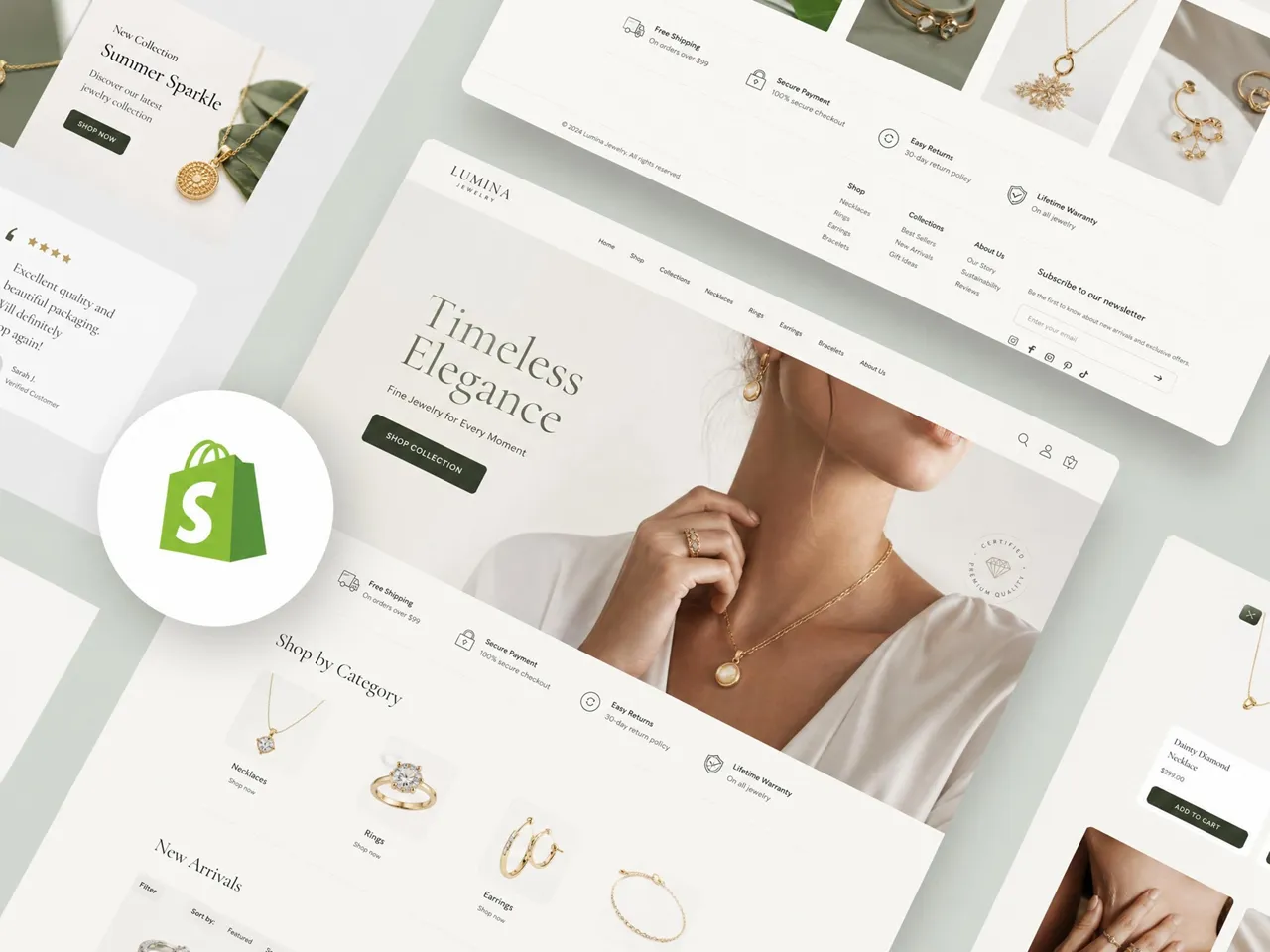
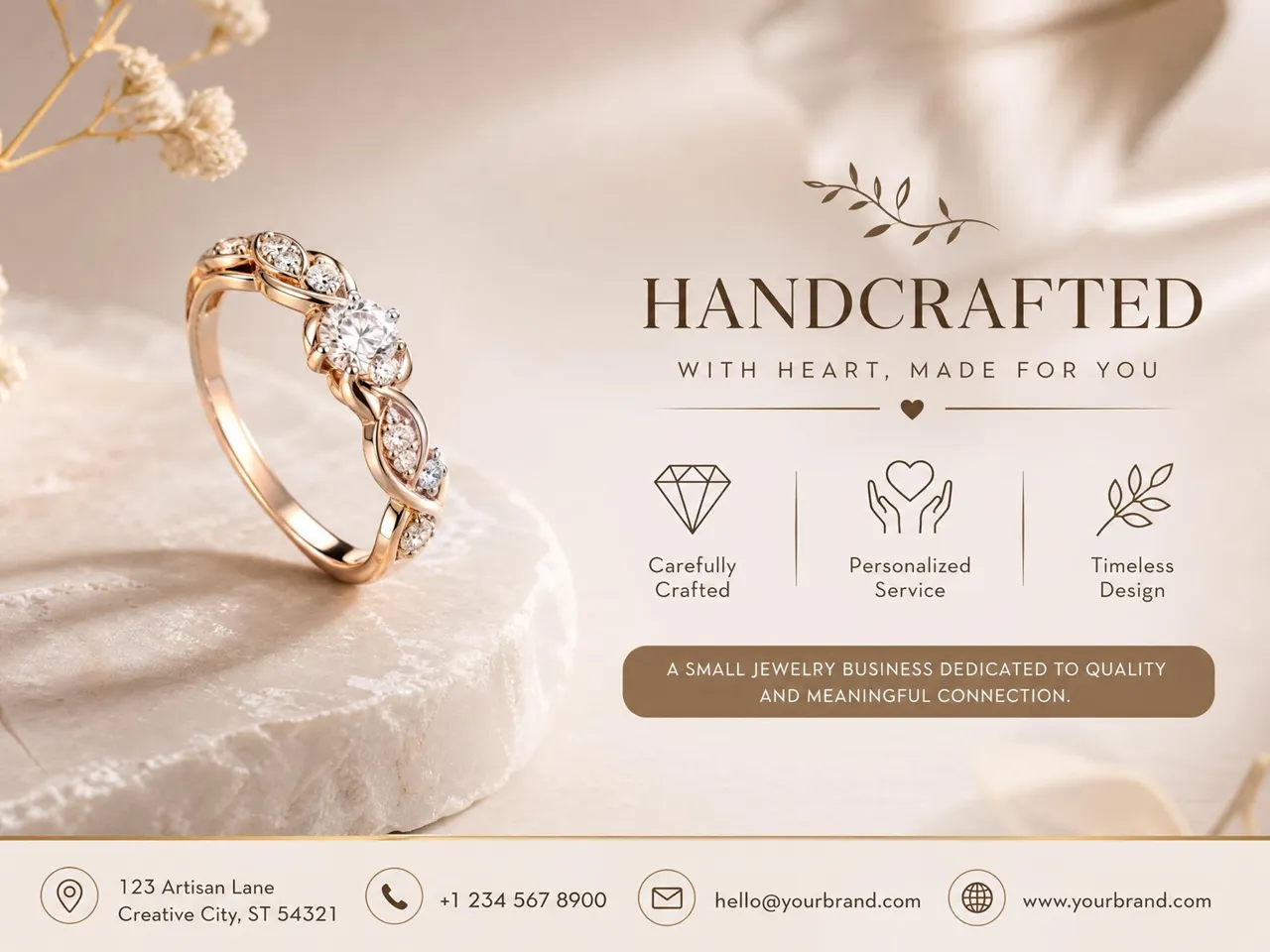
Why Choose Designkit for Professional Jewelry Product Photography

Create Controlled Reflections and Clear Gemstone Detail
Designkit simultaneously enhances the sparkle of metals and the detail of gemstones, revealing them without the need for studio lighting or reflectors.

Standardize Jewelry Images Across Variations and SKUs
Create a consistent visual style for rings, necklaces, and earrings with matching lighting, tone, and clarity to achieve a uniform look across your collection without post-editing.

Convert Basic Photos into Listing-Ready Jewelry Visuals
Turn photos taken with a phone or from suppliers into high-quality e-commerce images with good background and focus, automatically - no retakes or photo editing software required.
Frequently Asked Questions
Is AI-edited jewelry photography allowed on Amazon?
What are the best types of jewelry images for e-commerce listings?
Product, detail, and lifestyle shots are best for e-commerce with a white background. They allow customers to view the product's size, texture, and how it will sit on the model. In addition, Designkit can generate all variations in a single image, resulting in more informative and appealing e-commerce images.
What makes a good jewelry product image?
Jewelry images require lighting, outlines, and reflections. Reflections and an accurate portrayal of the gemstone's shape and size are essential for judging the quality. Designkit's AI image enhancer helps upscale the texture and lighting of each jewelry photo, letting online sellers create high-quality images for their online stores.
What background is best for jewelry photos?
White backgrounds work best for marketplaces, while lifestyle backgrounds are more effective for branding and promotions, so using both helps target different channels. Designkit helps you to switch backgrounds instantly without reshooting. It keeps the product in focus while creating versatile visuals tailored for multiple marketing and sales platforms.
Do lifestyle images increase jewelry sales?
Yes, jewelry lifestyle images display their appearance and texture to help customers understand fit and sizing, and how it might look on them. It creates an emotional connection to the product, increases customer interest, and makes e-commerce product listings and advertising more effective, especially when used with product images. Designkit helps you to create lifestyle-style visuals from simple images, making it easier to produce engaging, high-quality jewelry photos without complex setups.
Should I use models or just product images?
Both are important for effective presentation. Models show fit and style, product images show detail. At this point, Designkit becomes essential because it can do both, so you can offer a complete product package to customers that will help them better understand the product, promote your brand, and build customer confidence in your product listings.
Is AI jewelry photography cheaper?
Yes. AI eliminates the need for expensive studios, lighting, imagery, and retouching. This is exactly where Designkit helps and lets you save time and money by producing high-quality images of your jewelry and streamlining editing and creating product listings for e-commerce websites across multiple platforms.
What are the best ways to retouch jewelry images?
The best way to retouch jewelry images includes: 1. increase brightness slightly for clarity, 2. enhance reflections and sparkle naturally, 3. improve focus and sharpness for detailed visibility, 4. keep colors and textures realistic, and 5. avoid over-editing to maintain authenticity. Designkit helps you achieve this by using AI-powered retouching to balance lighting, clarity, and shine without altering the real look of your jewelry. It enhances product images in a natural way, making them suitable for listings, ads, and marketing while keeping them visually accurate and professional.
Can I use AI jewelry photos for my Etsy shop?
Yes, you can use AI-enhanced jewelry images on Etsy as long as they are realistic and accurately represent your product. Good visuals improve clicks, trust, and listing appeal. Designkit helps Etsy sellers create clean, consistent jewelry photos using AI tools like retouching, background removal, and enhancement, making it easy to produce professional, Etsy-ready product images that improve store presentation.
Generate Premium Jewelry Photos for Your Listing Now
Transform basic jewelry photos into clear, consistent, and professional product images using Designkit. Optimized for Amazon and Shopify, it helps improve clicks, engagement, and conversion rates on your listings.



What Users Say about Designkit for AI Jewelry Photography
See how users create better jewelry photos with Designkit
My Listings Finally Started Getting Clicks
My listings weren't getting high ratings due to blurry photos. With Designkit, I improved product clarity, removed reflections, and changed the background, which significantly increased my weekly revenue and improved overall product visibility on the marketplace.
My Store Looks So Much More Professional Now
The jewelry photos in my store used to have inconsistent lighting and styling, which made the catalog feel unprofessional. After using Designkit to create consistent, balanced visuals across all products, I saw a 35% increase in monthly sales from better engagement and add-to-cart performance. The store now looks polished, clean, and trustworthy.
Customers Can Actually See the Details Now
My jewelry listings used to suffer from dull, blurry product images that failed to showcase the shine and craftsmanship of the pieces. After upgrading our visuals with Designkit, we generated over 25% in additional sales and saw much stronger engagement across product listings. The enhanced images helped customers better appreciate the gem quality, details, and overall craftsmanship of each product.
Uploading Products Became So Much Faster
Creating product visuals used to take hours per listing. With Designkit, I can produce bulk, uniform images of my jewelry in much less time, reducing my prep time by 70%, and add over 120 listings a month with higher conversion rates, faster processing, and easier store management.
Everything Looks Consistent Across My Stores
I used to have different listings on Amazon, Shopify, and Etsy. Using Designkit, I now have a unified look across all platforms, which has helped build a better brand, driven 33% growth in overall sales, and 45% growth in product page views through better product presentation and visuals.
My Jewelry Finally Looks Premium Online
My high-end pieces were not standing out due to poor lighting and a lack of detailed visibility. Designkit enhanced sharpness, reduced glare, and highlighted fine craftsmanship in each image. This led to a 29% increase in conversion rate and a 36% rise in average order value, making my products appear more premium and trustworthy online.