
Remove Unwanted Shadows from Your Photos Online
Fix harsh shadows and uneven lighting in seconds. Create bright, natural-looking photos. Works on product shots, portraits, and scanned documents.


No picture on hand? Try with one of these:




How to Remove Shadows in 3 Steps
Upload Your Image
Upload any photo with shadows, including product shots, portraits, or scanned pages. Upload one or several at once for batch processing.

AI Detects and Removes Shadows
Designkit reads the lighting, lifts the cast shadow, and fills the area to match the surrounding light and texture, while keeping the subject's natural shape.

Download Your Clean Image
Check the improved result in real time, then download your shadow-free image in high quality, ready for listings, social, or print.
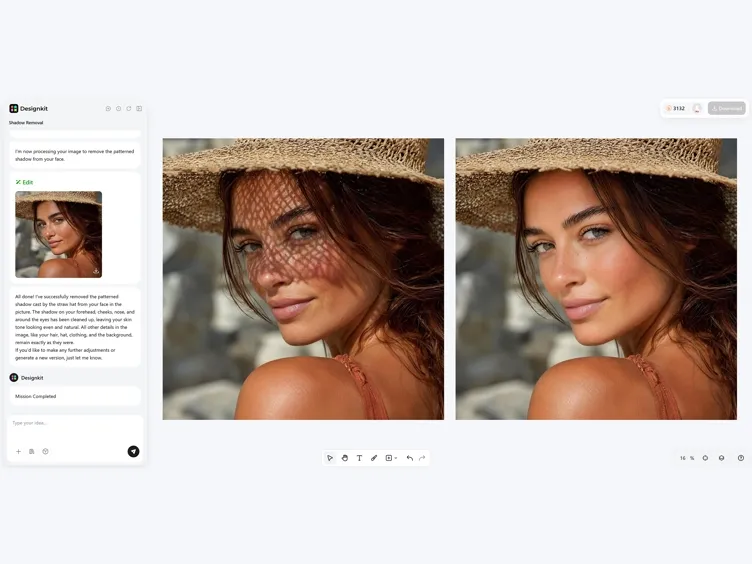
What Designkit's Shadow Remover Can Do
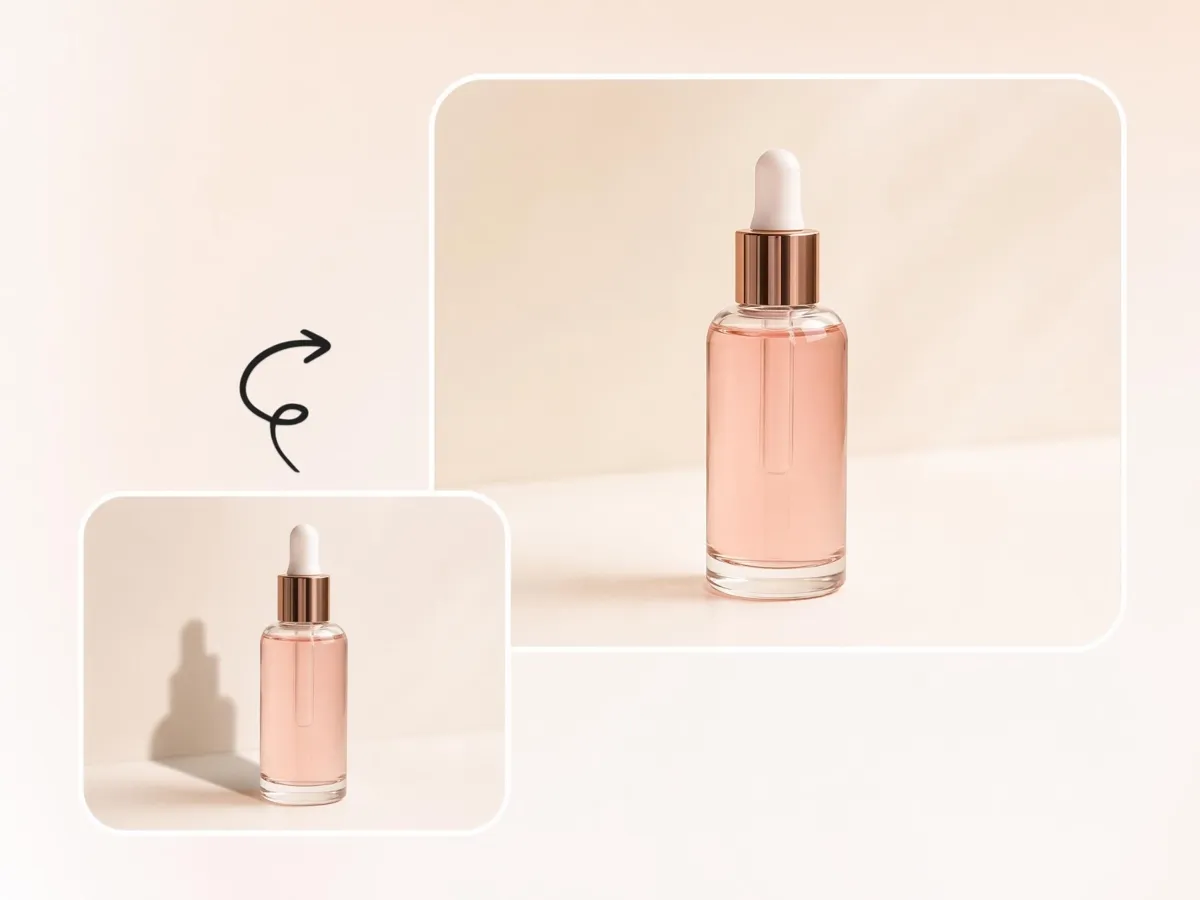
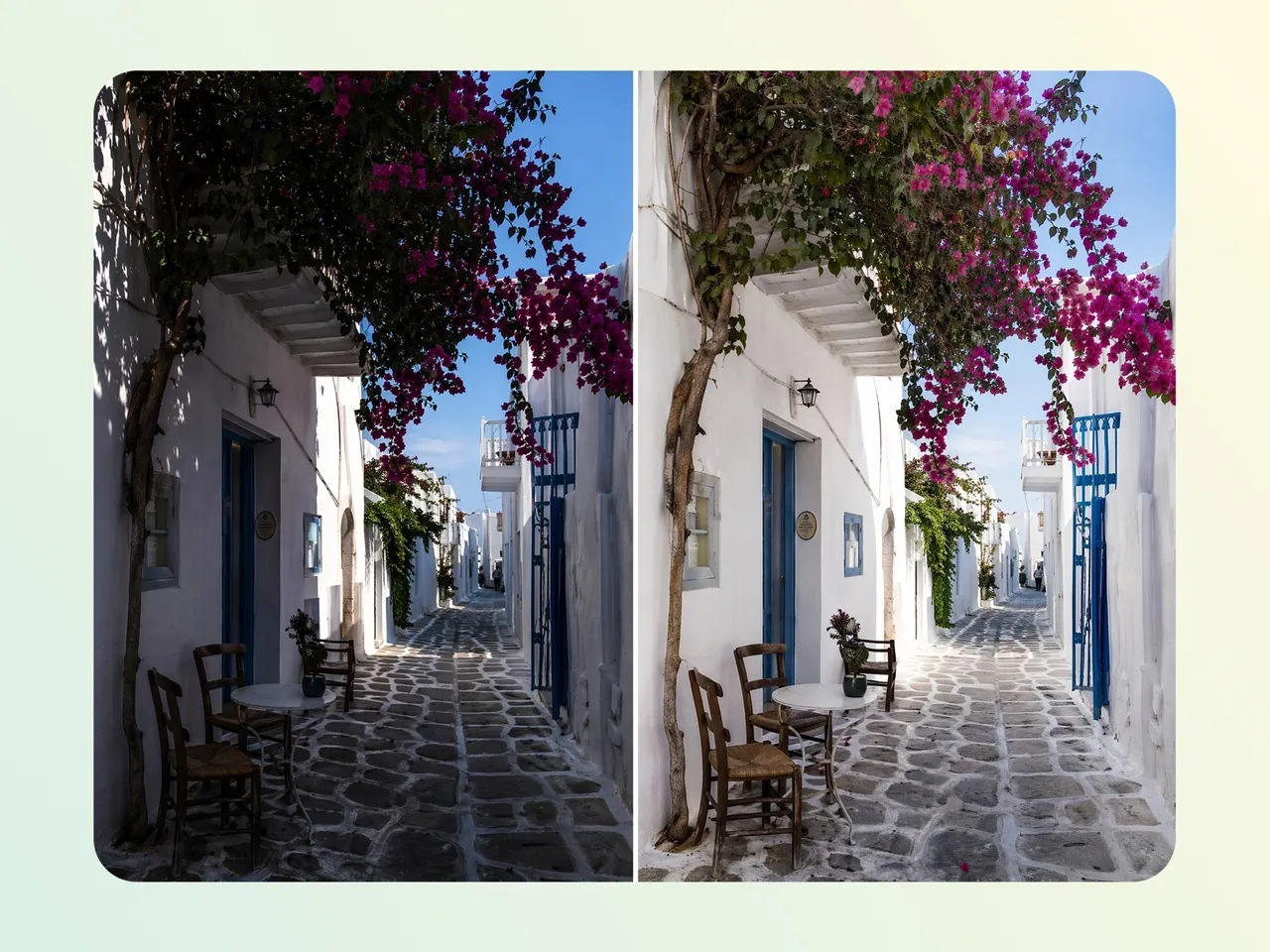
Remove the Cast Shadow, Keep the Subject
Fix distracting shadows caused by direct sunlight, indoor lighting, or object placement without removing the actual subject. Designkit's object remover helps preserve important details while clearing unwanted dark areas.
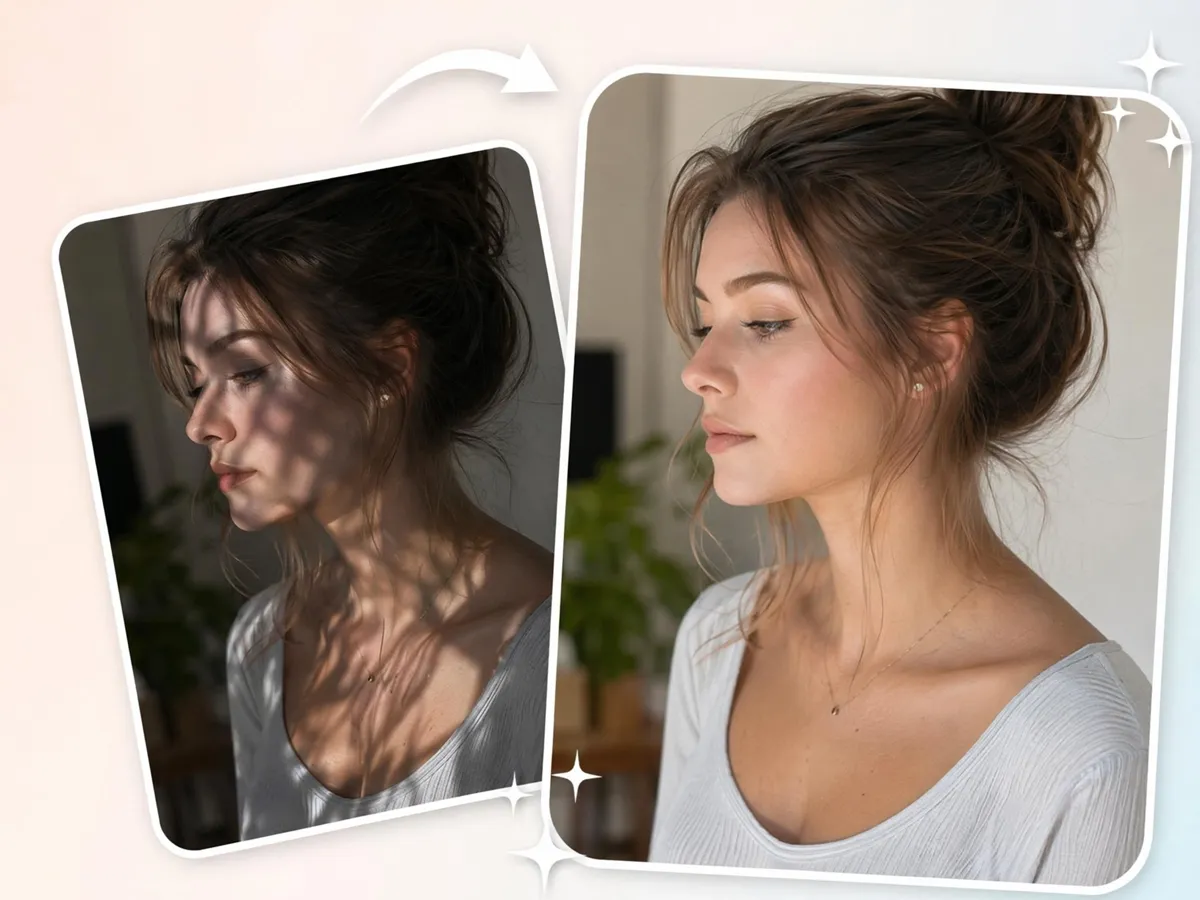
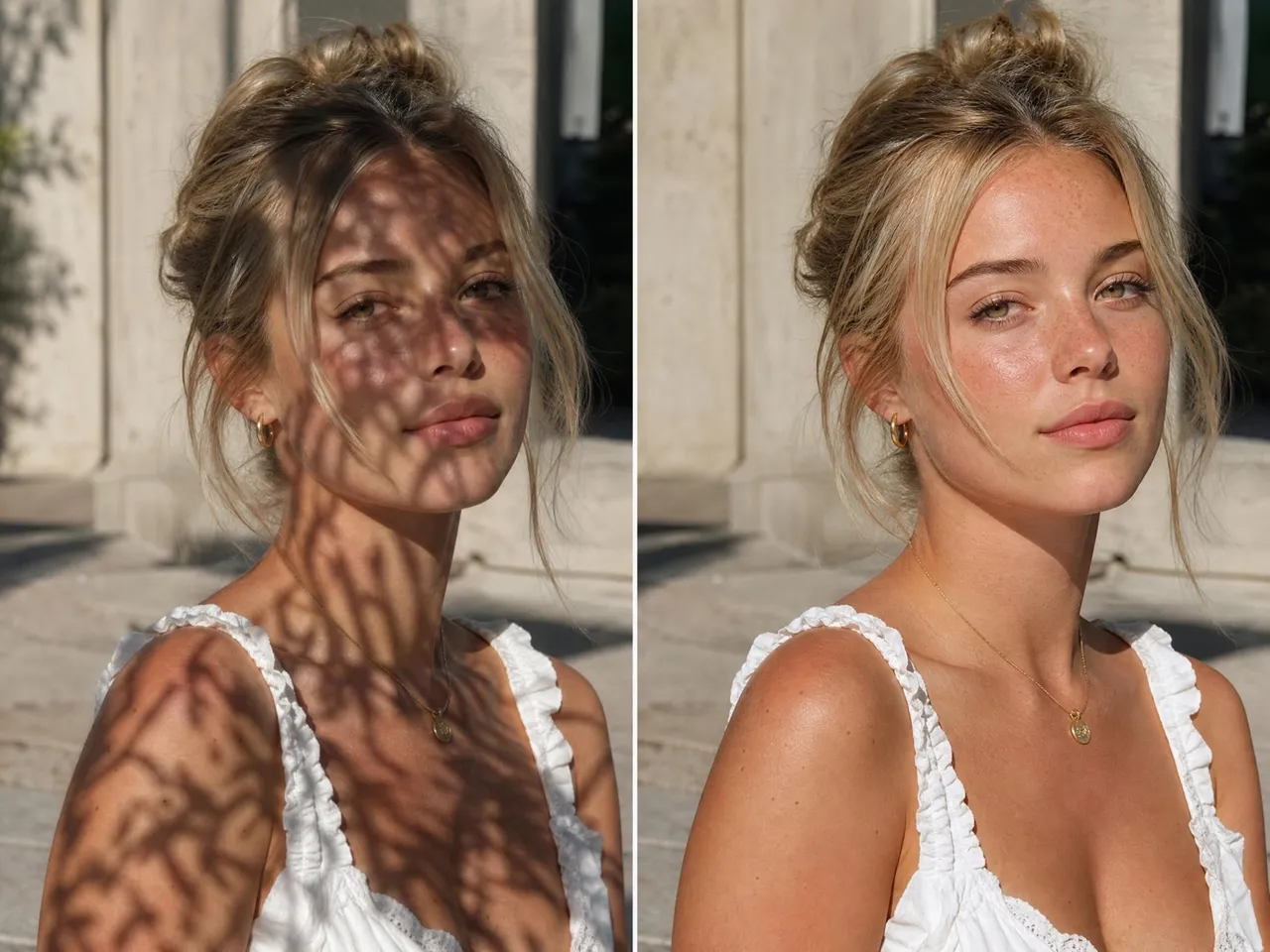
Even Out Shadows on Faces
Hat brims, side lighting, and outdoor sunlight can leave parts of a face hidden in shadow. Remove these distractions, so facial features remain visible and natural while keeping the person's appearance intact.
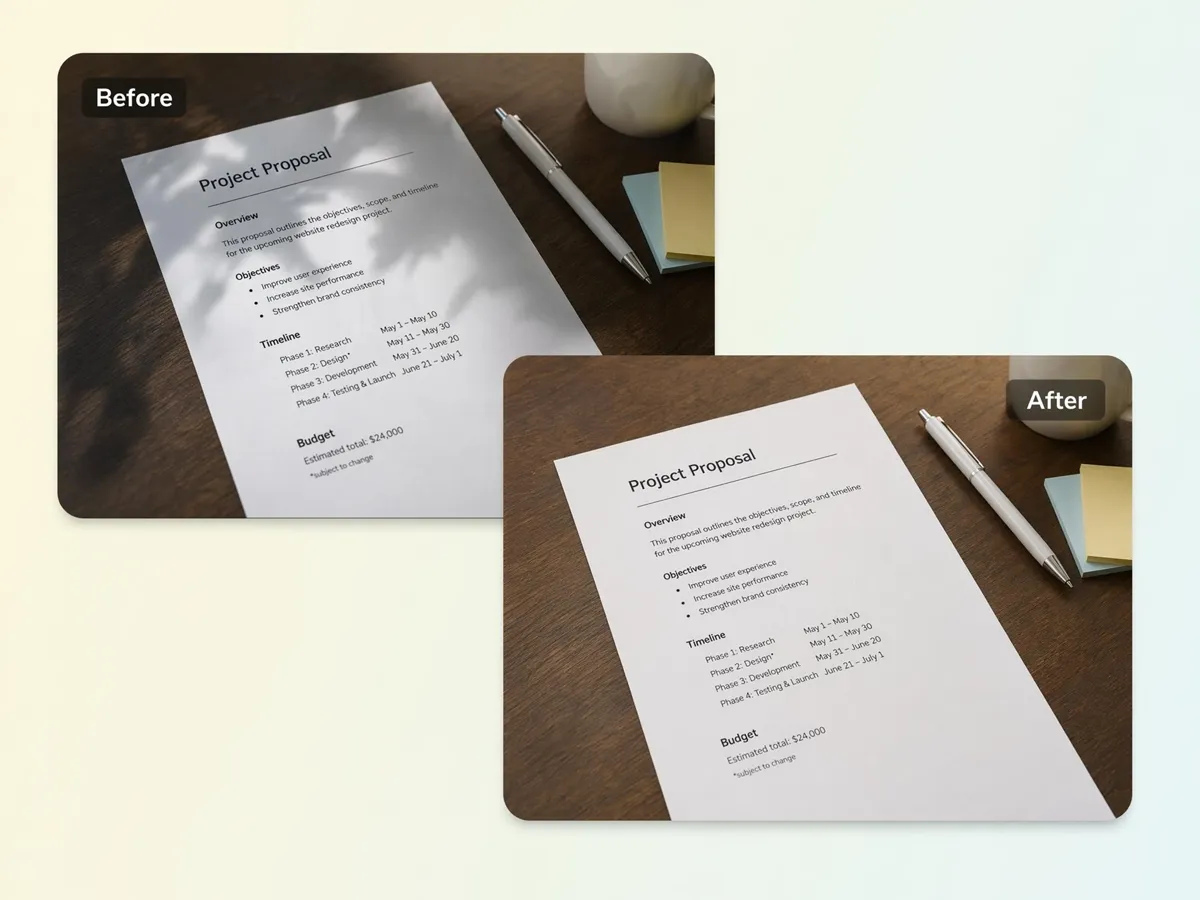
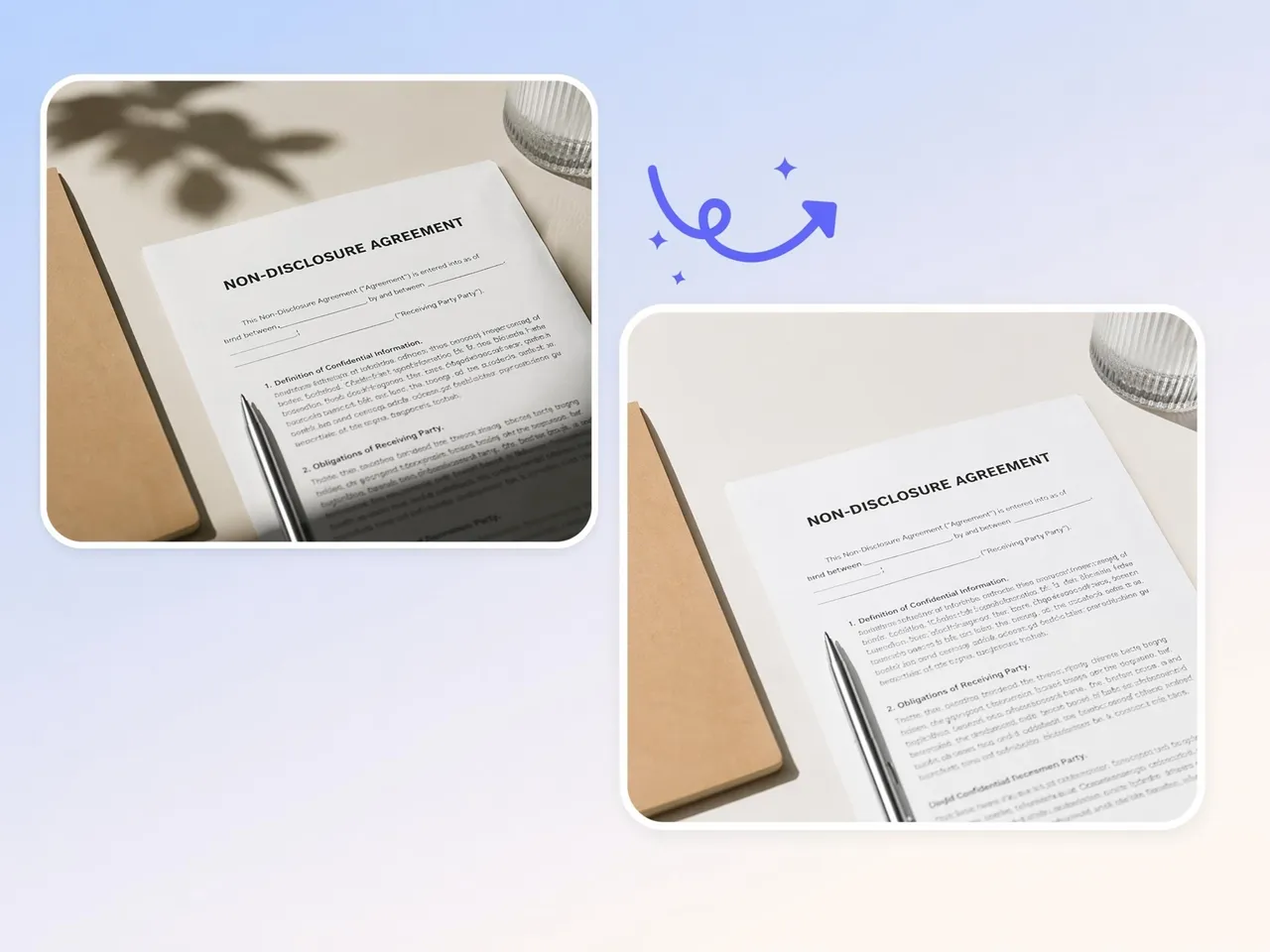
Clear Shadows on Scanned Documents
Phone, hand, or desk-lamp shadows can make scanned pages hard to read. Remove dark areas covering text so documents, forms, notes, and receipts look clear, clean, and easy to review, print, archive, or share without distraction.
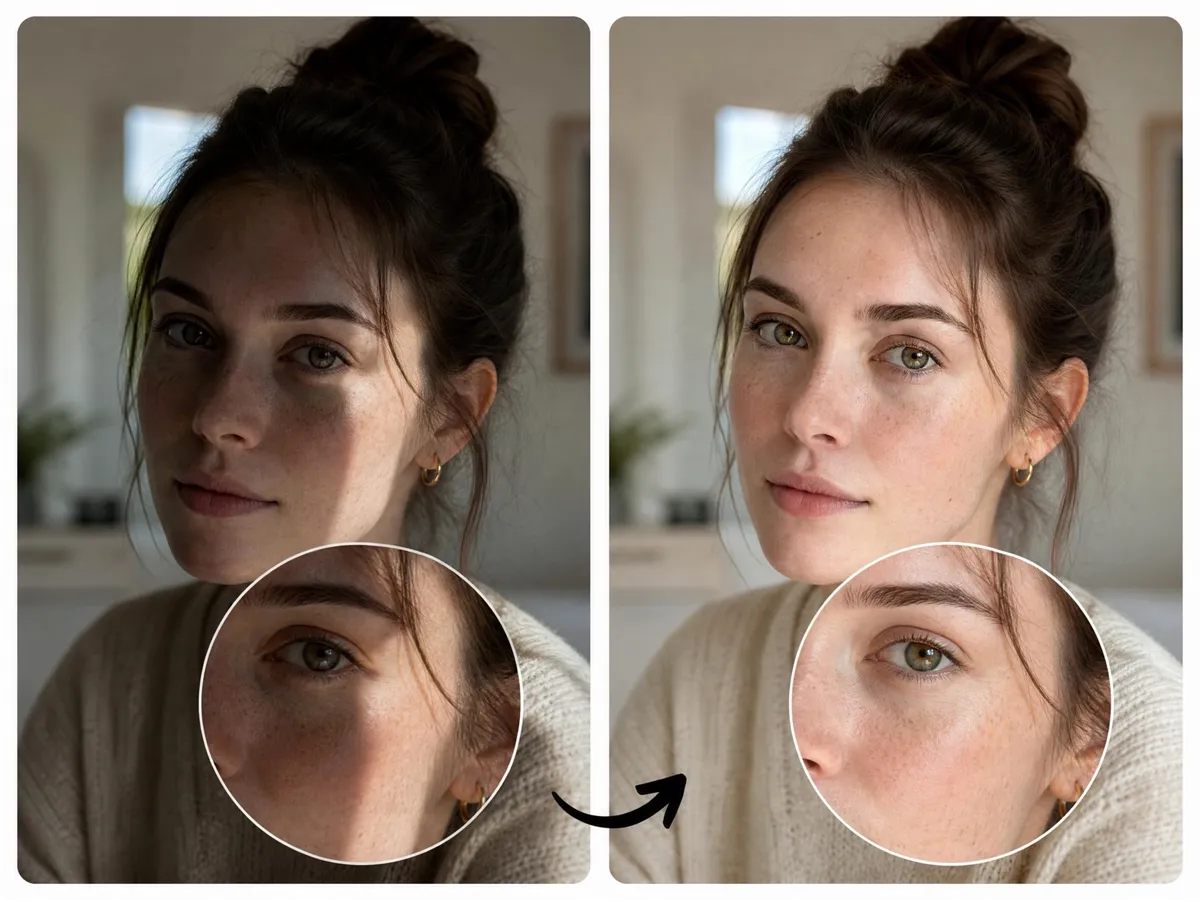
Restore Balanced Lighting in Dark or Overexposed Photos
Shadow removal can help reduce harsh dark areas that make parts of a photo difficult to see. As shadows are removed, lighting appears more balanced across the image, making subjects easier to view without separate exposure correction.

Remove for Products, Portraits, and Interior Scenes
Product photos, portraits, and room images often contain unwanted shadows that distract from the subject. Use this image shadow remover to clean up different types of photos without reshooting or rebuilding the scene.
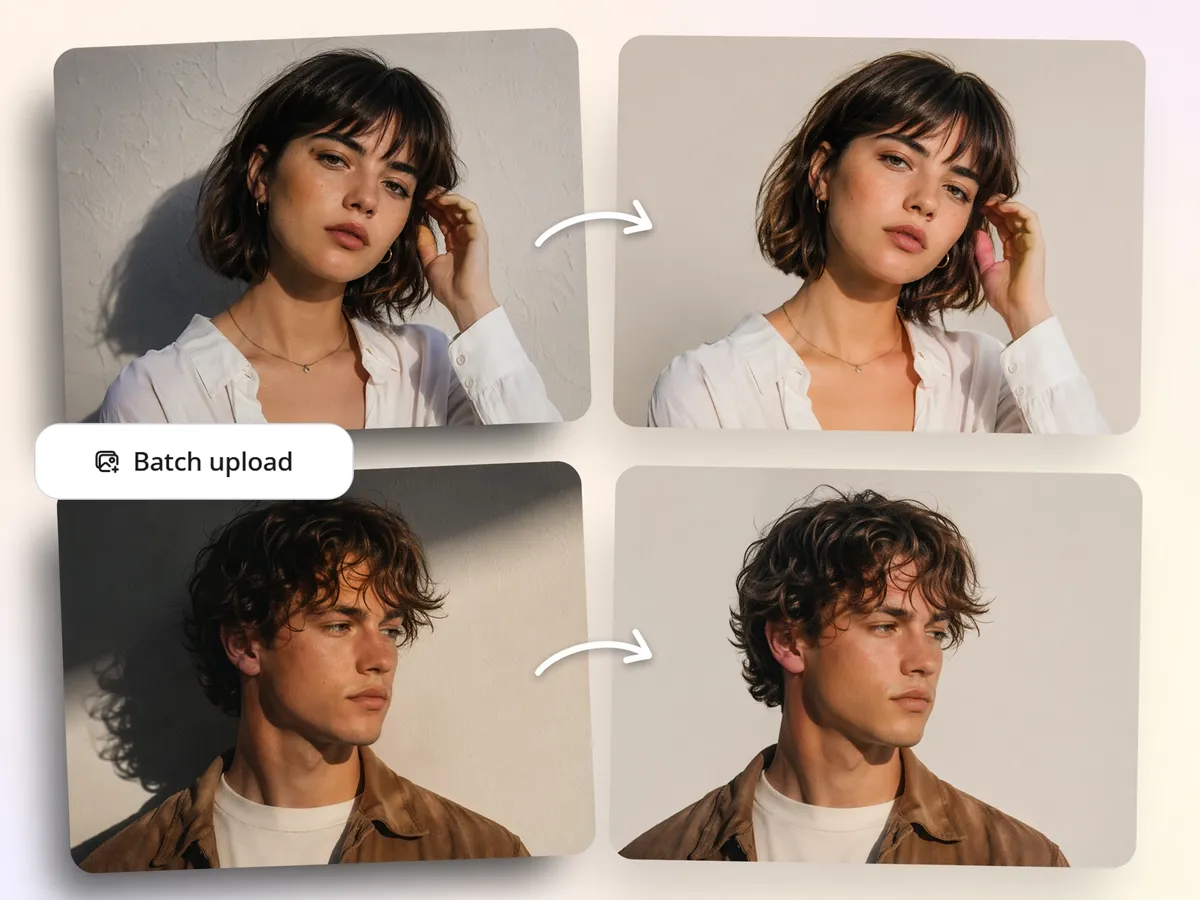
Batch Remove Image Shadows in Seconds
Large photo collections can contain the same shadow problem across multiple files. Use the shadow remover online workflow to process multiple images together instead of correcting each photo individually.
Who Uses Designkit's Shadow Remover
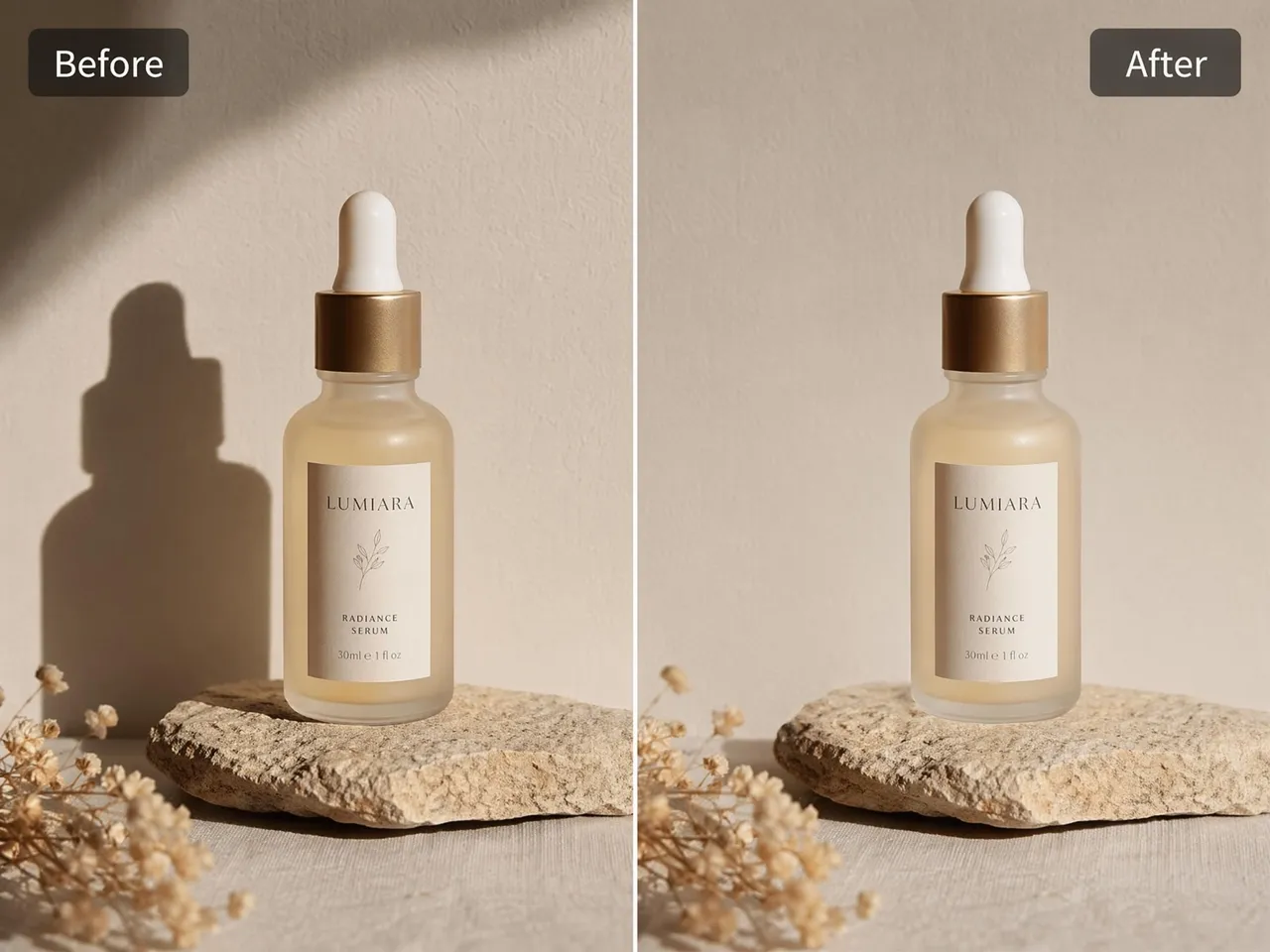
Make product photos clean and bright for online listings
Product images taken under strong lighting often contain shadows that hide details or distract shoppers. Designkit removes these unwanted shadows so customers can focus on the product itself and view it more clearly across online listings.

Why Designkit Is the Smarter Way to Remove Shadows
Targets Only the Unwanted Shadow
Remove distracting shadows without affecting the main subject, reducing manual corrections and preserving important visual details.

Keeps the Subject's 3D Shape and Detail
Maintain natural depth, texture, and object definition, so products, faces, and interiors remain visually realistic after editing.

Natural Light Instead of a Washed-Out Look
Create cleaner-looking images without flattening contrast, helping subjects stay visible while avoiding an overcorrected appearance.

Removes Shadows from a Full Batch at Once
Apply the same shadow removal workflow across multiple images, making large photo collections easier to process and manage.

Designed for Non-Editors and Busy Teams
Reduce dependency on advanced editing skills, allowing teams to clean images and maintain output quality with less effort.

More Than Shadow Removal in One Workflow
Handle shadow cleanup alongside other image adjustments in a single process, reducing tool switching and repetitive editing tasks.
Unlock More Creative Possibilities

Background Remover Online
AI Object Remover

Remove People From Photo
Remove Text From Images
Frequently Asked Questions
What kind of shadows can Designkit remove?
How does AI remove shadows without damaging image quality?
AI removes shadows by identifying the shadowed area and rebuilding the affected parts using surrounding visual information. With Designkit, the shadow is separated from the subject, so only the unwanted dark region is adjusted. If you're researching how to remove shadow from photos, this approach helps preserve important details instead of requiring manual editing or reshooting.
Will my image look flat or fake after removing the shadow?
No, shadow removal does not have to make an image look flat. With Designkit, the goal is to remove distracting shadows while keeping the subject's natural depth, texture, and shape. Any lighting balance that appears afterward is a secondary result of shadow removal, not a separate exposure correction process. This helps the edited image remain believable and visually natural.
Can I remove shadows from product photos?
Yes, product photos are one of the most common use cases. With Designkit, you can use the shadow remover from photo workflow to clear unwanted shadows caused by studio lights, windows, or outdoor shooting conditions. This helps shoppers focus on the product itself without dark areas pulling attention away from important details.
Does it work on scanned documents?
Yes, it works well on scanned documents. With Designkit, shadows caused by phones, hands, or uneven desk lighting can be removed from pages, forms, notes, and receipts. Acting as a background shadow remover, it clears dark areas that cover text, so documents are easier to read, archive, print, and share.
Can I remove shadows from several images at once?
Yes, multiple images can be processed together. With Designkit, you can remove shadows from pictures online across an entire set instead of editing each file individually. This is useful for product catalogs, real estate photos, event images, or large document collections that share the same shadow issue.
Remove Shadows from Your Photos
Upload a shadowed photo and see how clean it looks without them. Try Designkit free and download a shadow-free image in seconds.

What People Say About Designkit's Shadow Remover
Real user feedback on how shadow removal improves image quality instantly
Instant Shadow Fix for Brighter, Trust-Worthy Product Photos
My product photos used to feel dull and lifeless because of harsh shadows. Now I remove them instantly, and my listings look brighter, cleaner, and far more trustworthy. Customers genuinely respond better to the visuals.
Studio-Like Results That Feel Professionally Polished
Harsh lighting always frustrated me during shoots. Designkit gives me beautifully balanced lighting while preserving every detail, and the final results genuinely feel studio-grade and emotionally satisfying to deliver to clients.
Clean Scans for Submissions
My phone always cast a shadow when I photograph lecture notes and contracts. Now the page comes out even and readable, which has saved me a trip to the scanner.
Stress-Free Editing for Faster Daily Content Flow
Editing used to feel tiring because lighting issues slowed me down. Now shadow removal is instant, and it feels like a huge relief. I can create and post consistently without the stress of manual editing.
More Attractive Property Listings That Build Buyer Interest
Dark shadows often made spaces feel smaller and less inviting. After using Designkit, rooms look warm, open, and inviting, which helps potential buyers emotionally connect with the property instantly.
Clearer Images That Boost Engagement and Confidence
Shadows used to ruin my photos and make them feel low quality. With Designkit, everything looks cleaner and more vibrant, and I’ve noticed a real boost in likes, comments, and overall audience confidence.