
Free Flat Lay Product Photography: Create Top-Down Images with AI
Create eCommerce-ready flat lay product photos with AI. Trusted by 10,000+ sellers, generate clear top-down images in seconds for Amazon, Shopify, eBay, and Etsy.
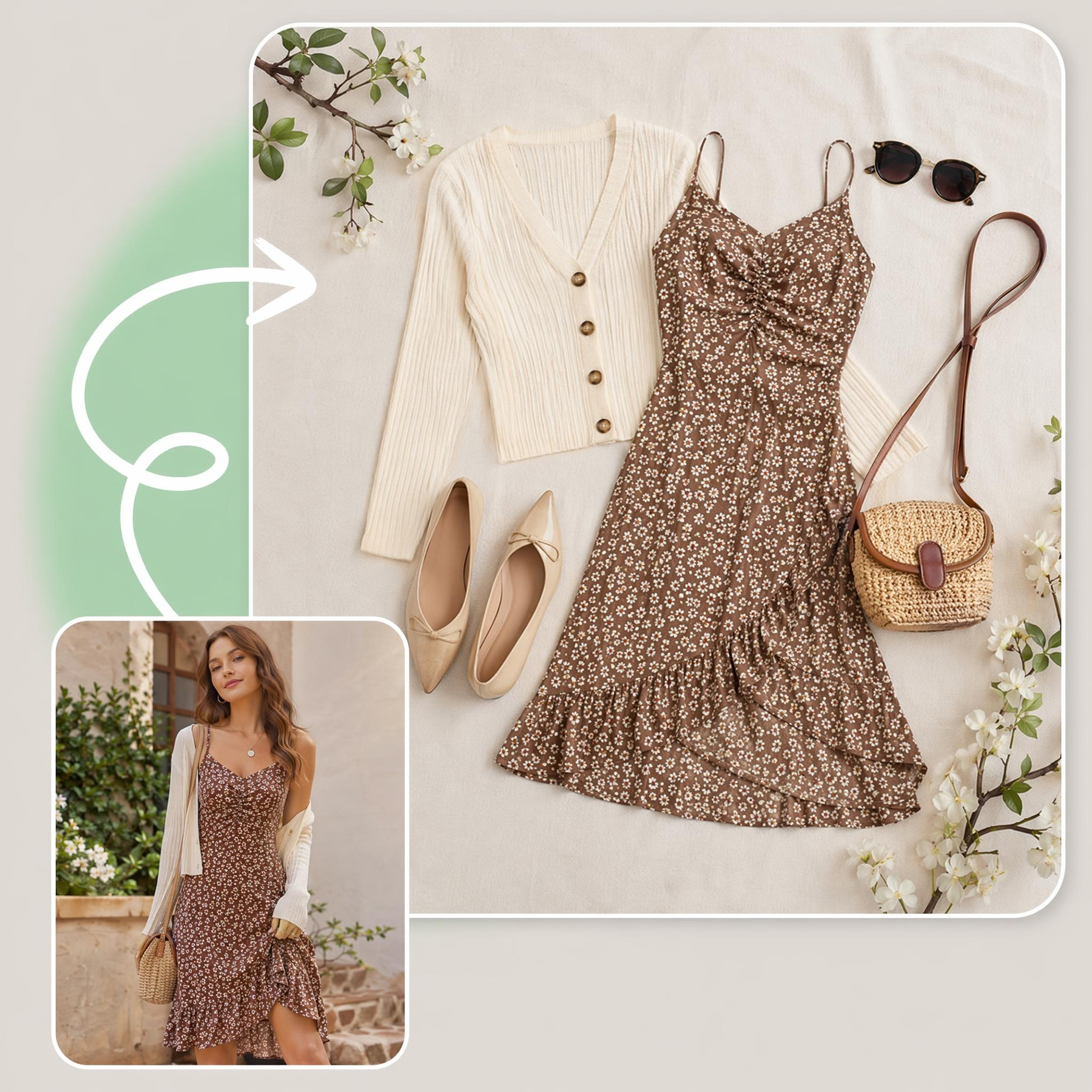
How to Create AI Flat Lay Product Photography with Designkit
Upload Product Image
Open the Designkit workspace and click "Add" to upload your raw product image from your device to start flat lay product photography without photoshoots.
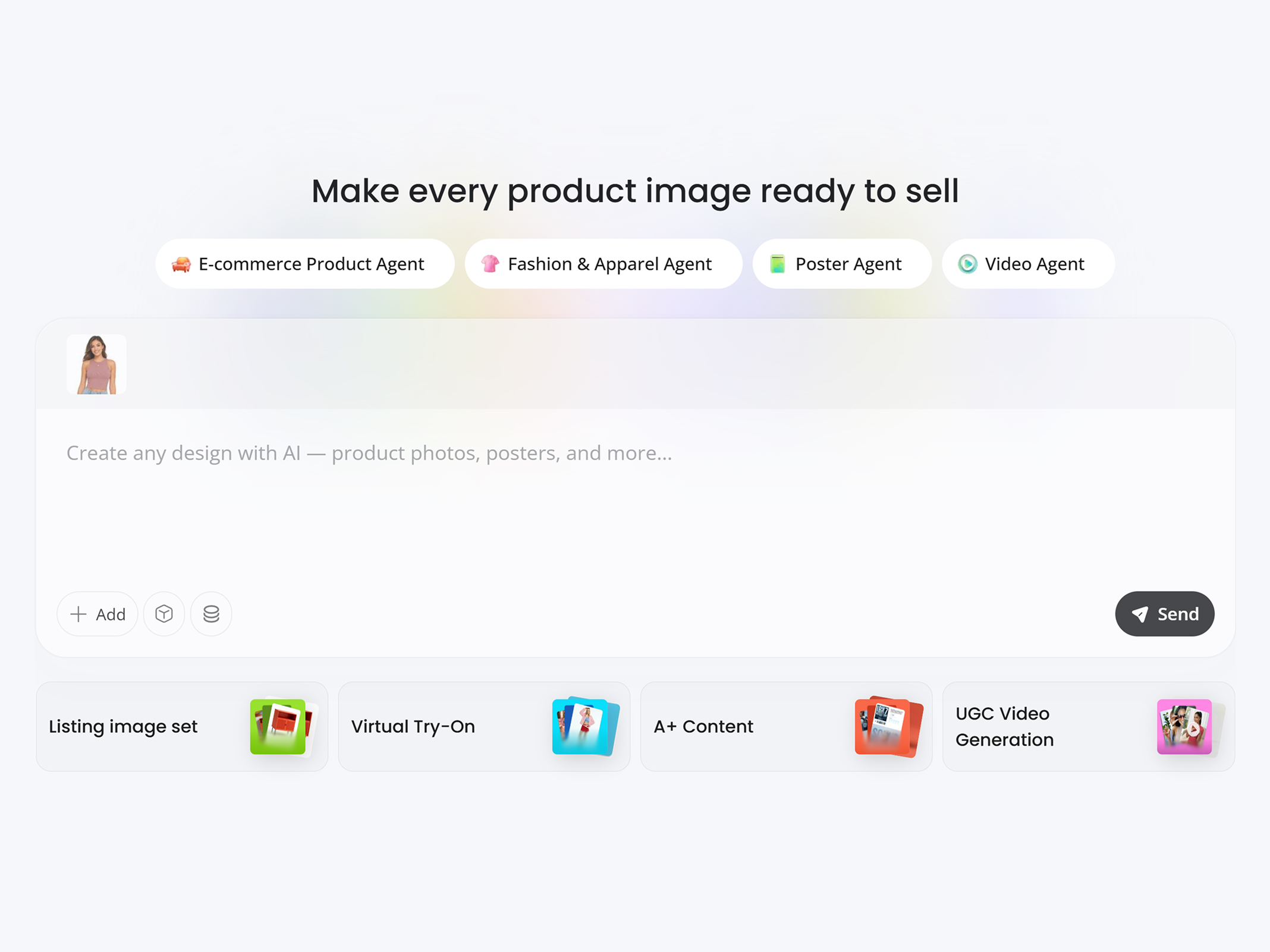
Generate Flat Lay Product Photos
Enter your flat lay photography prompt and select an AI model such as GPT Image 2 High, Nano Banana 2, or Seedream 4. Adjust settings and click “Send” to generate your image.
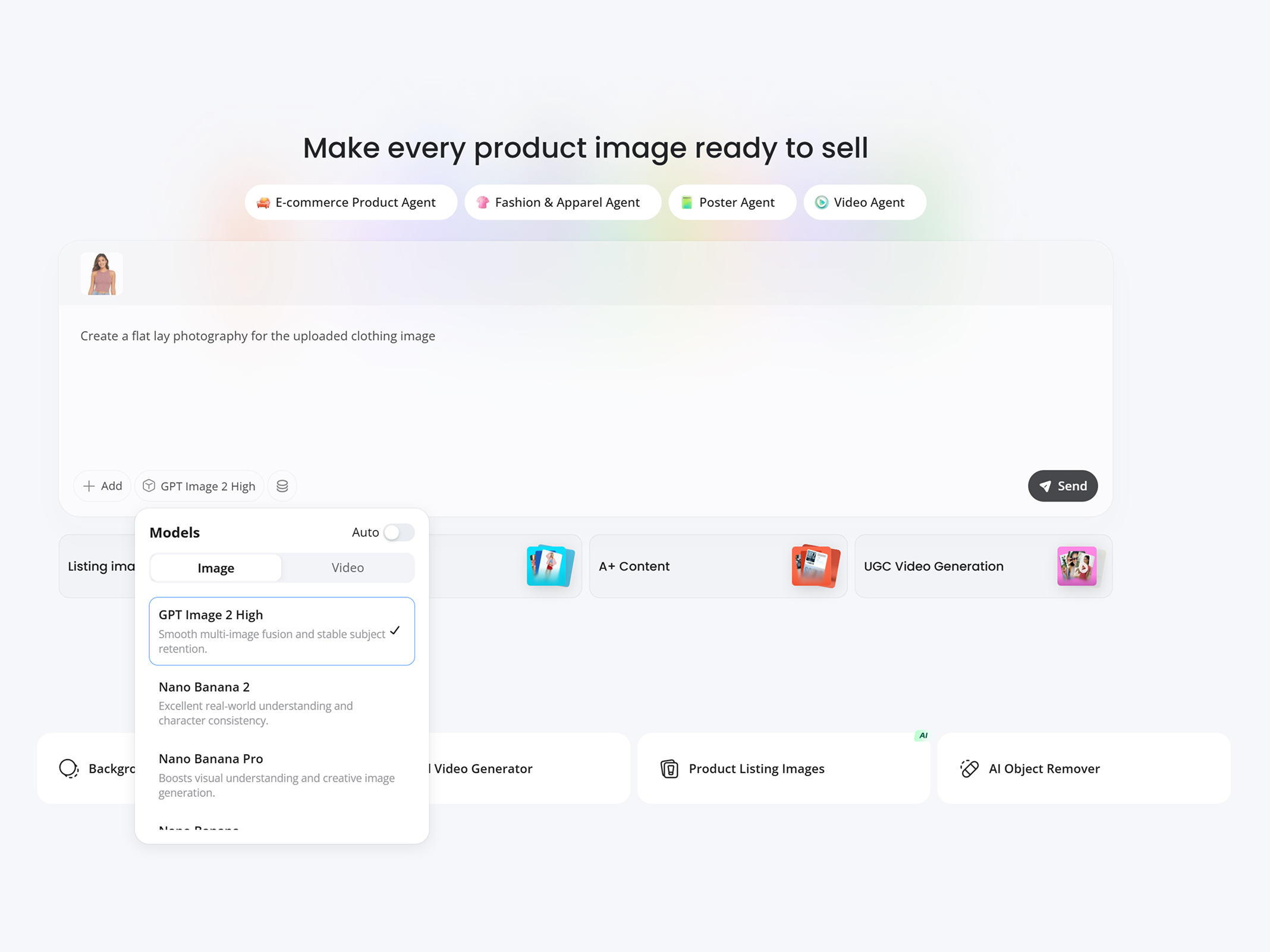
Preview, Refine and Download
Refine your flat lay images with AI—adjust backgrounds, lighting, and shadows to match your brand. When ready, click "Download" to export.
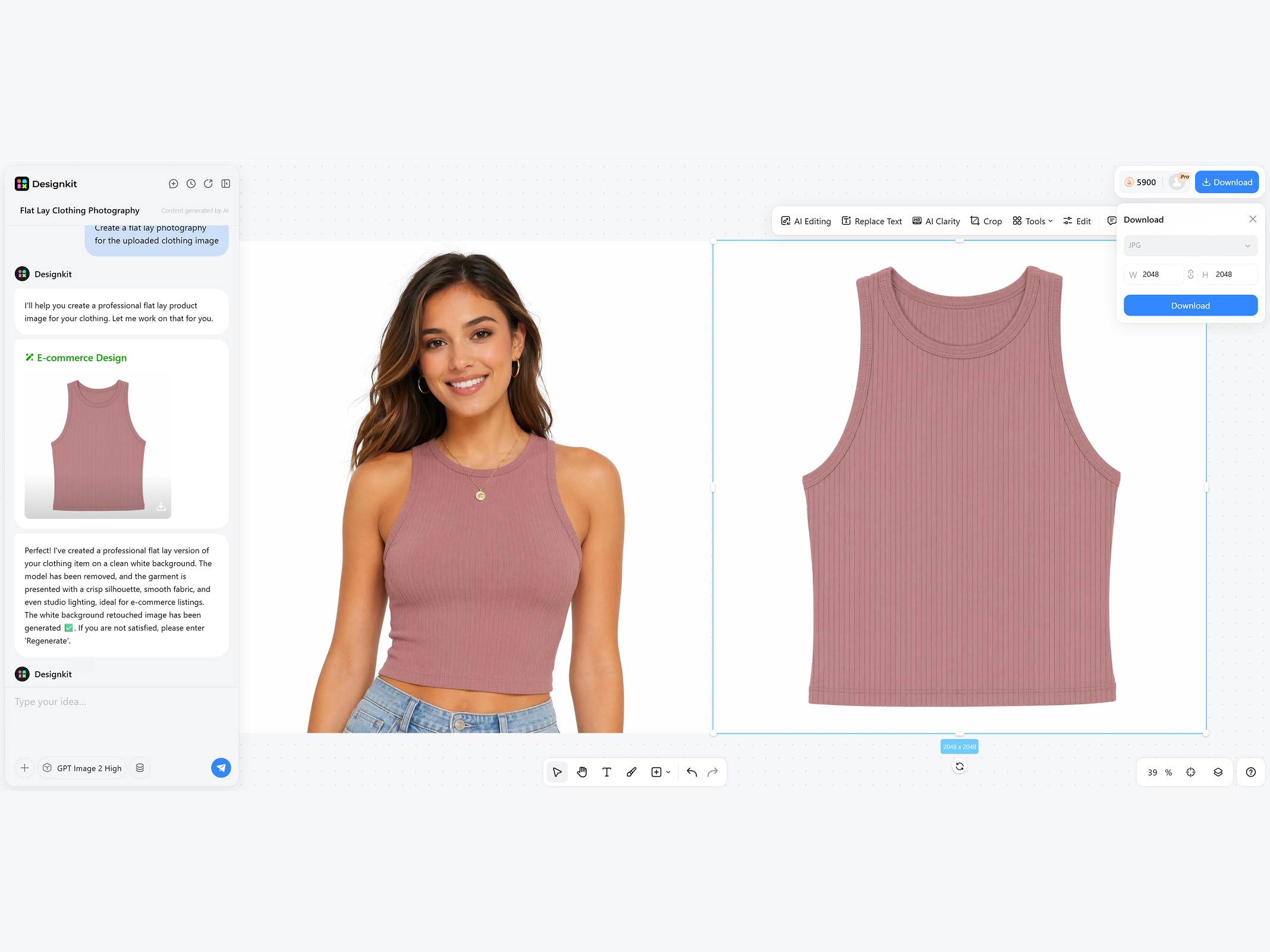
Capabilities of Designkit for AI Flat Lay Product Photography
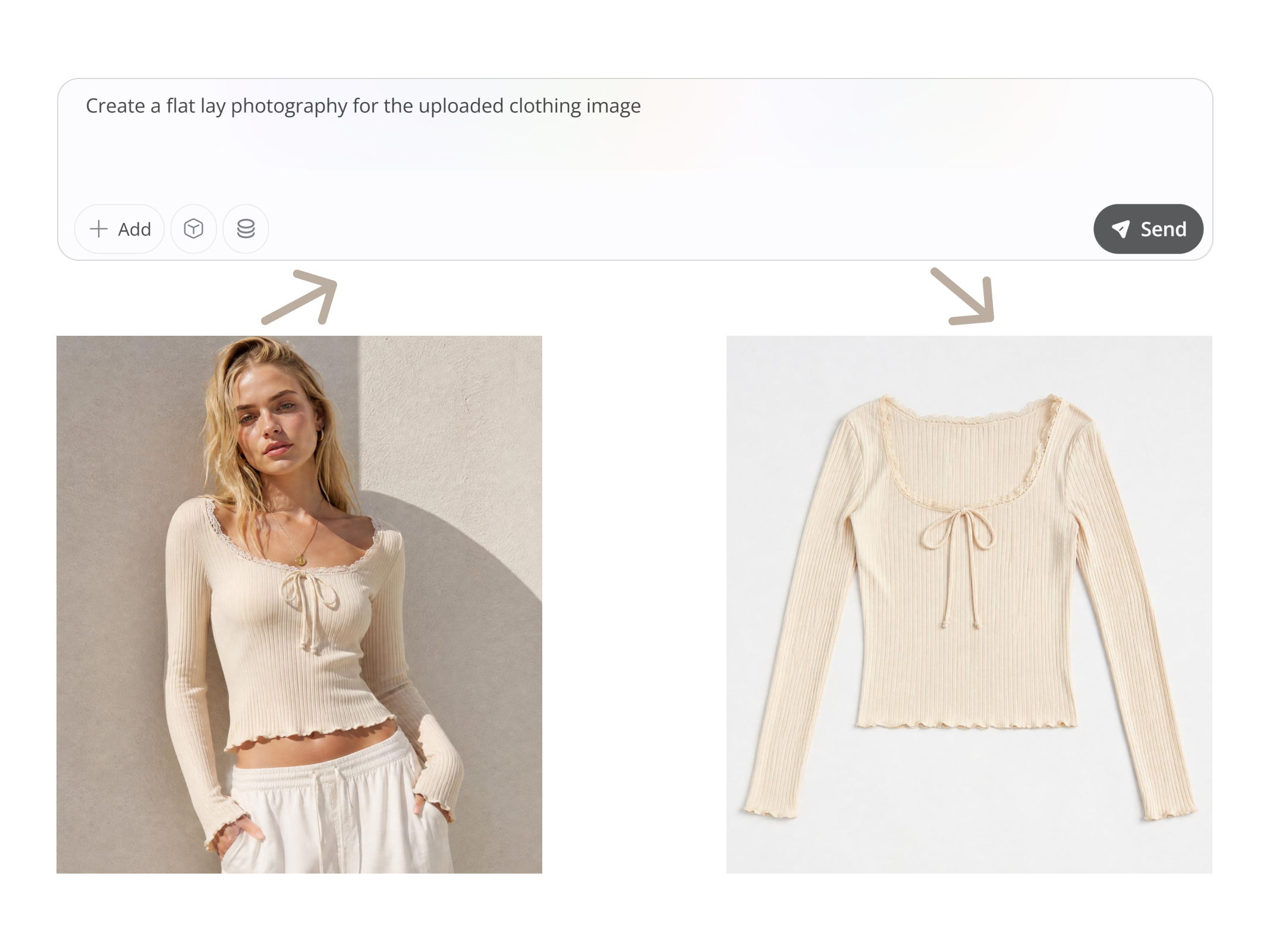
Create Flat-Lay Photos for Top-Down Display without Shooting
Studio-quality flat-lay product photos with perfect top-down composition improve product presentation, boost visual appeal, and increase eCommerce conversions. Designkit's AI product photography generator transforms raw product images into top-down flat-lay visuals without any studio or photoshoot, perfect for auto-arranging clean compositions and generating flat-lay photos for Amazon, Shopify, eBay, and more.
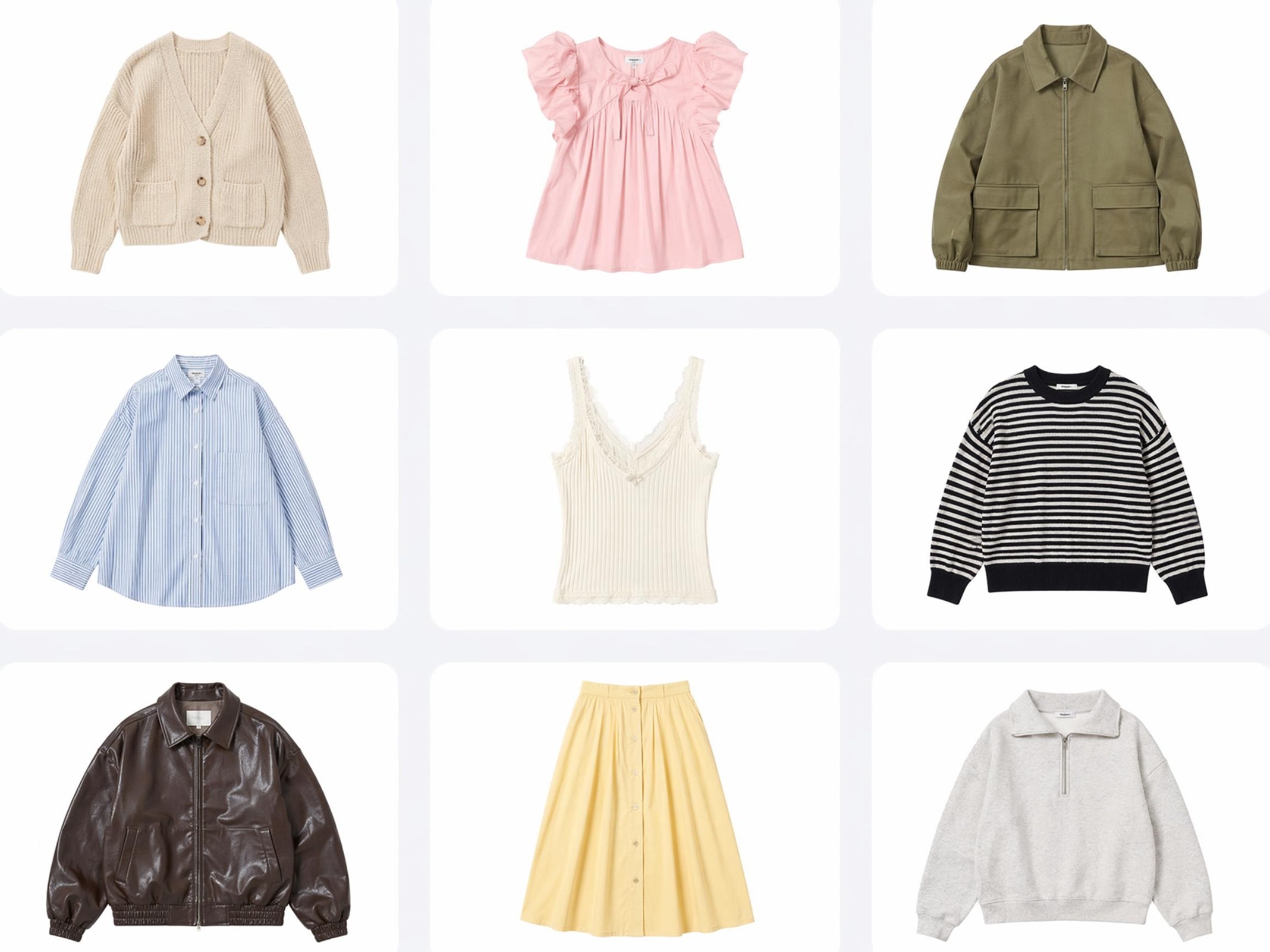
Save Time and Reduce Product Photography Cost by Up to 90%
Designkit automates the entire flat lay workflow — styling, lighting, and background — so you can produce professional product images in minutes, not days. Save time and reduce product photography costs by up to 90%, enabling businesses to quickly generate high-quality product visuals without traditional studio setups, photographers, or equipment.
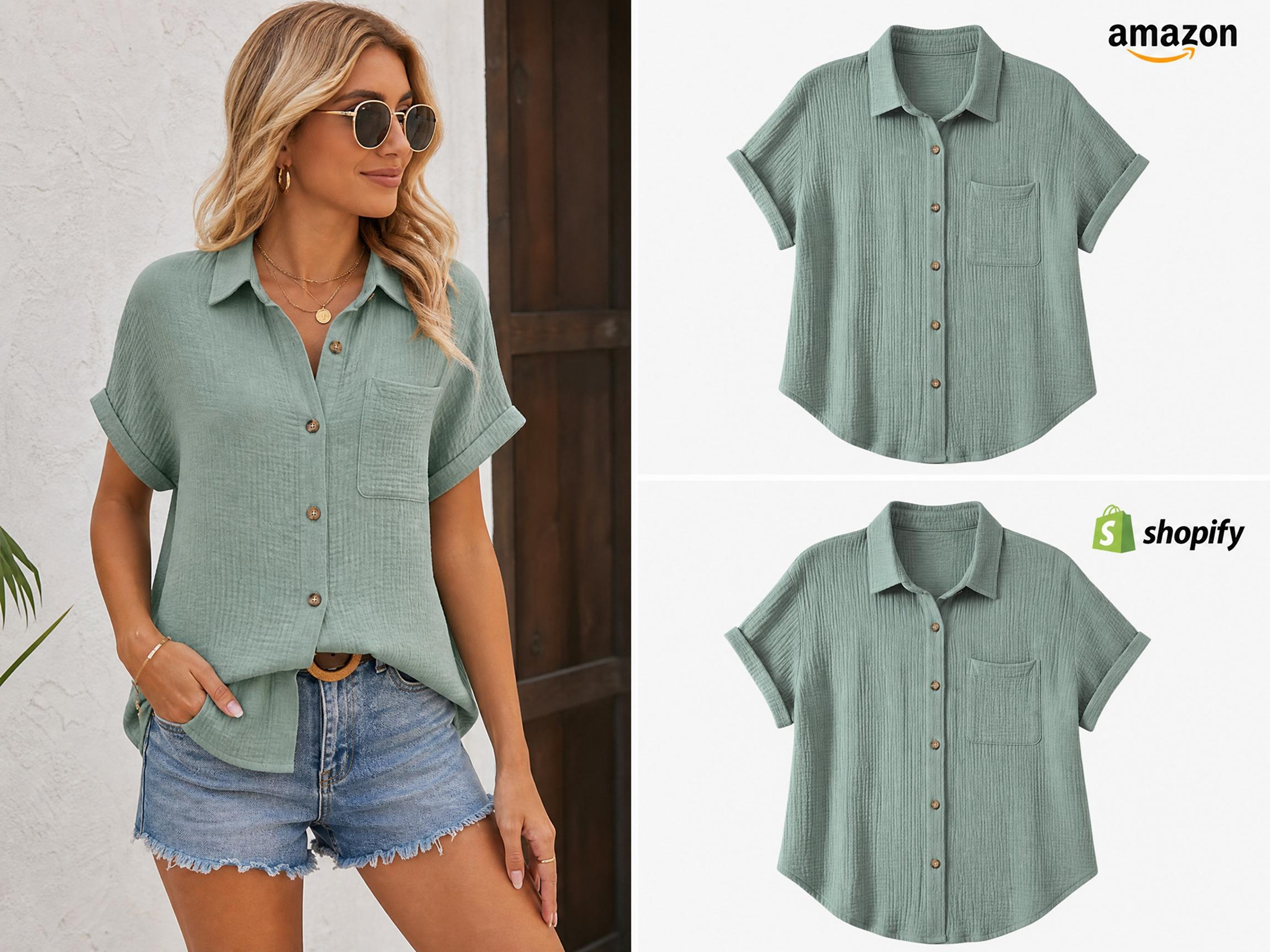
Consistent Visuals Improve Amazon & Shopify Listing Conversion Rates
Fareware to inconsistent lighting, angles, and framing in flat lay product photography. Designkit generates consistent flat lay clothing product photography using the same light source, angle, and framing. It helps establish a uniform visual style across all listings, strengthening brand recognition and creating polished, high-converting product images.
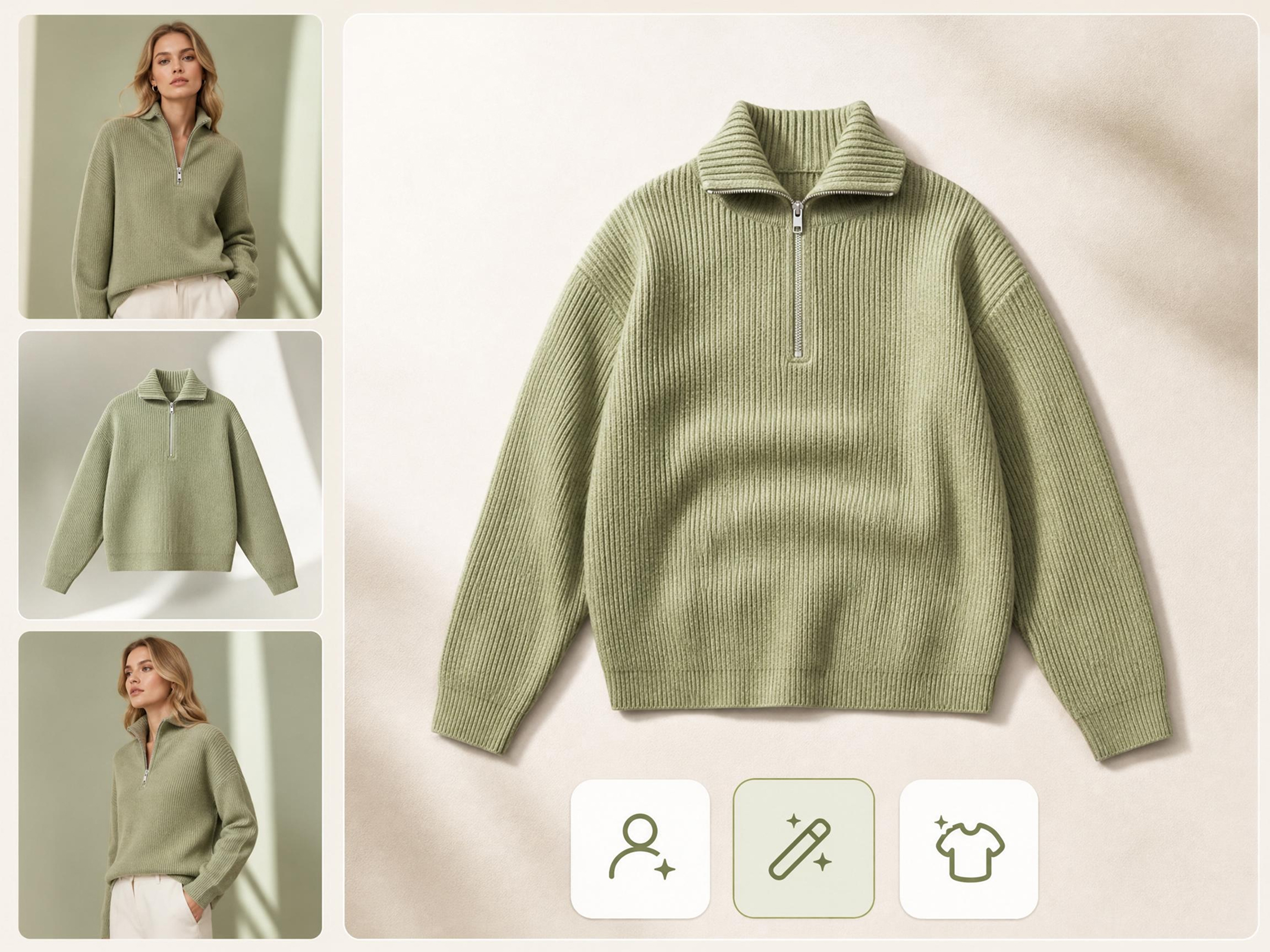
AI Image Editing Tools to Increase the Texture of Your Product
Designkit helps online sellers lacking design and editing skills to process image editing with one click. Its AI photo editing for e-commerce offers tools such as image resize, AI retouch, and background removal. Enhances product texture, clarity, and detail, making visuals more realistic, premium, and conversion-focused—no editing skills needed.
Who Can Use Designkit for Flat Lay Product Photography
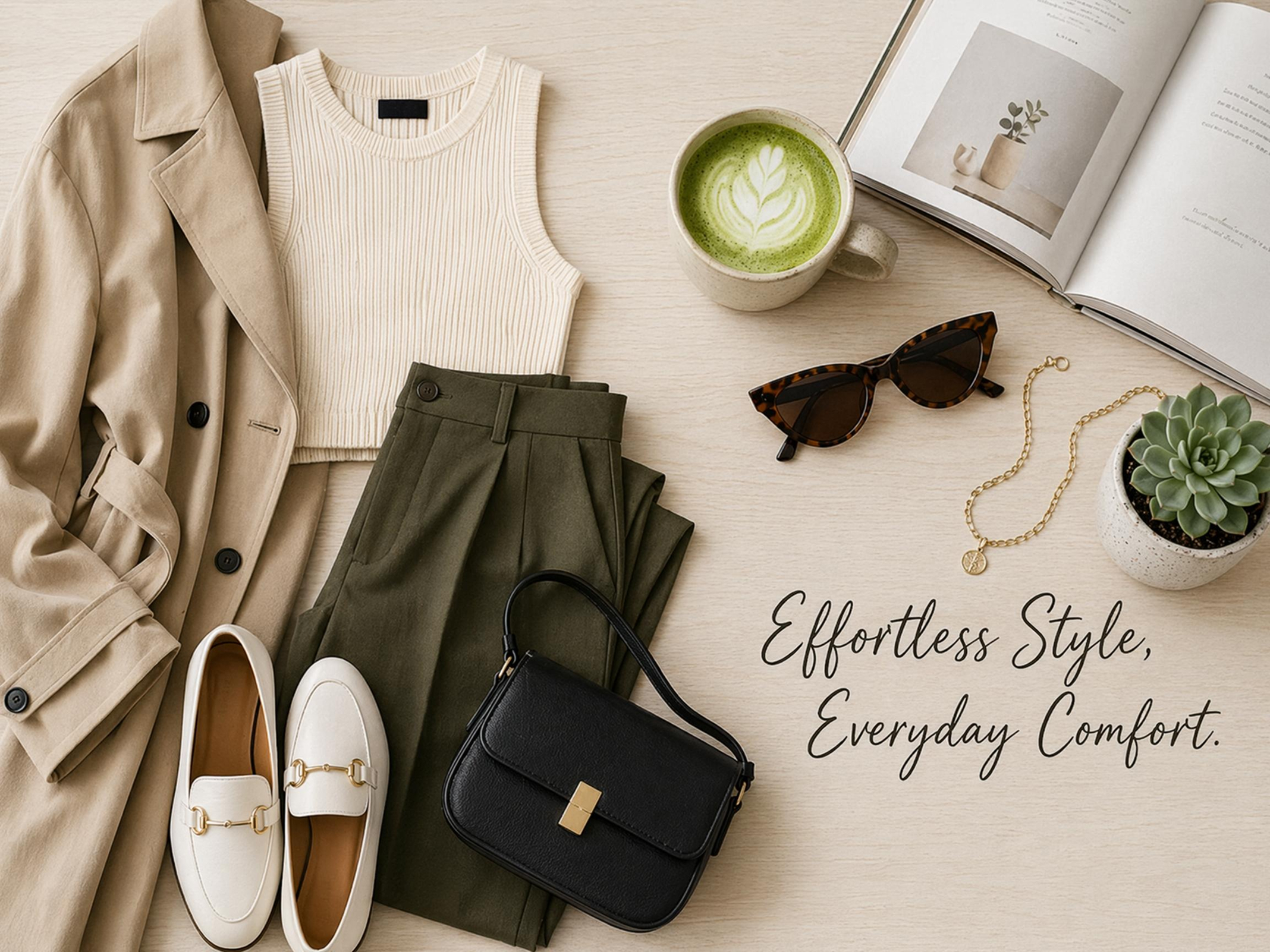
Create Consistent Fat Lay Product Images across Their Storefront
Shopify store owners use Designkit to create clean, consistent flat lay product images across their storefront. They can quickly generate multiple flat lay visuals for product pages, collections, and promotions. This helps maintain a polished look while improving customer trust. With faster image generation, they can launch and update products more efficiently.
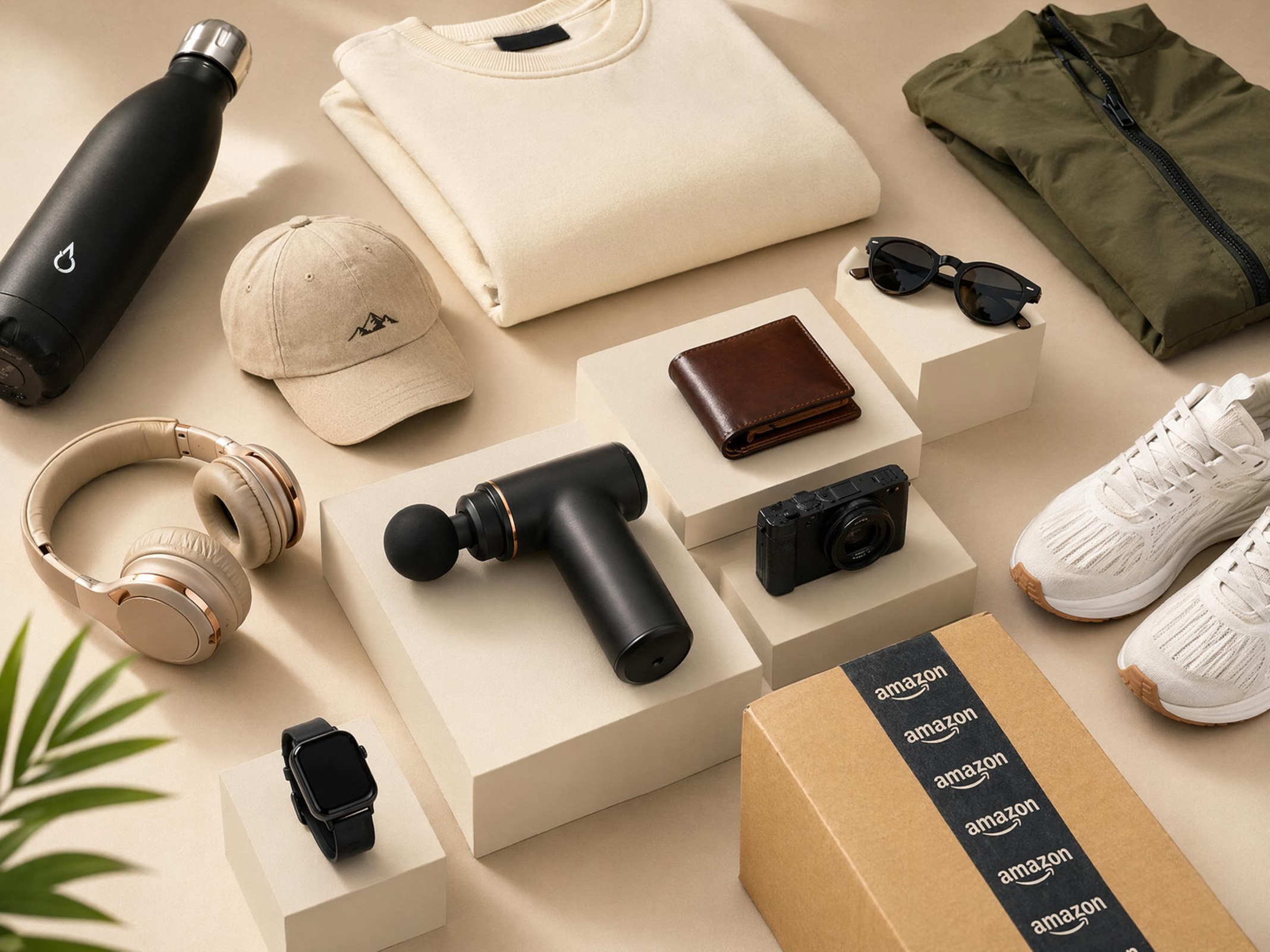
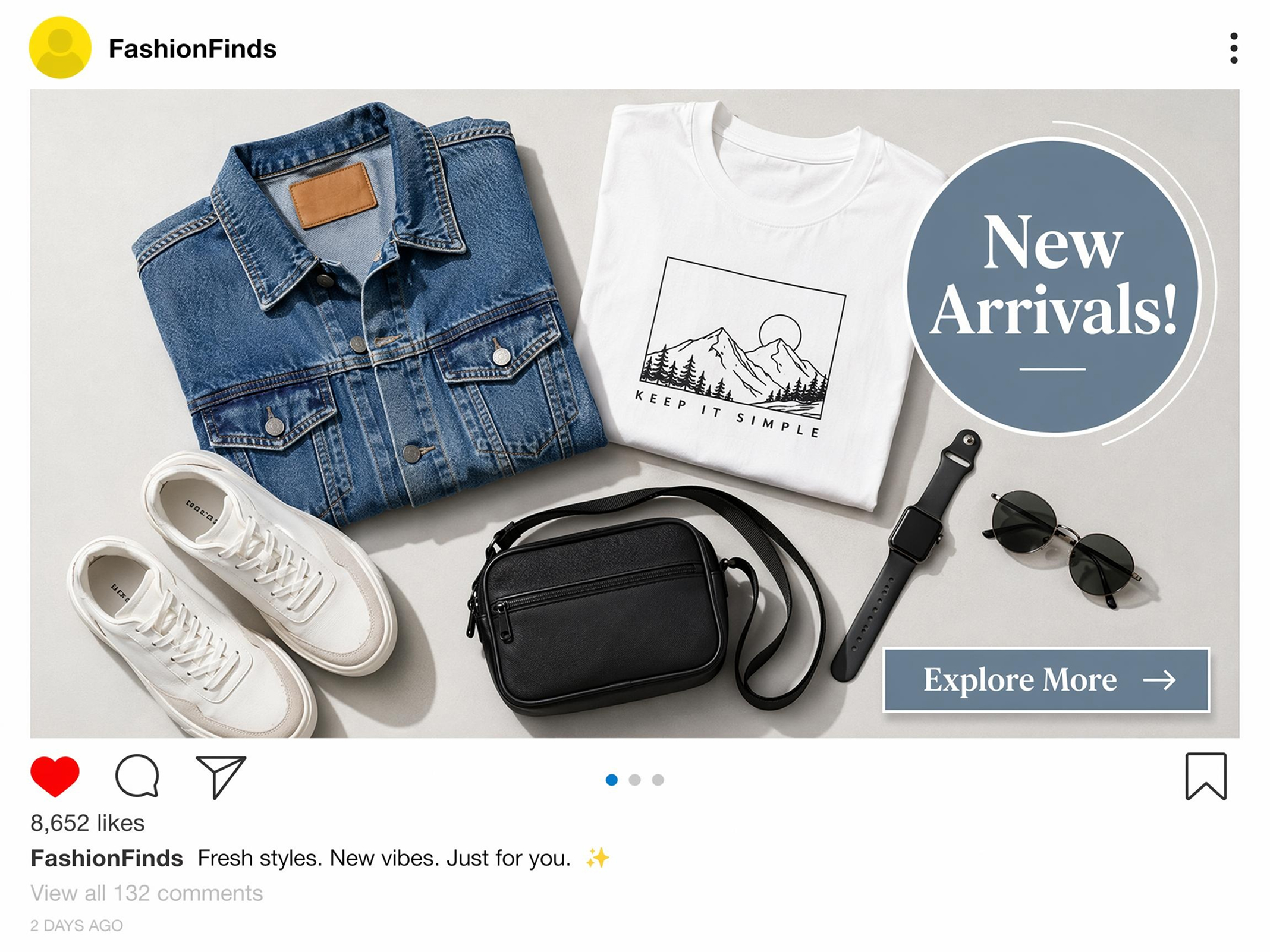
Why Choose Designkit for Flat Lay Product Photography Outputs

10x Faster Than Traditional Shoots
Stop wasting your time on complex camera setups. Create flat lay product photos with Designkit up to 10x faster than traditional shoots. Skip studio setup and props. Generate ready-to-use visuals in minutes with AI.

Studio-Grade Flat Lay Images
Get studio-quality flat lay product images with perfect lighting and composition. Designkit ensures consistent, professional results across all products. No photography or editing skills required.

Amazon & Shopify Listing Compliant
Generate flat lay images optimized for Amazon and Shopify. Designkit ensures proper sizing, clean backgrounds, and compliant formats. Get listing-ready visuals without manual adjustments. User Review
Frequently Asked Questions
How to do flat lay product photography for beginners?
How does product photography flat lay work for e-commerce listings?
Flat lay images for e-commerce should easily highlight products, but setups are time-consuming and variable. Designkit enhances product photography flatlays by creating images tailored for Amazon and Shopify listings. It maintains a neat layout, showcases the product well, and boosts clicks and sales with a high-quality product photo.
How to create flat lay photos for apparel brands?
To create flat lay photos for apparel, place clean, wrinkle-free clothing on a flat surface and arrange items in a neat, balanced layout. Use soft, even lighting and shoot from a top-down angle to maintain consistency. However, styling outfits and achieving uniform results can be time-consuming and difficult. Designkit simplifies this by automatically generating styled flat lays, creating clean, professional layouts quickly for eCommerce and marketing use.
What are effective flat lay photo ideas for better visuals?
Effective flat lay photo ideas include outfit pairing layouts to show full looks, minimalist single-product shots for clarity, color-coordinated themes for visual impact, and lifestyle styling with props like bags or shoes. Grid layouts and seasonal themes also improve presentation. However, sellers often lack creative direction, leading to dull visuals. Designkit solves this by generating styled flat lay layouts automatically, making images more engaging and professional.
How is flat lay product photography lighting set up correctly?
A correct flat lay product photography lighting setup uses soft, even light from both sides to avoid harsh shadows and dark spots. Diffused natural or artificial lighting should be used, with a top-down shooting angle to ensure balanced exposure and accurate colors. However, achieving this requires practice and setup. Designkit simplifies it by automatically adjusting brightness, shadows, and exposure to create clean, studio-quality flat lay images instantly.
What tools are used for flat lay clothing photos?
To create traditional flat lay clothing photos, the tools you need are cameras, lighting equipment, backgrounds, and props, which are costly and complex. Designkit eliminates the need for these tools by providing an AI tool for flat-lay photos of clothing, producing stylish, high-quality photos without equipment or manual setup!
What are flat lay outfit photos used for?
Flat lay outfit photos are a popular way to present outfits online, such as in fashion, eCommerce, social media, and branding. But they're traditionally time-consuming to create and require styling knowledge. Designkit creates flat-lay outfit photos in a few seconds, ensuring a cohesive composition and fashion presentation that generates more engagement. CTA
Turn Raw Product Image to Listing-Ready Flat Lay in Seconds
Try Designkit for free and instantly generate clean, structured flat lay product images for e-commerce listings without manual photoshoots or editing. content



User Reviews of Designkit for Flat Lay Product Photography
See why people create flat lay product photos with Designkit
Turning Inconsistent Listings into Structured Flat Lays
I struggled to create consistent flat-lay images for my Amazon listings, and my store looked messy. Designkit has allowed me to easily create well-organized flat-lay images that automatically present my products in a consistent, professional-looking format, without physically taking product photos. My CTR improved by 26%, listing bounce rate dropped by 18%, and overall product visibility increased by 22% now.
Faster Flat Lay Creation for High-Speed Campaign
Creating ad visuals for campaigns used to take too much time and budget, slowing everything down. Designkit made it possible to generate multiple flat-lay images quickly, helping me launch campaigns faster while maintaining a consistent visual style across all creatives. Creative production time reduced by 52%, ad engagement increased by 33%, and campaign turnaround speed improved by 40%.
Improving Store Appeal with Better Product Presentation
(: My product photos were unappealing and were not as good as others. Designkit has helped me transform product images into beautifully arranged flatlays, giving my store a better look and more appealing listing images. My shoppers are now spending more time browsing product pages. Average session duration increased by 37%, conversion rate improved by 21%, and product page engagement rose by 29%.
Standardizing Visual Content Across Multiple Product Categories
(): Visual content was difficult to manage for different product categories when it came in different styles. Designkit ensured consistency in flat-lay product images across listings and facilitated quicker, more organized content updates. Visual inconsistency issues reduced by 45%, catalog uniformity score improved by 31%, and content update efficiency increased by 28%.
Affordable Production for Client Projects at Scale
(): My clients often required product photography, but did not have the budget for production costs. Designkit allowed me to quickly produce flat-lay images and greatly enhance brand photography while minimizing the effort required to produce them. This enables me to produce more client work with shorter turnaround. Production costs reduced by 68%, project output capacity increased by 2.5x, and delivery time improved by 35%.
Faster Turnaround for E-commerce Growth
Managing product visuals slowed launches and listings. Designkit helped me create flat-lay images instantly, cutting turnaround time by nearly 60%. It improved consistency, boosted productivity, and increased product upload speed by 3x, helping scale my store and improve sales performance.