
AI Shopify Product Listing Generator: Create Studio-Free Images
Create high-converting Shopify product listings with optimized layouts, compelling visuals, and clear selling points. Turn visitors into buyers faster using AI-powered tools designed to boost engagement, build trust, and drive more sales, no design skills needed.
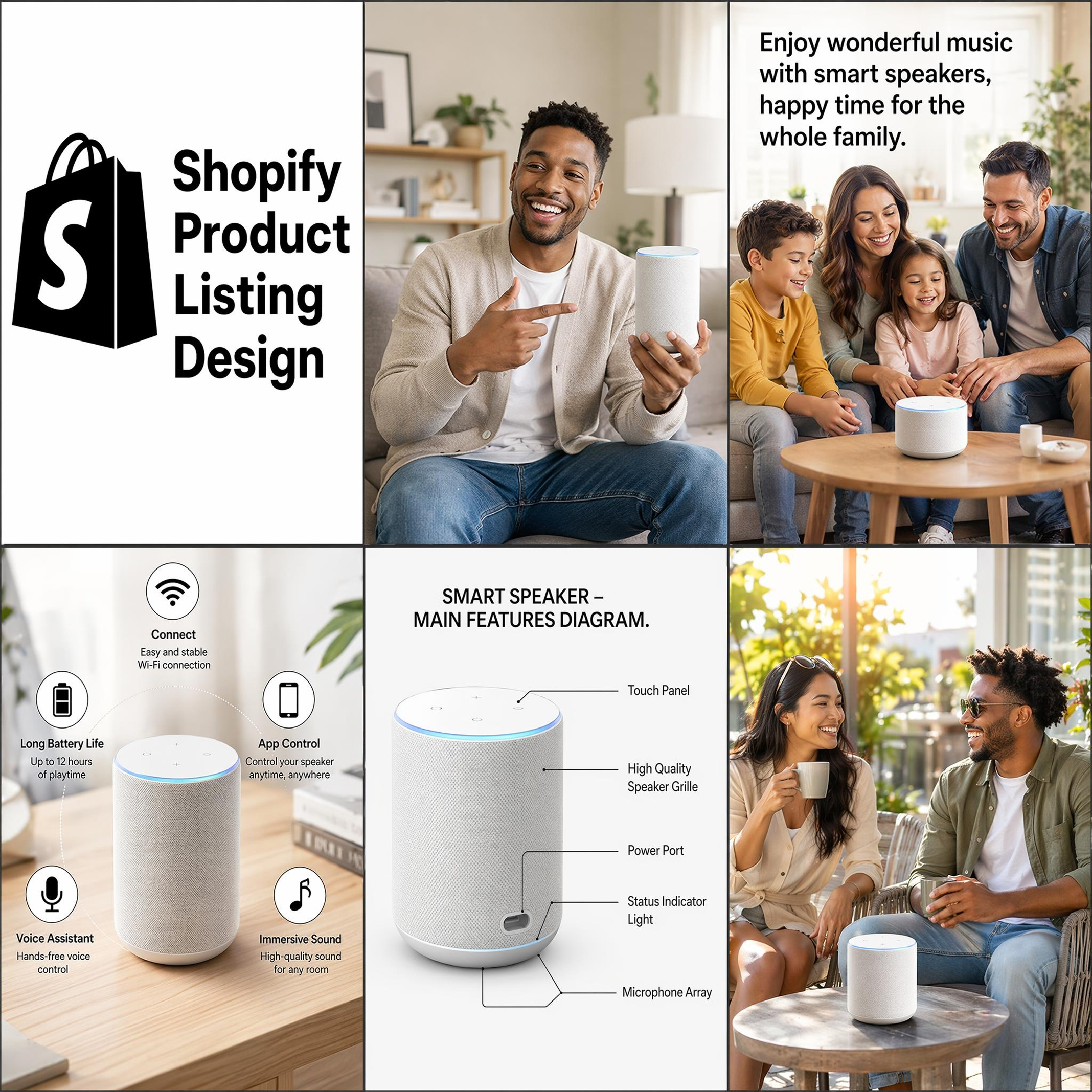
How to Create a Shopify Product Listing with Designkit
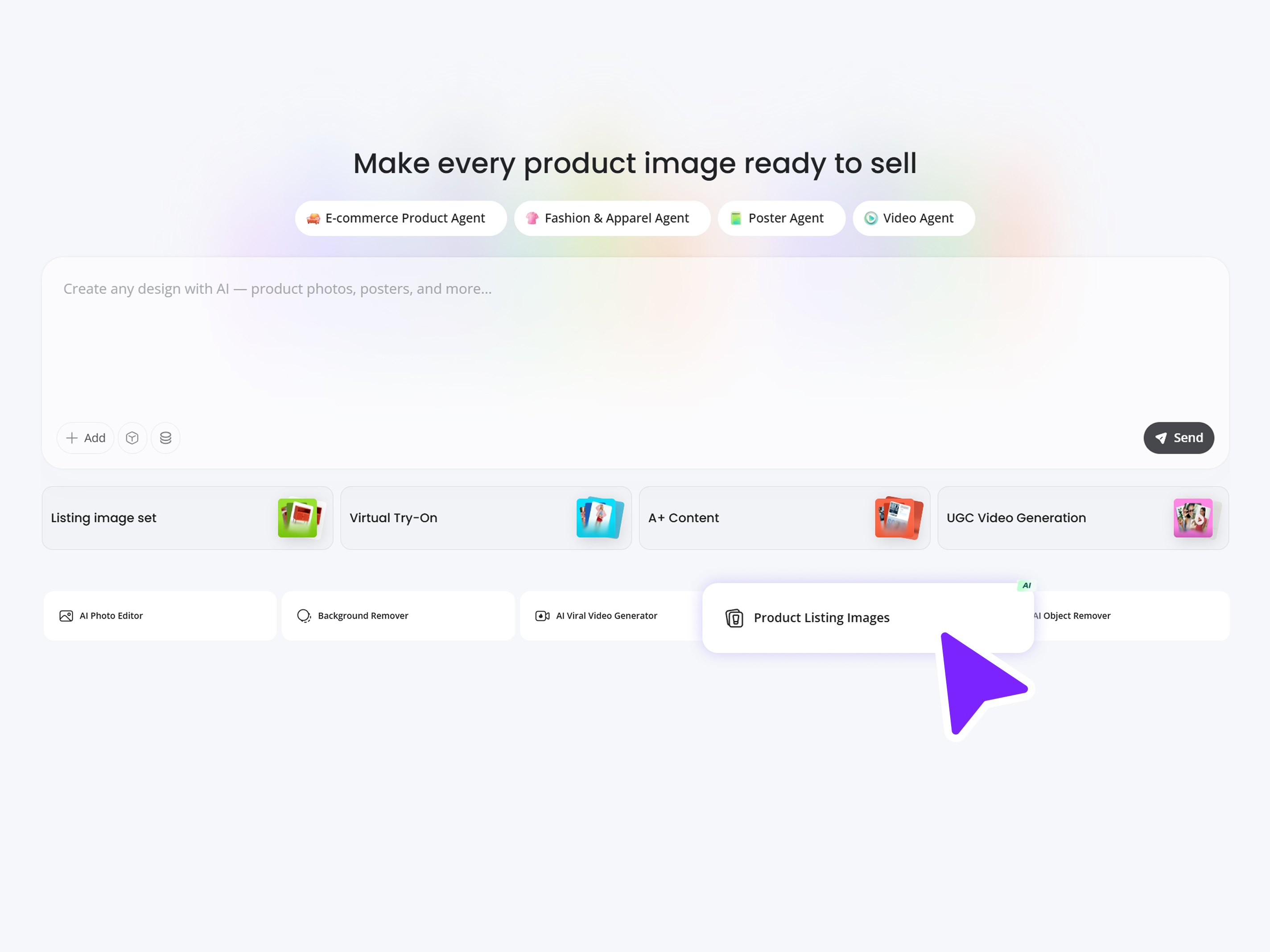
Upload Product Image
Open Designkit and choose "Product Listing Image" under the AI Tools section. Add at least 3 of your product images to make a professional product list with Shopify.
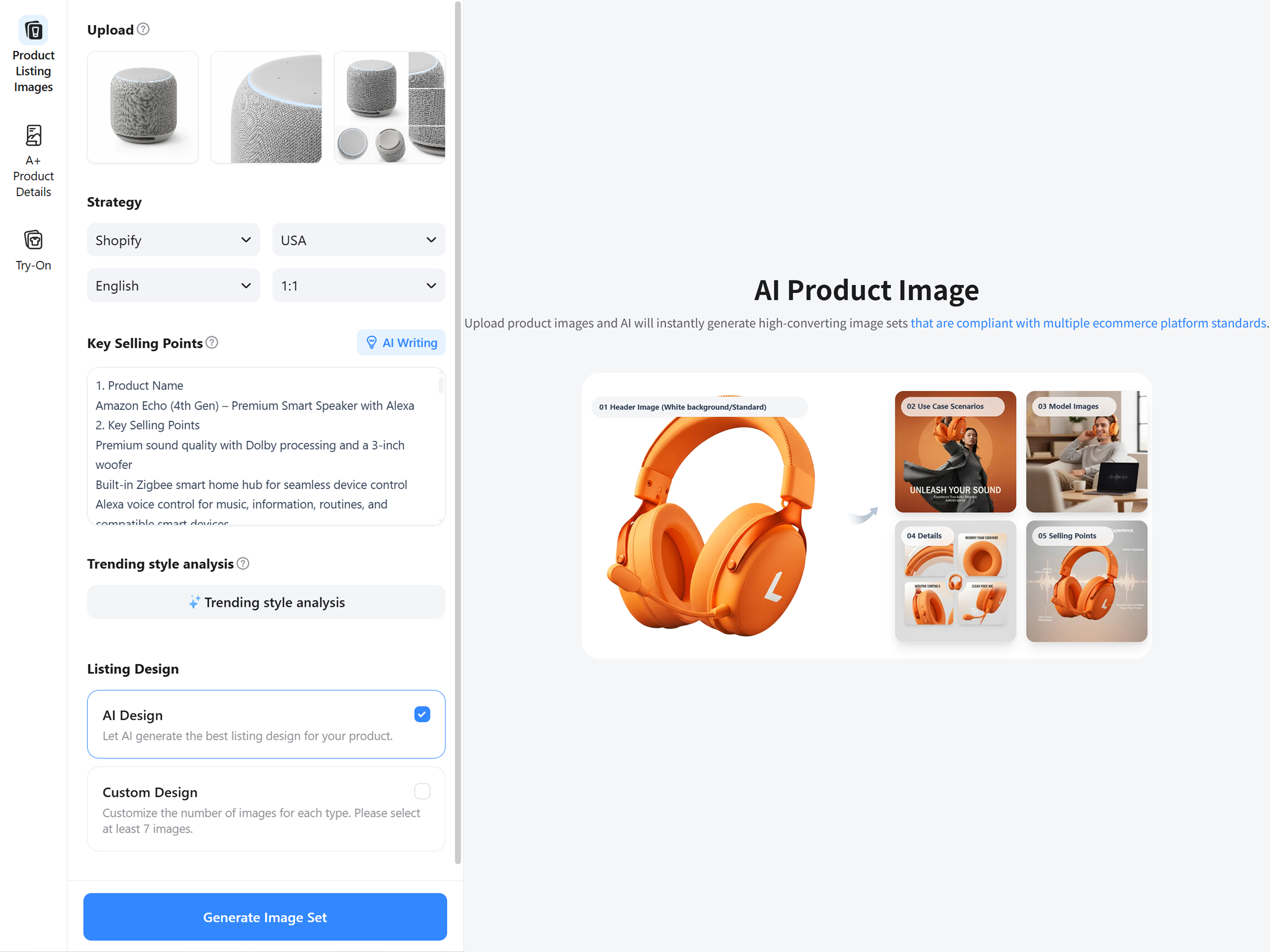
Select Shopify and Generate
Choose the platform "Shipify" with a compliant aspect ratio for your product page. Enter your product name and key selling points. Select a design that matches your brand, and click “Generate” to instantly create your Shopify product listing.
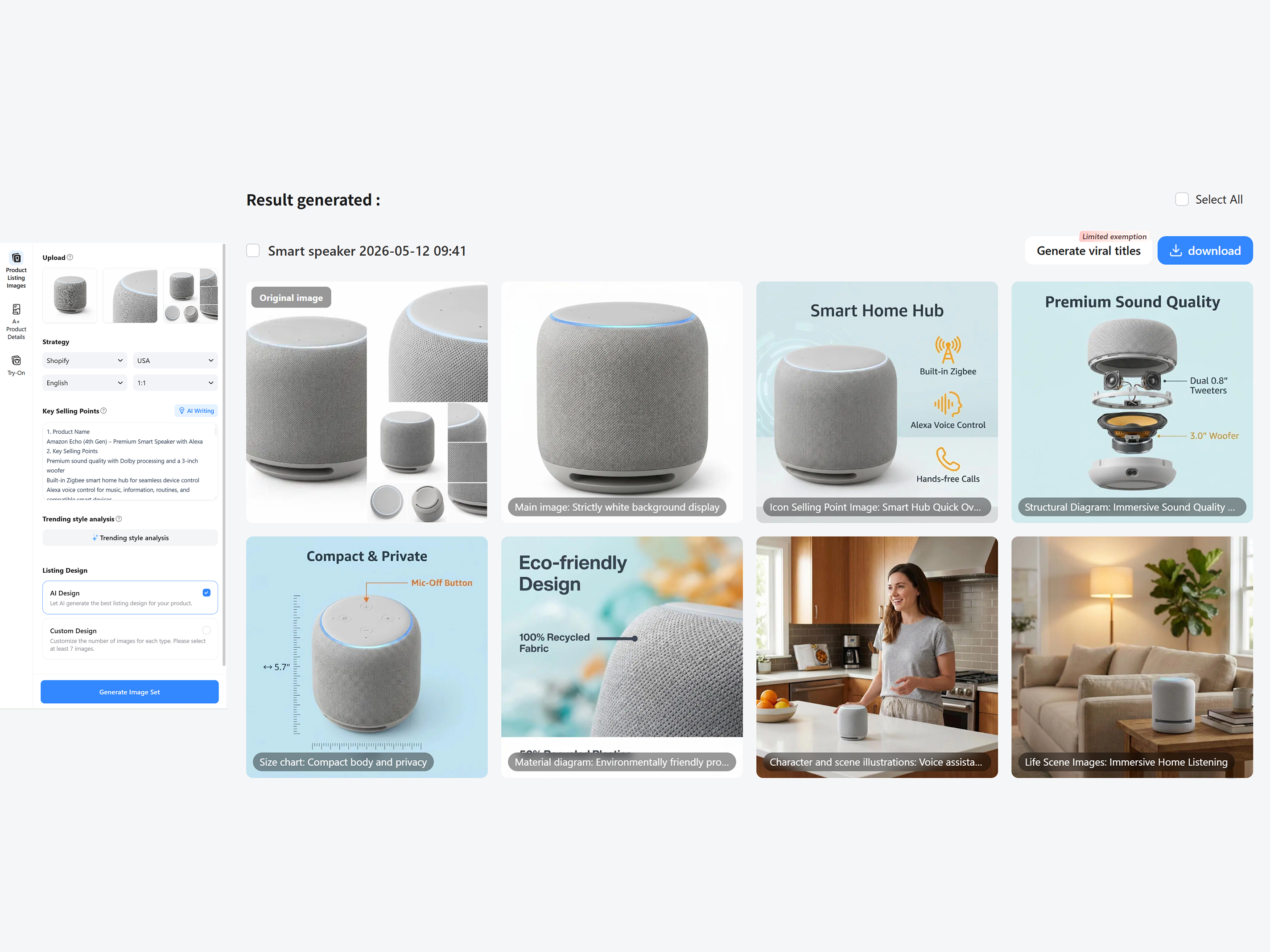
Edit and Download
Check your generated result. Produce flash, viral headlines, and insert them into your listing page by editing the text. Edit and polish the information of your product listing on Shopify with the editing tools. Lastly, click the "Download" button to save your pictures.
Features of Designkit to Build High-Converting Shopify Product Listings
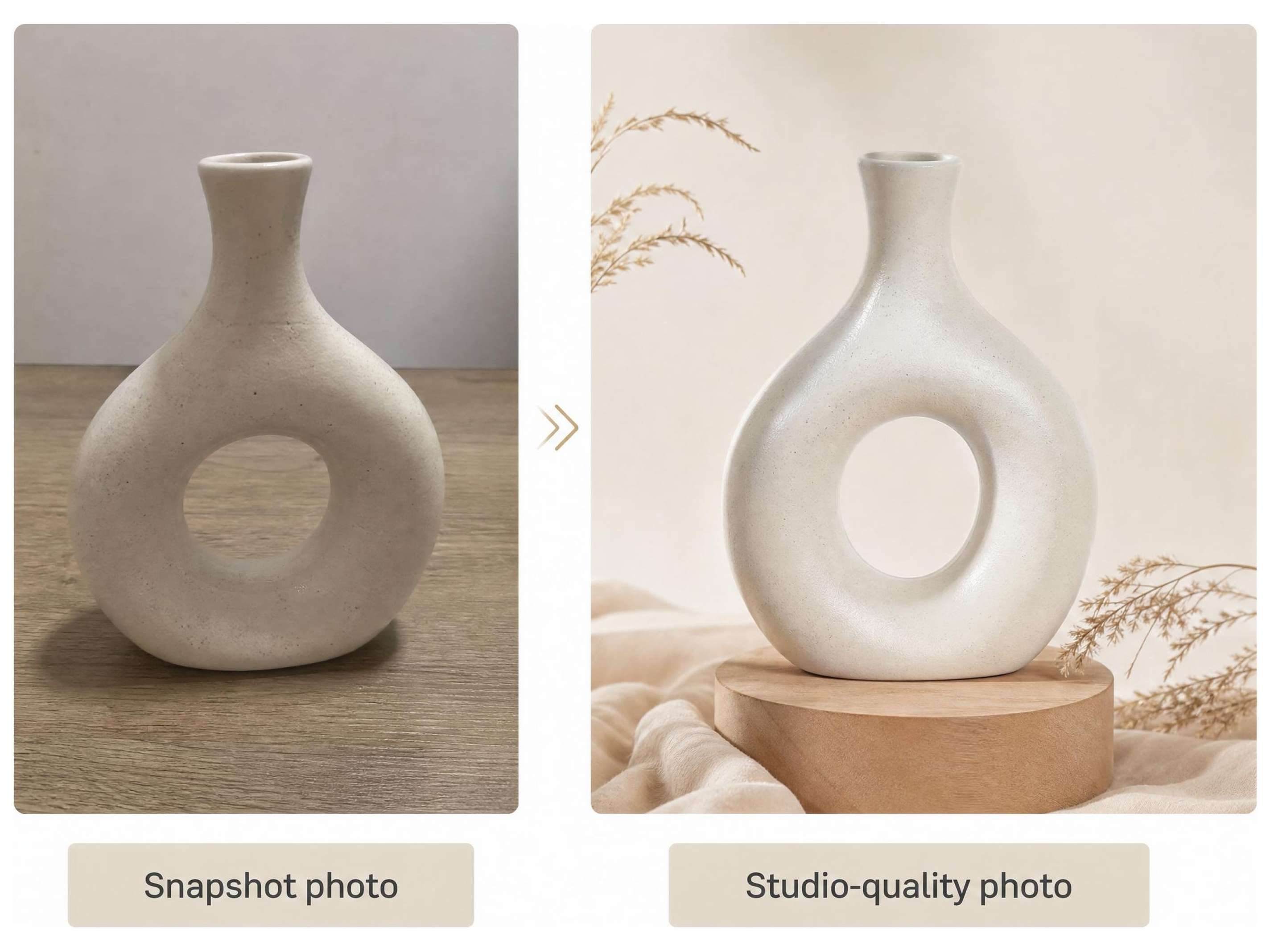
Instantly Turn Snapshot to Studio-Quality Shopify Product Photos
Poor product images kill conversions and damage trust in Shopify stores. The AI image generator of Designkit takes raw product images and turns them into high-quality, high-converting ecommerce visuals with clean backgrounds, balanced lighting, and lifestyle scenes, no photography or editing skills needed.
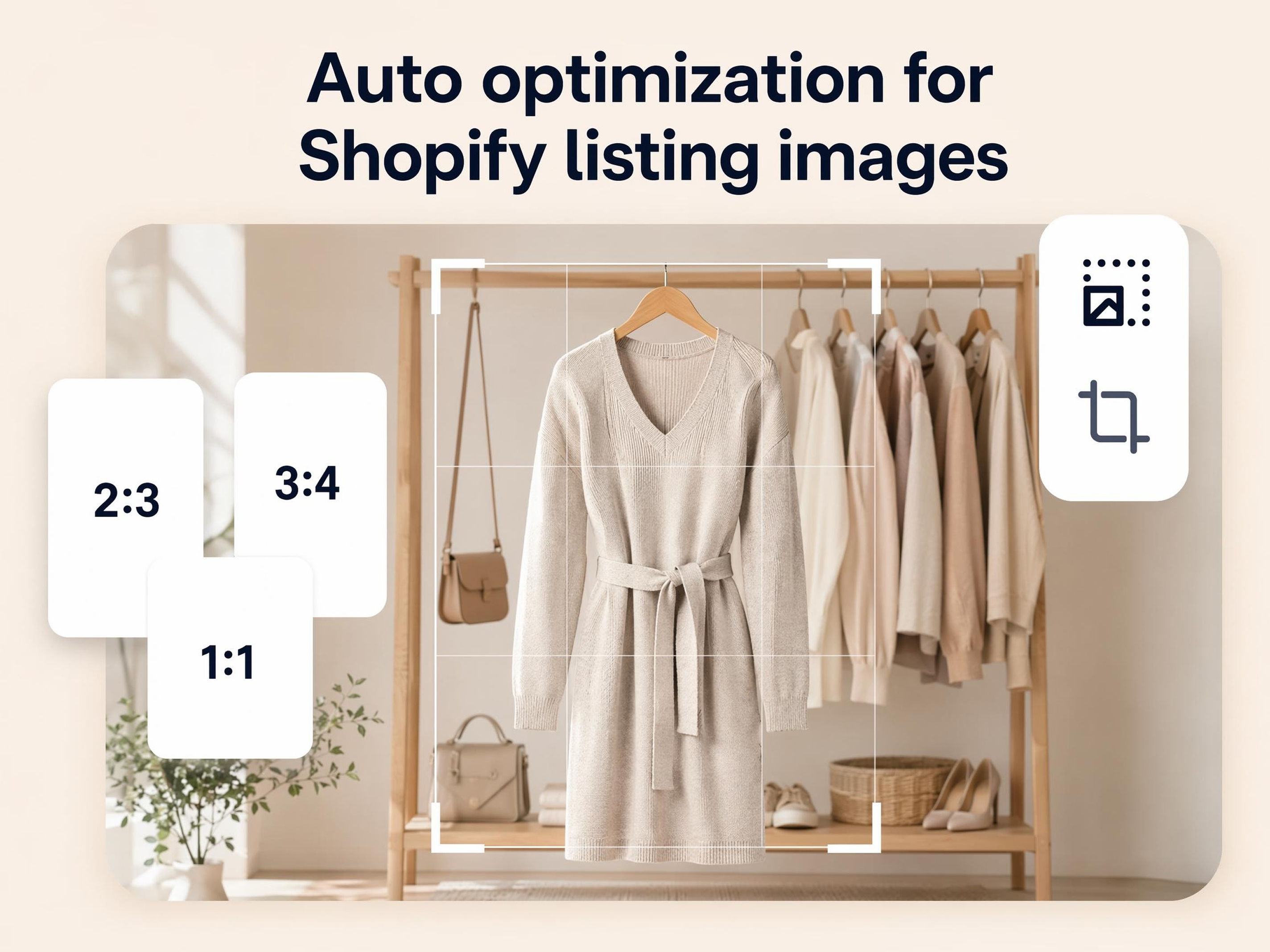
Auto-Optimize Images Meet Shopify Product Listing Standards
Incorrect image sizes lead to poor thumbnails, cropping issues, and weak store presentation. Designkit automatically generates Shopify-optimized product images in the correct dimensions, ensuring every listing is sharp, professional, and ready for high-converting ecommerce product pages.
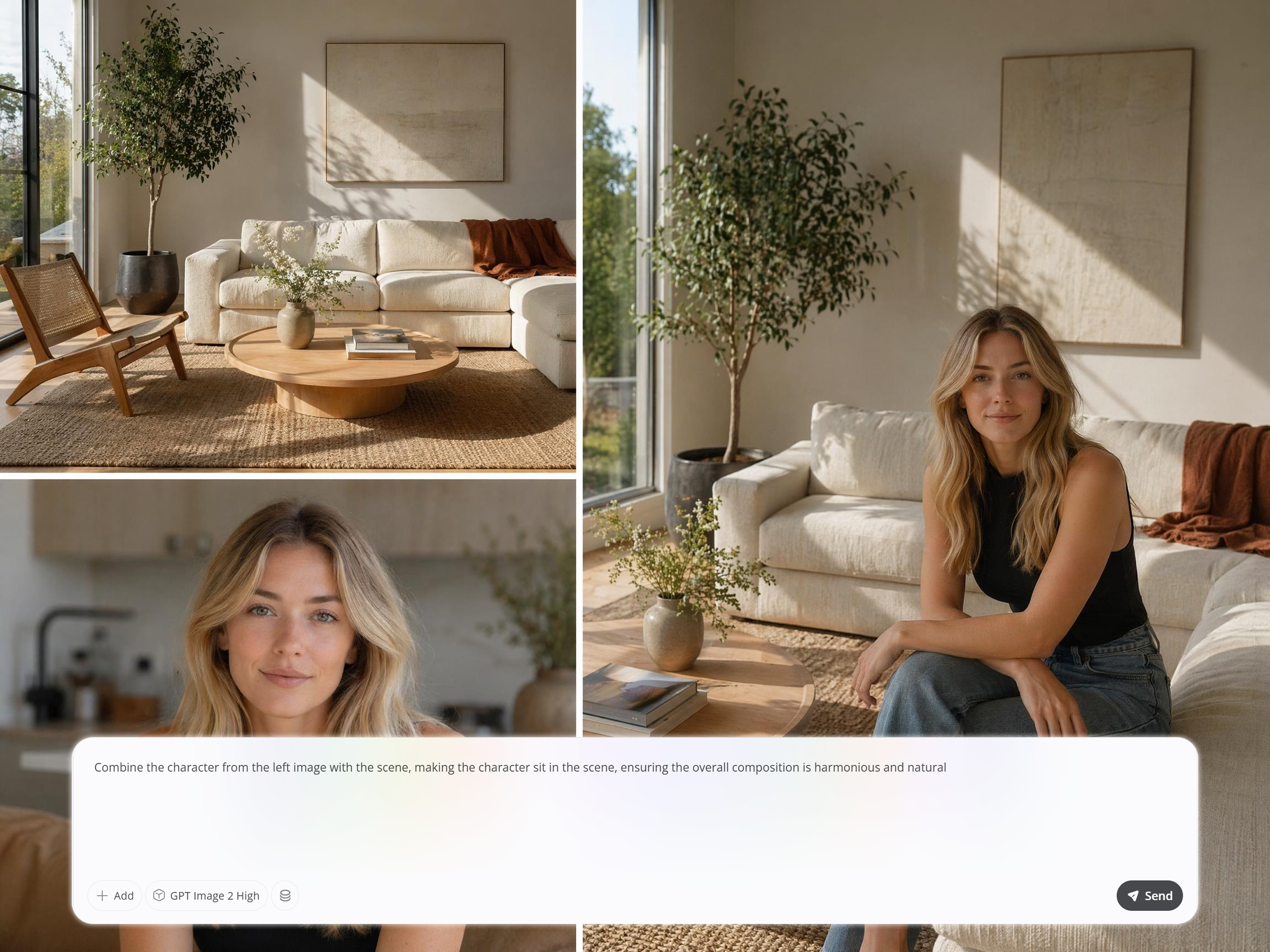
Control Everything in Your Product Listings with Simple Prompts
Generic product images fail to stand out in competitive Shopify stores. Designkit's product listing generator lets you control AI-generated e-commerce visuals using simple prompts—create minimalist product shots, lifestyle product photography, or branded campaign-style images from a single upload.
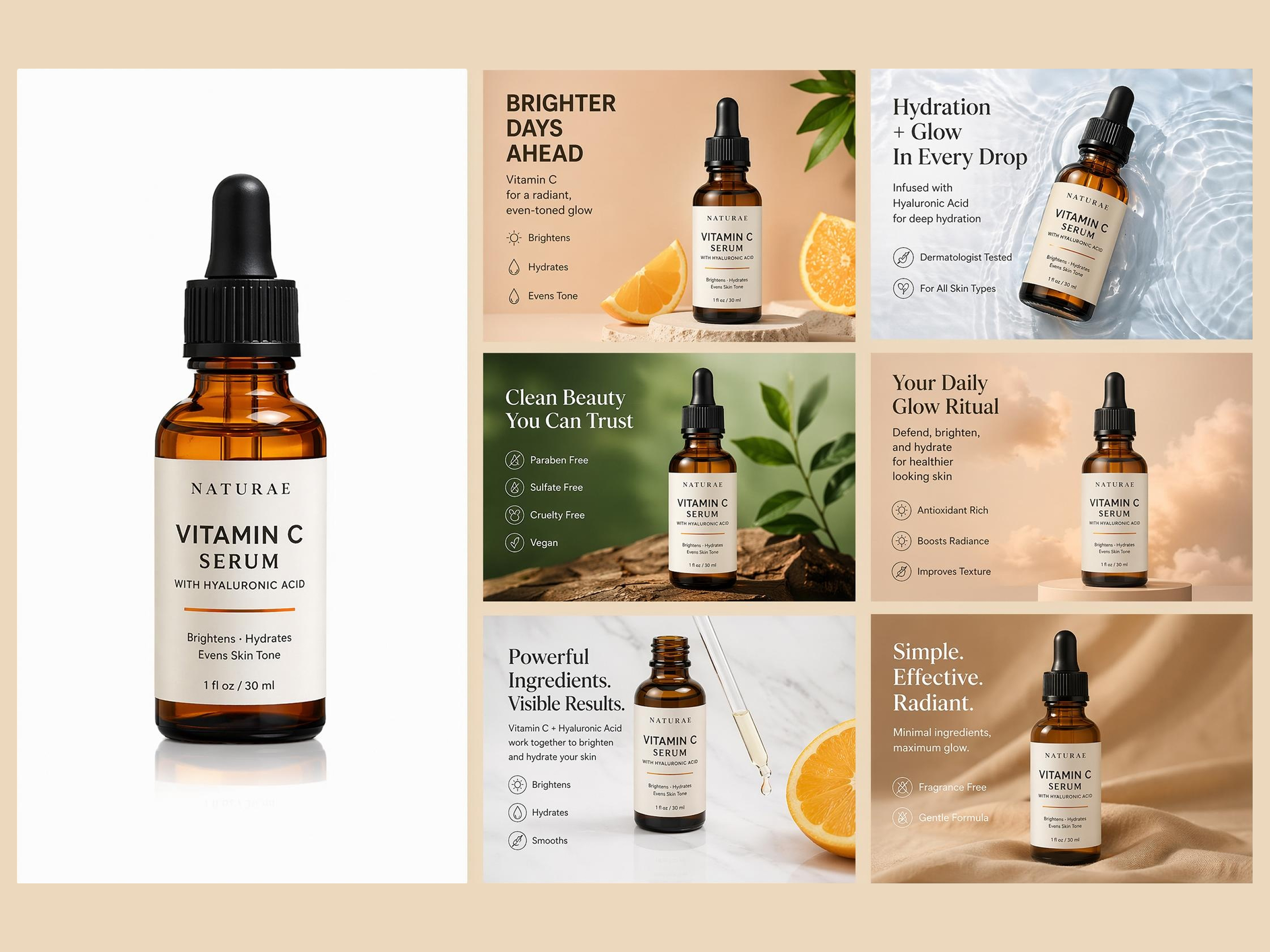
Generate a Full Shopify Product Listing Image Set with One Click
Manual creation of full Shopify product listings decreases the time to launch products and makes scaling less efficient. Designkit creates a complete ecommerce product image in a single click, hero images, detail shots, and feature highlights, and assists brands in releasing quicker with matching and high-converting visuals.
Built for Every Shopify Seller, at Every Stage
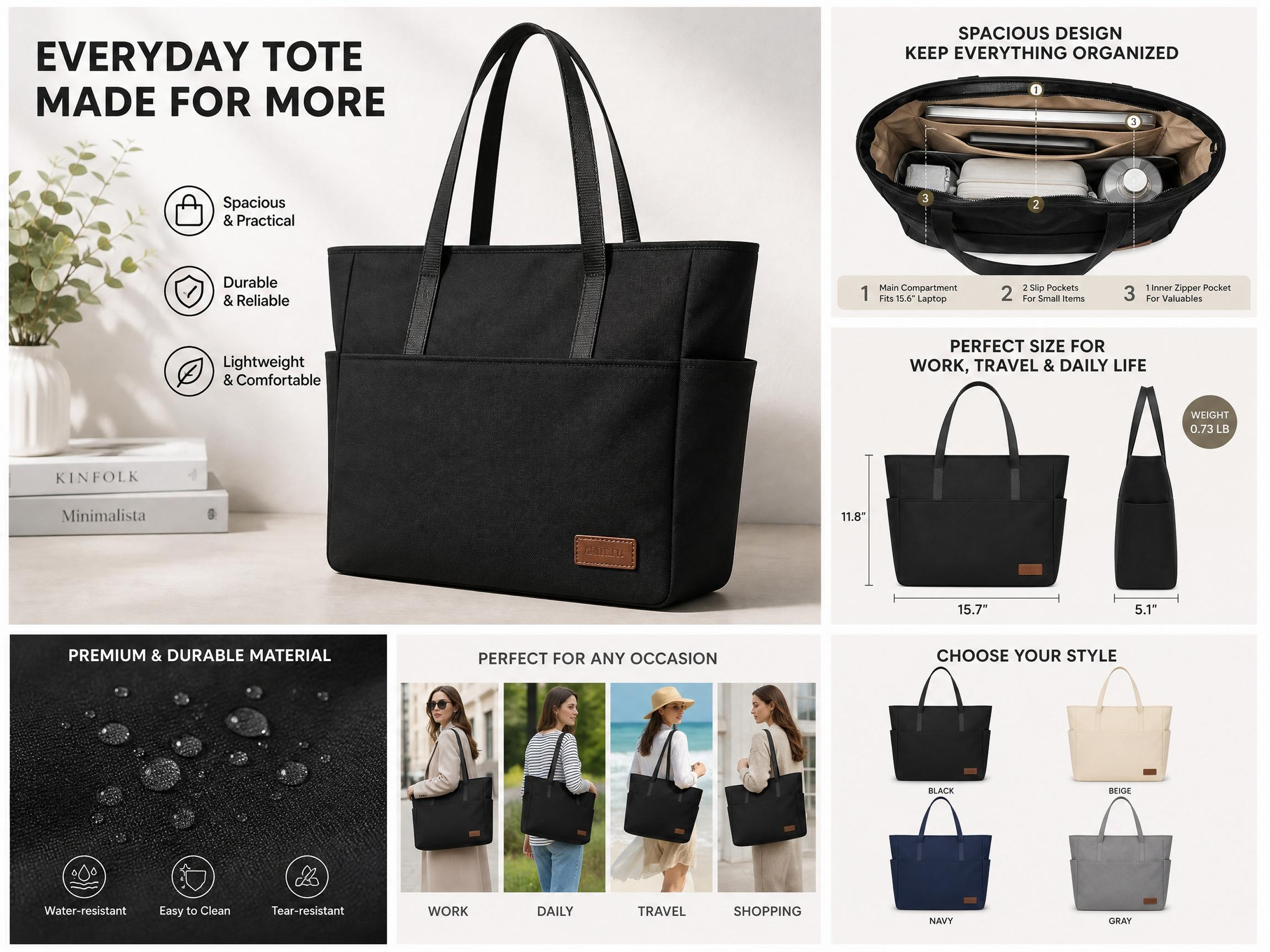
Scale Product Listing Images to Launch Faster
You're launching multiple products quickly, but low-quality images are hurting conversions. Designkit delivers studio-quality AI product photos at scale, ensuring every listing looks polished, professional, and conversion-ready from day one—without slowing down your launch process.
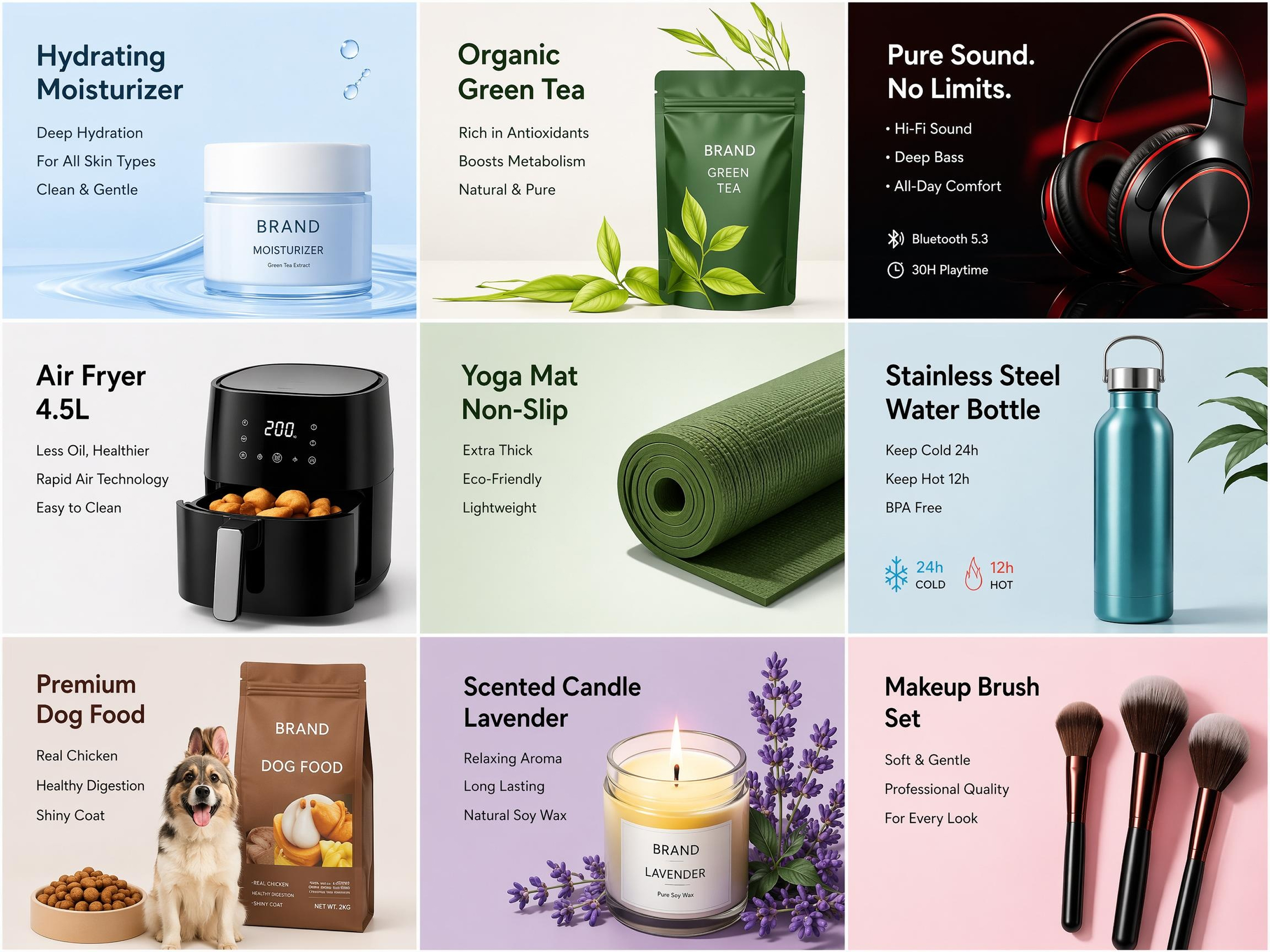
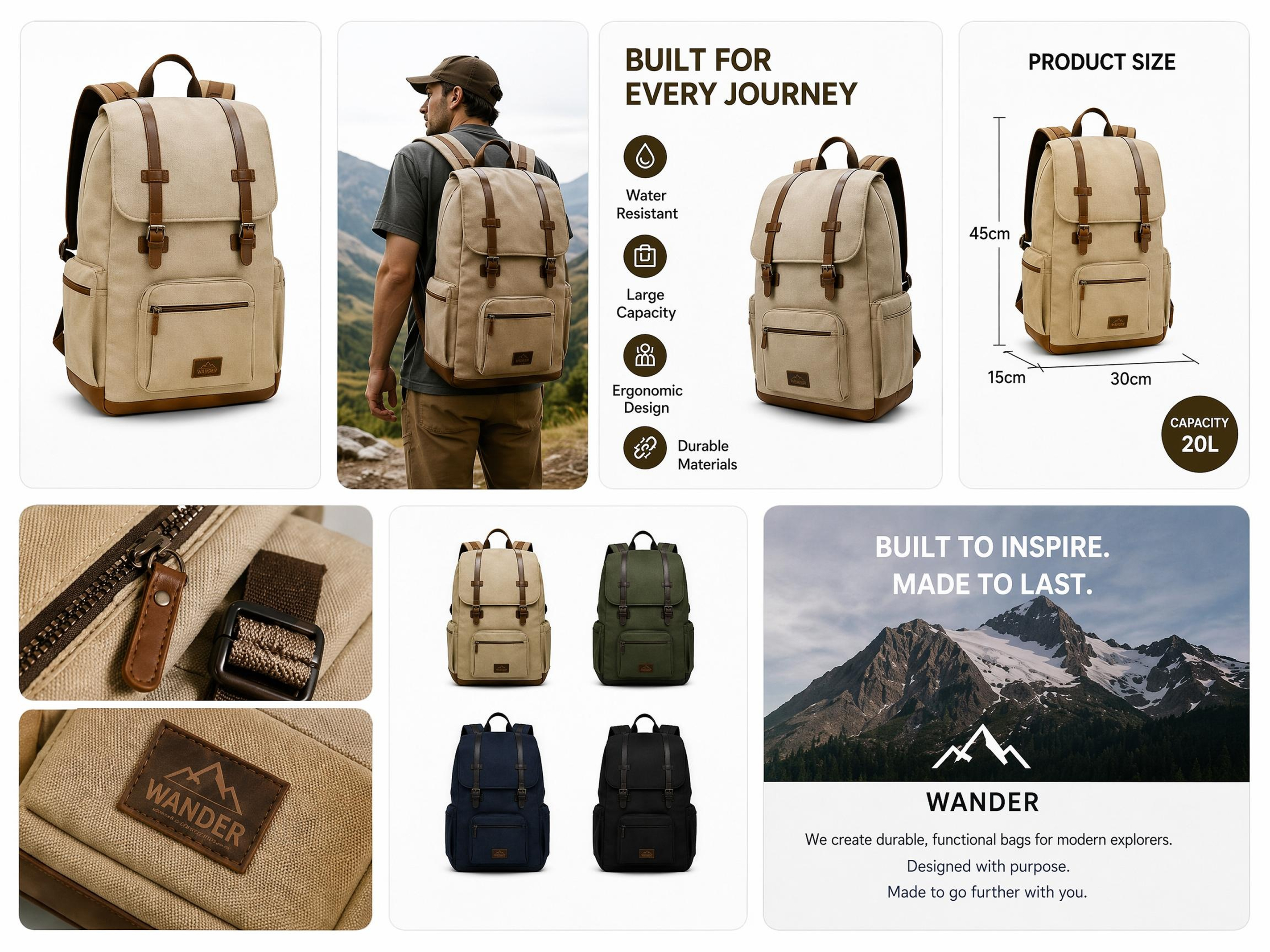
The Fastest Way to Professional Shopify Product Images

Built Specifically for Shopify Sellers
Designkit is built for Shopify product listing, with pre-determined image sizes and optimized visual layouts to meet the Shopify requirements and enhance product page conversions.

No Studio, No Skills Required
The AI of Designkit automatically controls the lighting, backgrounds, and composition, allowing any seller to build professional Shopify listing images that can compete with the most successful ecommerce brands.

Boost Brand & Shopify Sales Fast
Low CTR and drop-offs limit Shopify store growth. Designkit organizes product visuals for clarity, benefits, and mobile-first viewing. The result is better product understanding, reduced bounce rates, and consistent sales growth. User Review
Frequently Asked Questions
How many products can I list on Shopify?
How does Designkit create Shopify product listings?
Designkit is an AI-based tool that creates structured product listing Shopify pages based on simple inputs. It converts product information into streamlined graphics, designs, and messages. Rather than having to manually create listings, sellers can easily generate listings that are performance-based, enhancing readability, interaction, and total conversions.
Can I generate product listings without design experience?
You don't need a design experience to optimize your product listing for Shopify. Designkit is an AI-based tool that creates structured product listing Shopify pages based on simple inputs. It converts product information into streamlined graphics, designs, and messages. Rather than having to manually create listings, sellers can easily generate listings that are performance-based, enhancing readability, interaction, and total conversions.
Can I customize the generated Shopify product pages?
Designkit enables the shape of product pages after they are created. The vendors are able to edit images, alter designs, and clean up the text to fulfill the branding or campaign requirements. Such personalization makes your product available on Shopify pages, simplifying and adjusting to various audiences, contributing to the growth of engagements and conversion rates.
Is Designkit optimized for mobile product listings?
Yes, Designkit designs mobile-first layouts that would fit the current shopping behavior. It makes your Shopify product listing services optimized for smaller screens with clear images and a readable format. This enhances user experience, decreases the bounce rate, and improves mobile traffic conversions.
Can I create multiple listings quickly?
Yes, Designkit can easily create in bulk through the application of AI to create and optimize a series of Shopify product list entries at a time. Rather than generating individual product listings, you can input product information and have the system generate conversion-oriented structured pages. This accelerates scaling and ensures consistency, performance, and optimized layouts in all listings. CTA
Create high-converting Shopify product listings with Designkit today
Designkit helps you create high-converting Shopify Product Listings with ease. Build professional product pages with optimized visuals, clear descriptions, and layouts that drive more sales and improve customer trust. Start creating with Designkit today.



User Reviews of Designkit for Shopify Product Listing
See what users say about Designkit for Shopify product listing design.
A Simple Way to Create Professional Shopify Listings
My Shopify product pages looked unprofessional and inconsistent, and I had no design skills. Hiring designers was too expensive. Designkit helped me create clean, structured listings in minutes, improving store appearance and boosting customer engagement by 30%.
Faster Workflow for Managing Multiple Shopify Clients
Managing multiple Shopify clients took too much time due to manual design work. Designkit helped me build product visuals using ready layouts, cutting design time by 55%, improving delivery speed, and allowing me to handle 2x more projects efficiently.
Faster Shopify Listing Delivery for Client Projects
Creating Shopify listings manually was slow and inconsistent. Designkit simplified the process by generating optimized product pages faster, reducing production time by 45–50% and improving client delivery efficiency across multiple projects. FAQs