
Convert Product URLs Into Engaging Marketing Videos
Paste a product URL, and Designkit pulls selling points to generate UGC-style videos for TikTok, Instagram, and Amazon. No studio shoot is required.
How to Convert a URL to Video in 3 Steps
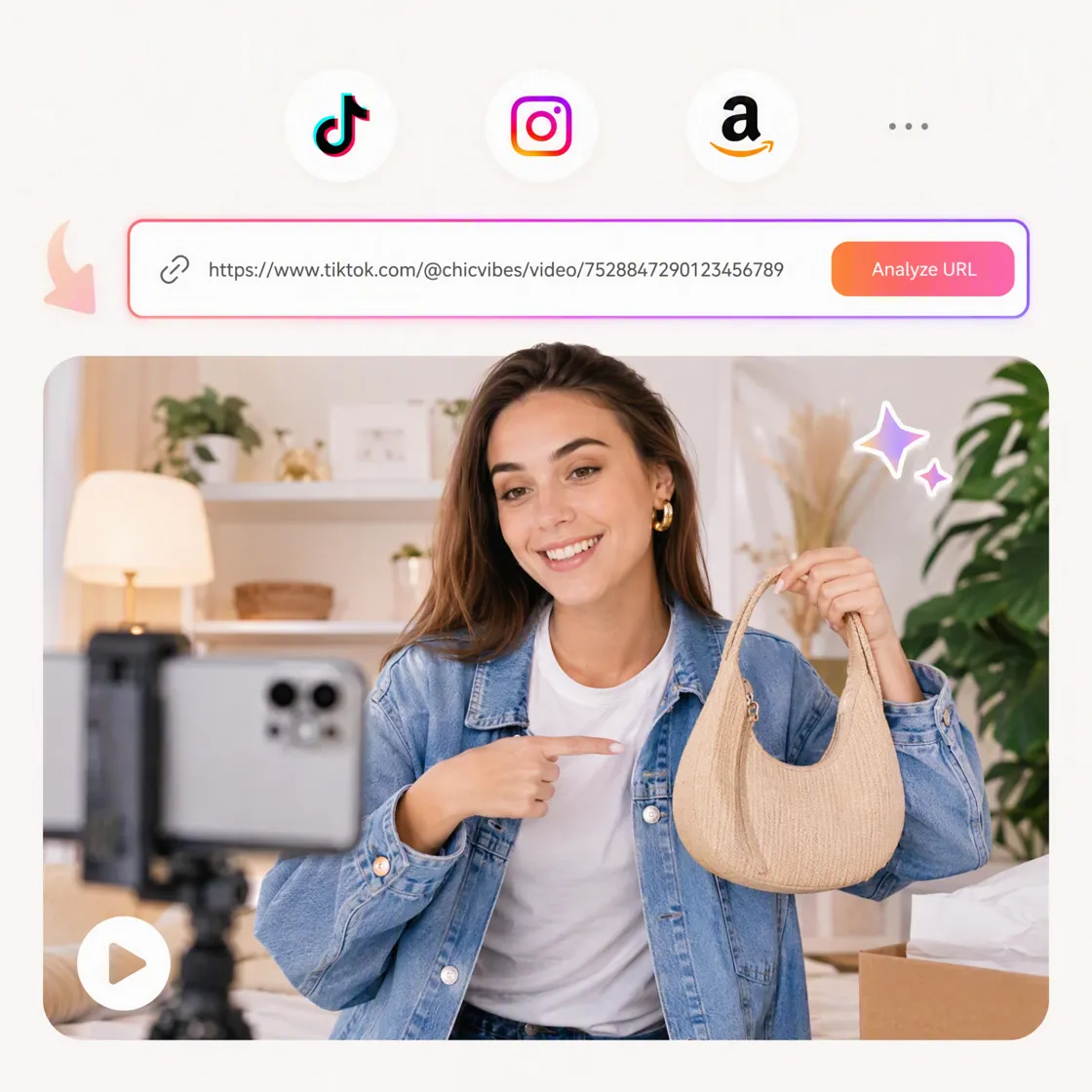
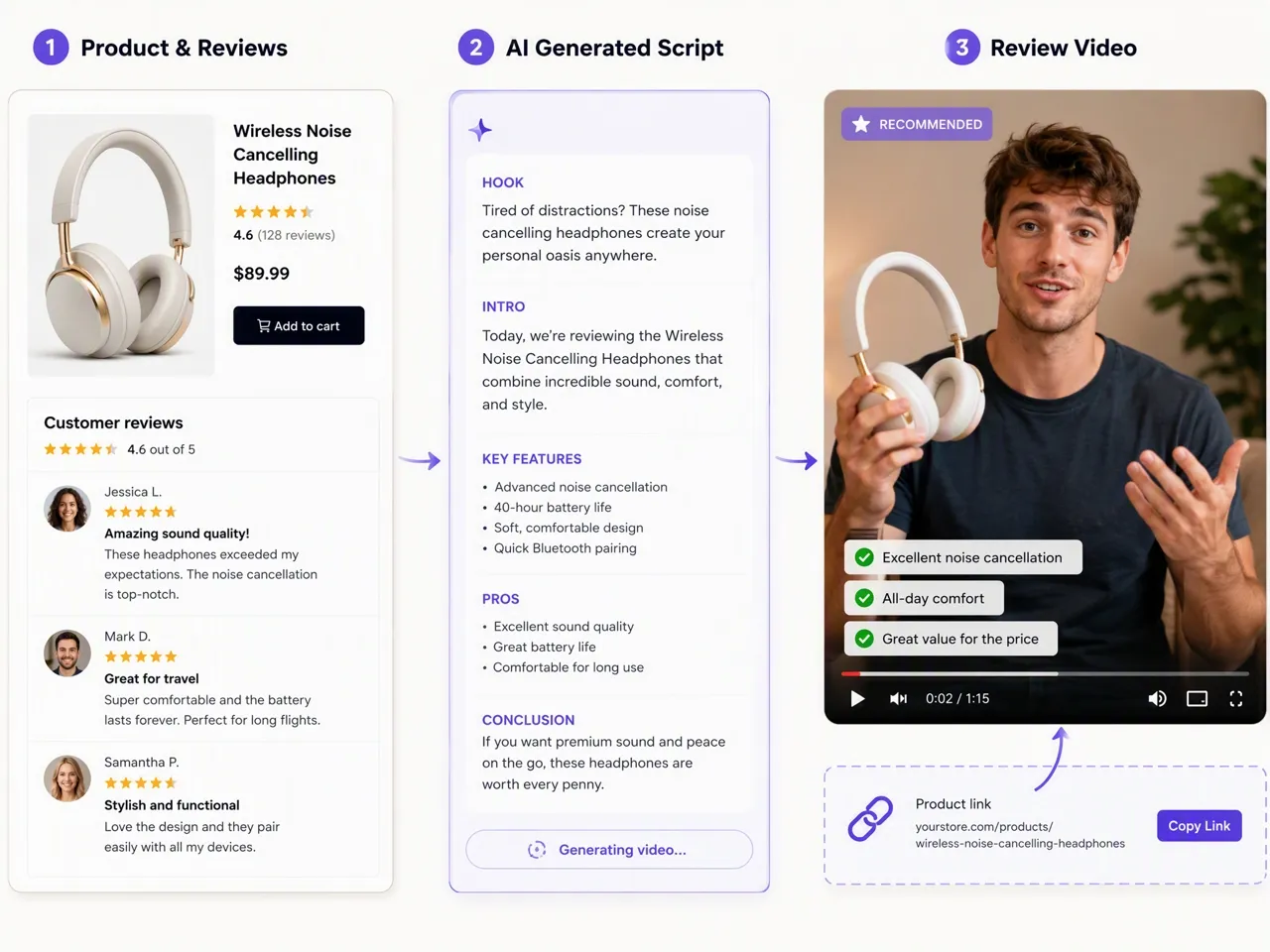
Import Your URL
Paste the URL from an Amazon product, TikTok, or Instagram to let Designkit analyze the content.
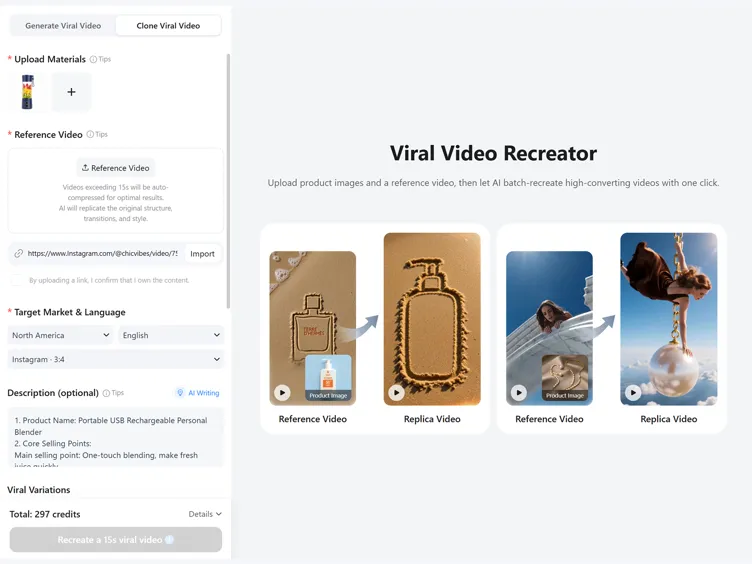
Generate Your AI Video
Designkit extracts key selling points, creates AI scripts, and applies viral video structures to generate engaging marketing videos.
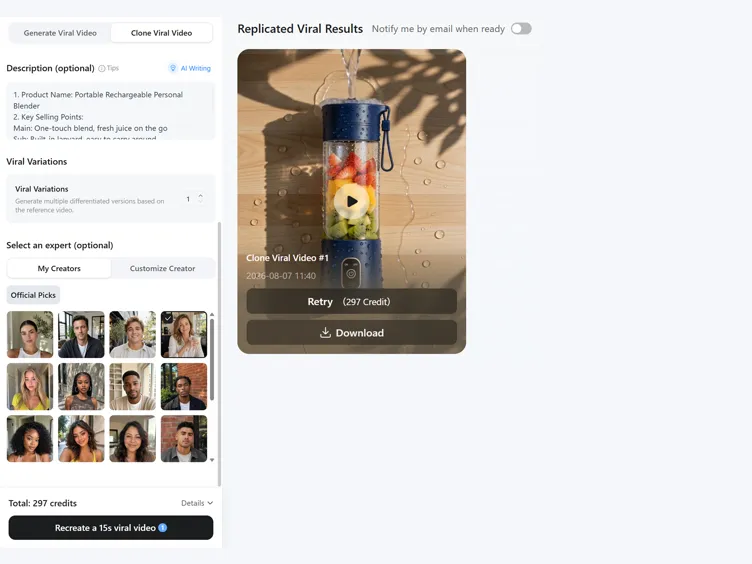
Preview and Export
Review the generated video, choose your preferred version, and export it for TikTok, Instagram, or Amazon campaigns.
Create Marketing Videos Directly from Product Links
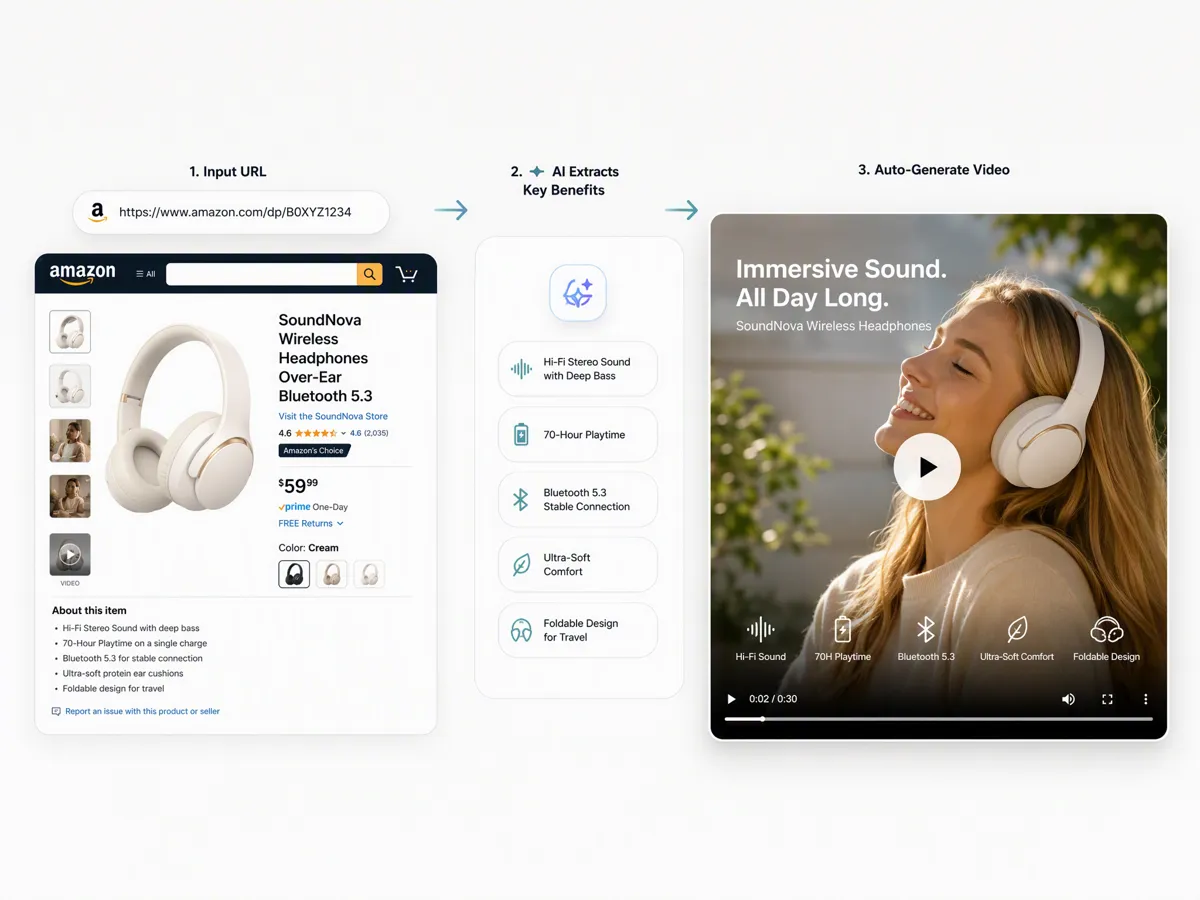
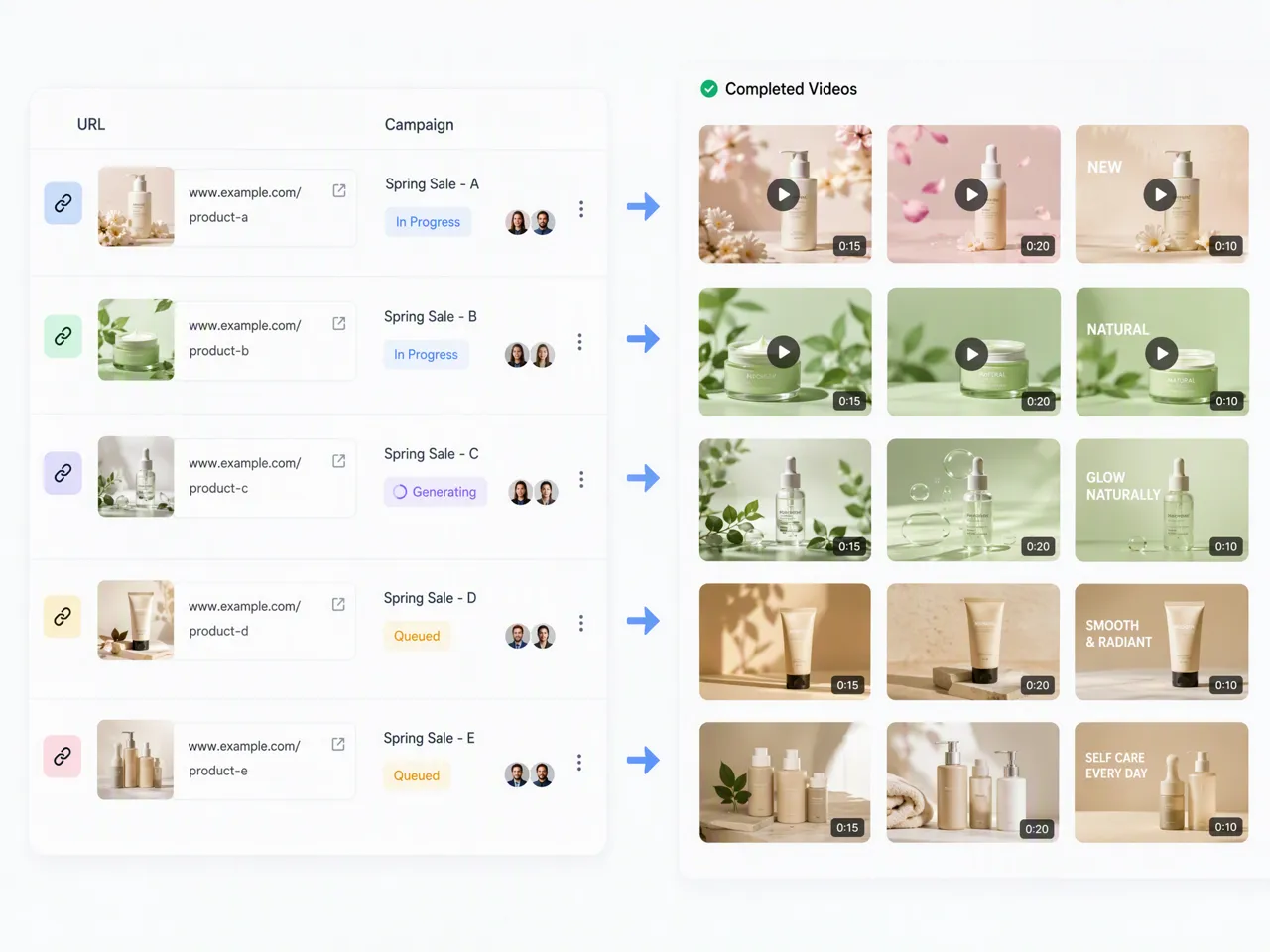
Convert One Product Link Into Short Ads
Turn a product link into a ready-to-use marketing video by simply pasting a URL. Designkit's url-to-video generator extracts product information, key benefits, and visuals to create engaging videos for TikTok, Instagram, and Amazon with no filming, creators, or complex editing required.
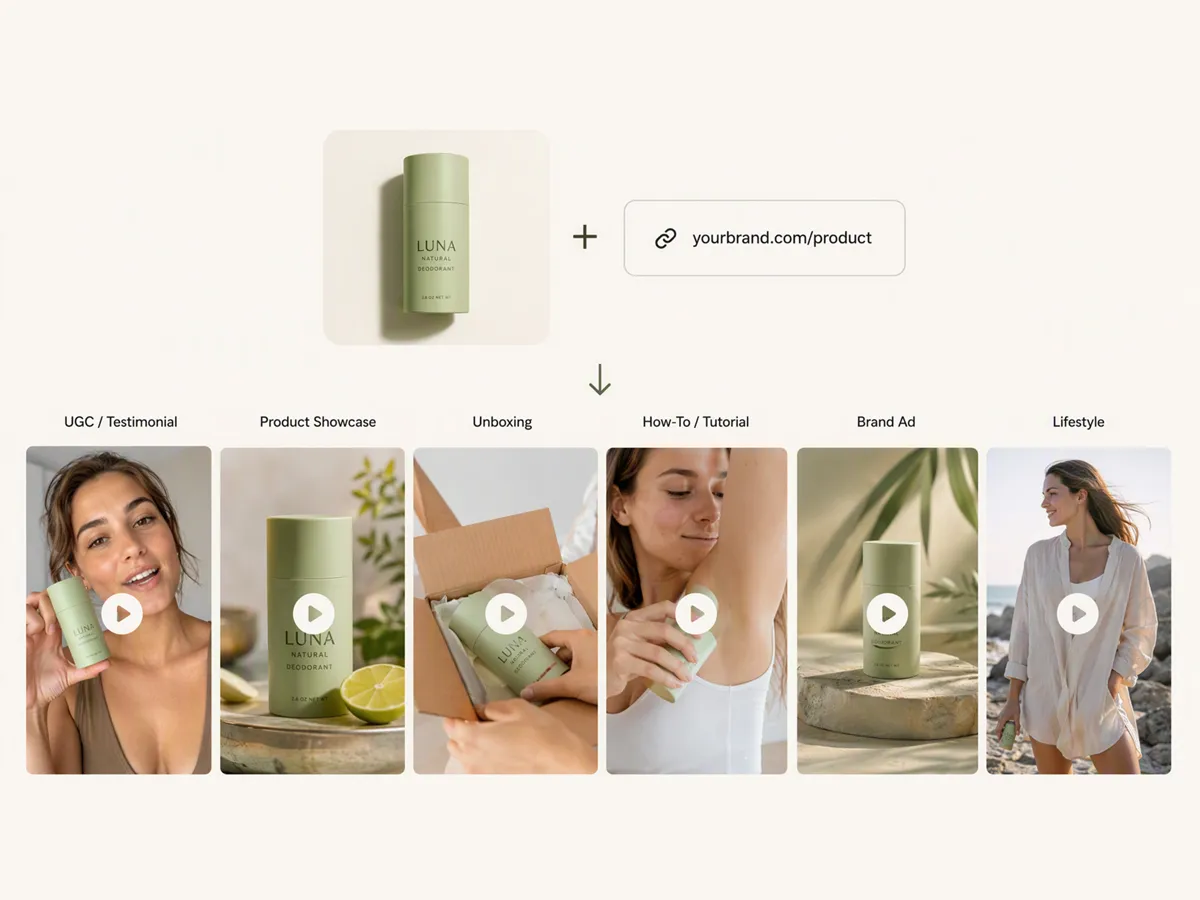
Choose 8 Video Formats That Fit Your Campaign
From one product to 8 video styles that fit your campaign goal, including UGC review, product demo, unboxing video, shoppable drama, brand ad, reaction, pain point solution, or sales pitch. Test different storytelling approaches without rebuilding your content from scratch.
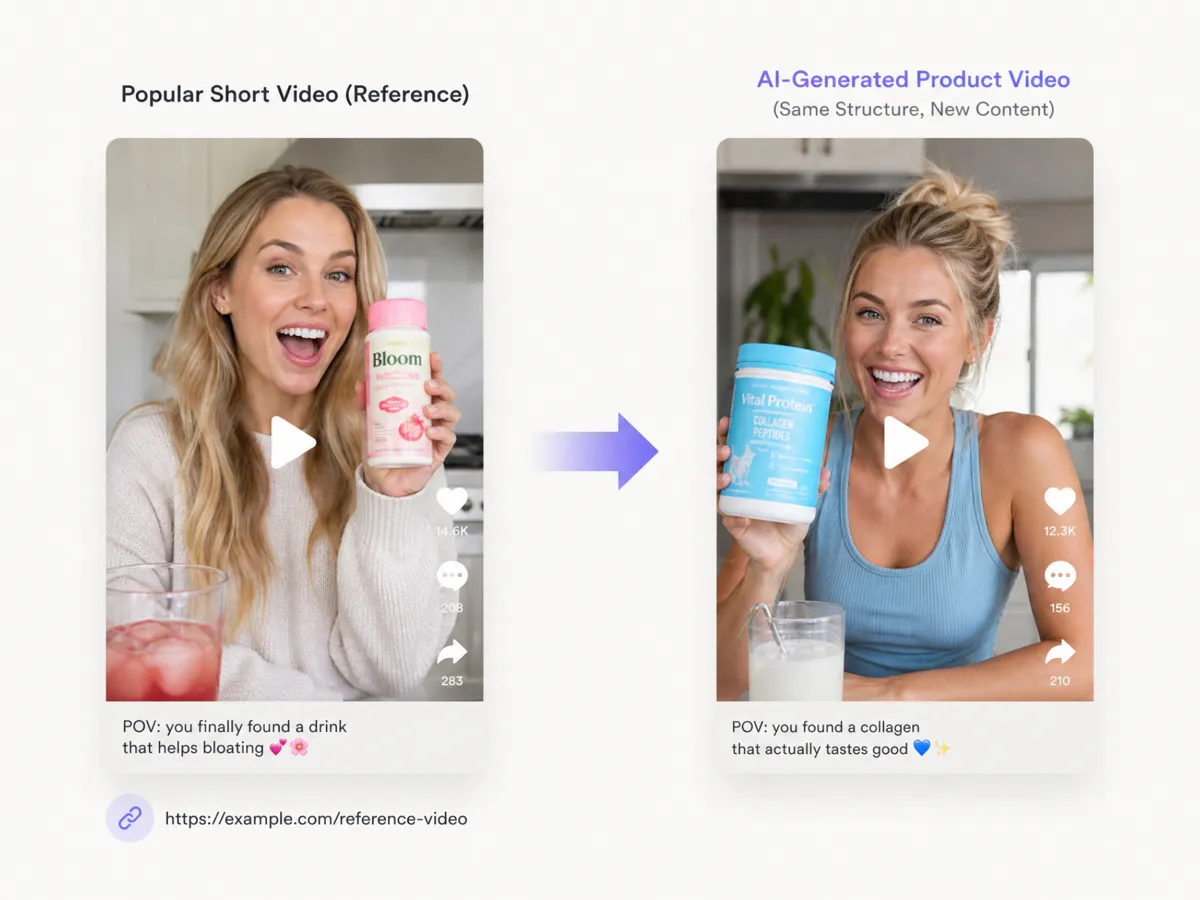
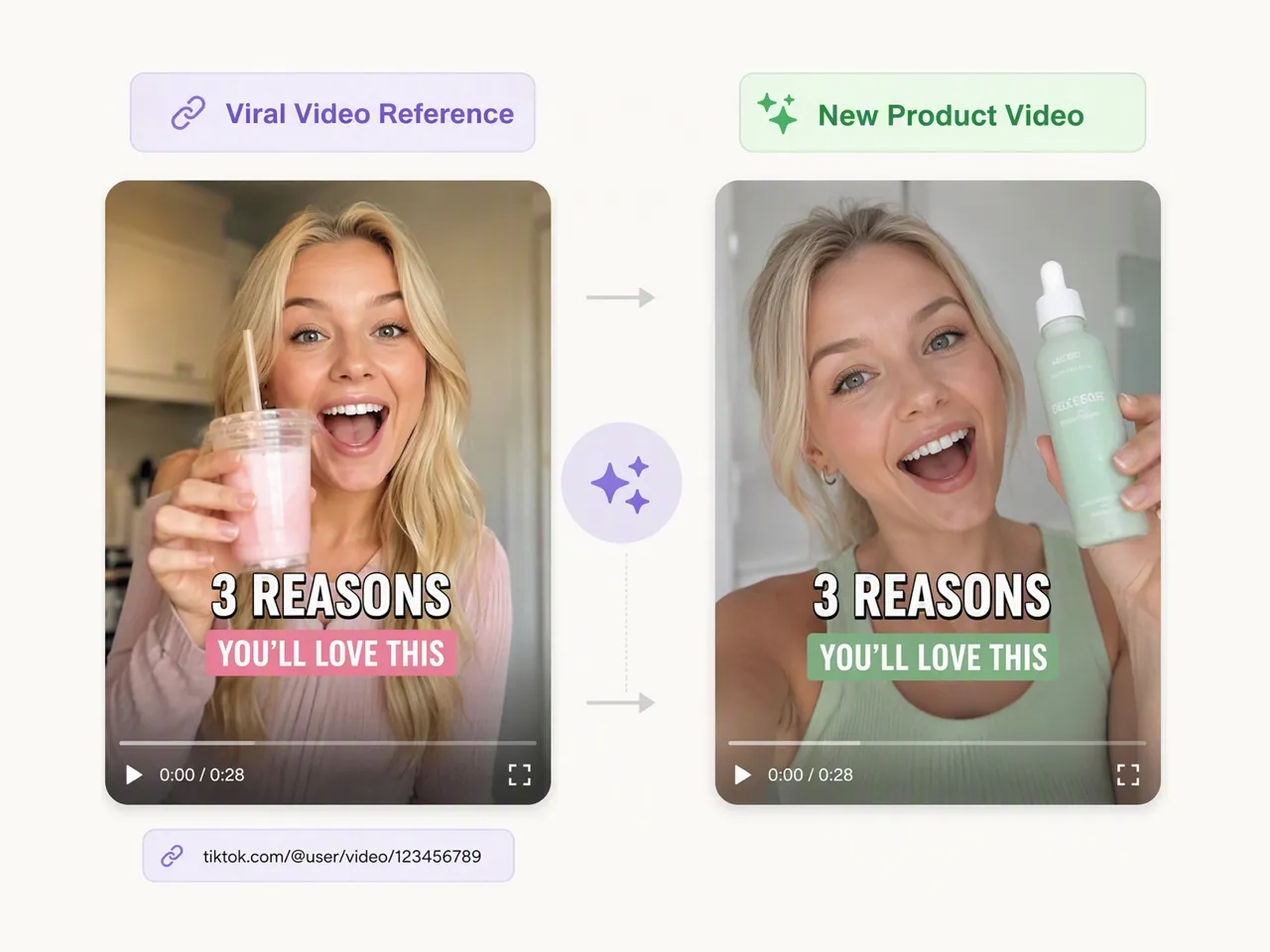
Turn Viral Video Ideas into Your Own Product Content
Bring a proven video structure into your workflow by importing a reference video link. Designkit's AI video generator analyzes the pacing, scenes, and storytelling patterns, then adapts the format with your product details, messaging, and brand style.
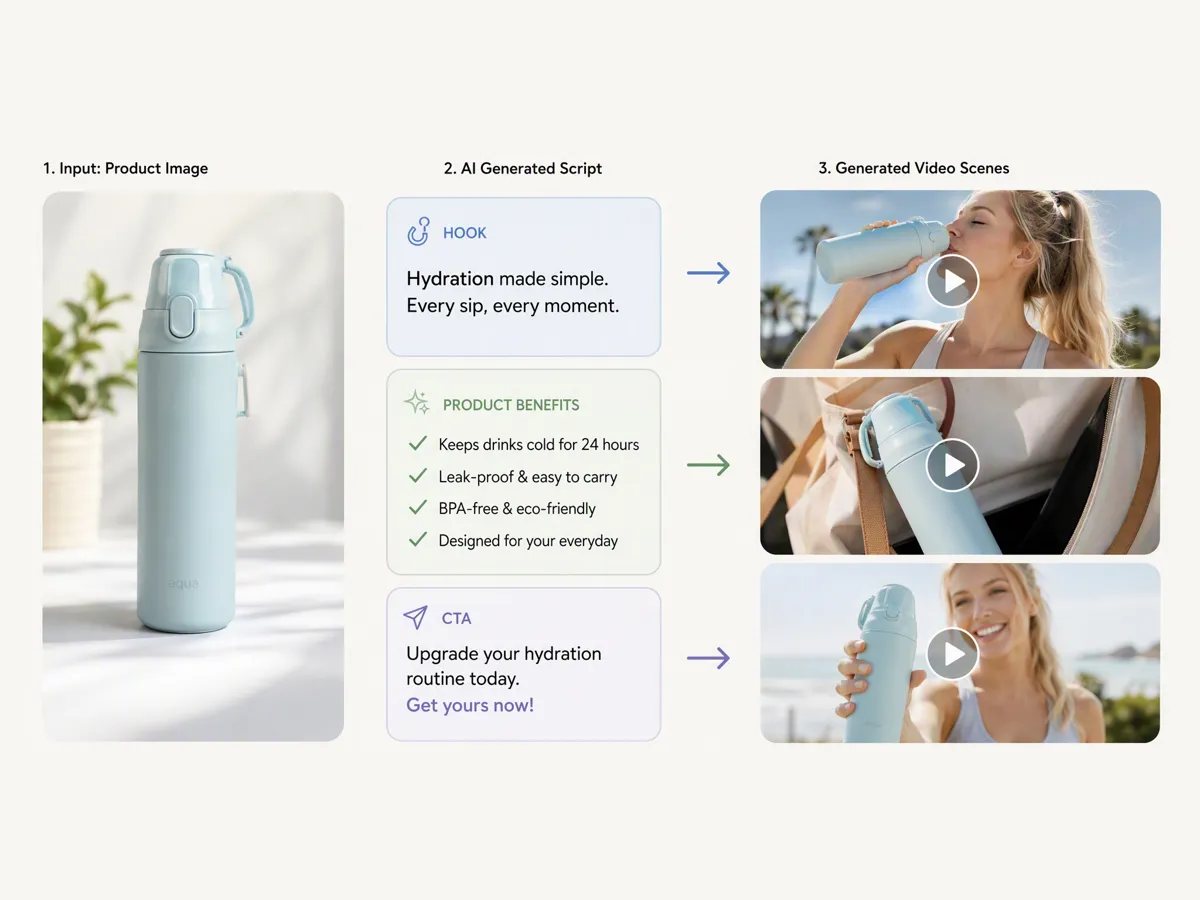
Turn Product Details Into Marketing Scripts
Skip the time-consuming scripting process. Designkit's AI ad copy generator auto writes product features, customer benefits, hooks, and calls to action from your product link, then creates a structured script designed for marketing videos.
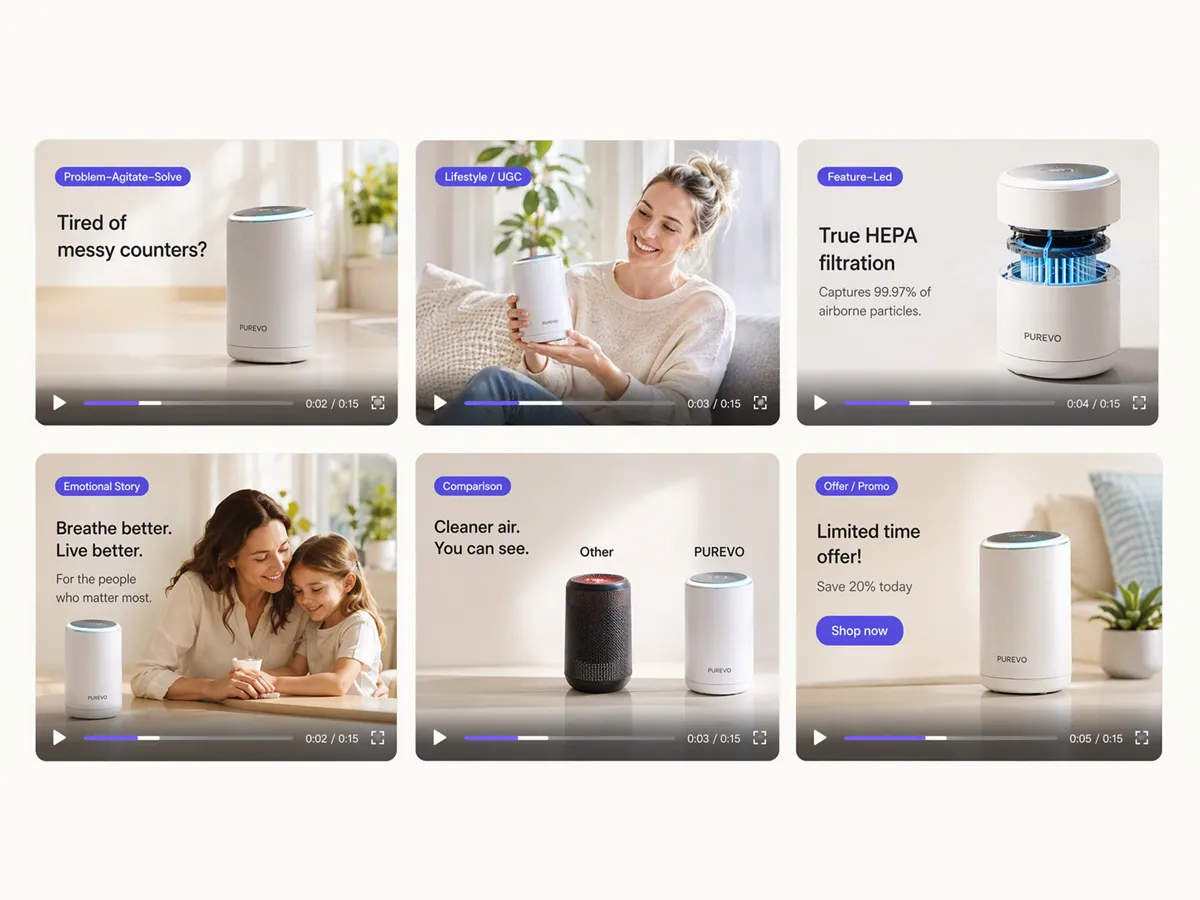
Compare Multiple Ideas Before Publishing
Create multiple video variations from a single product URL and explore different hooks, visual styles, messages, and storytelling angles. Compare creative directions before investing budget into your campaigns.
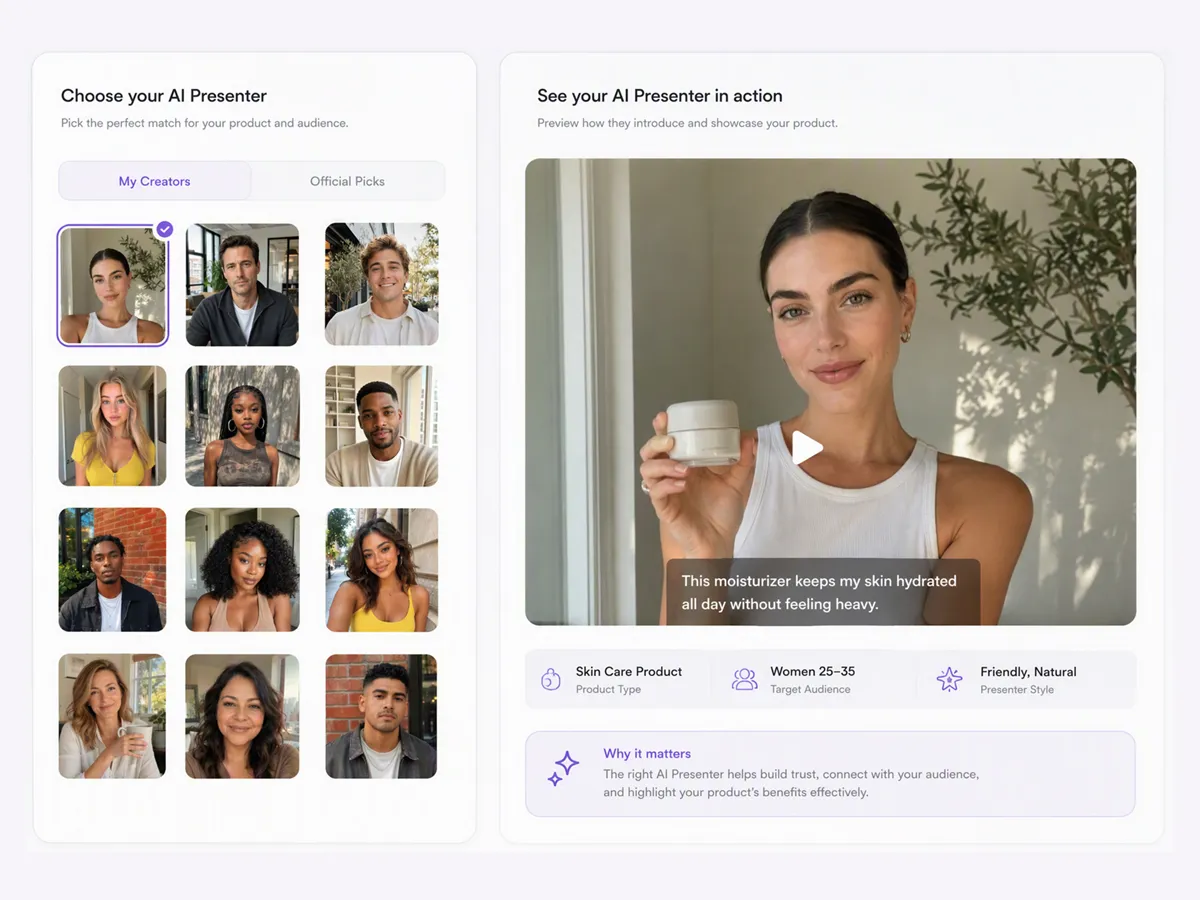
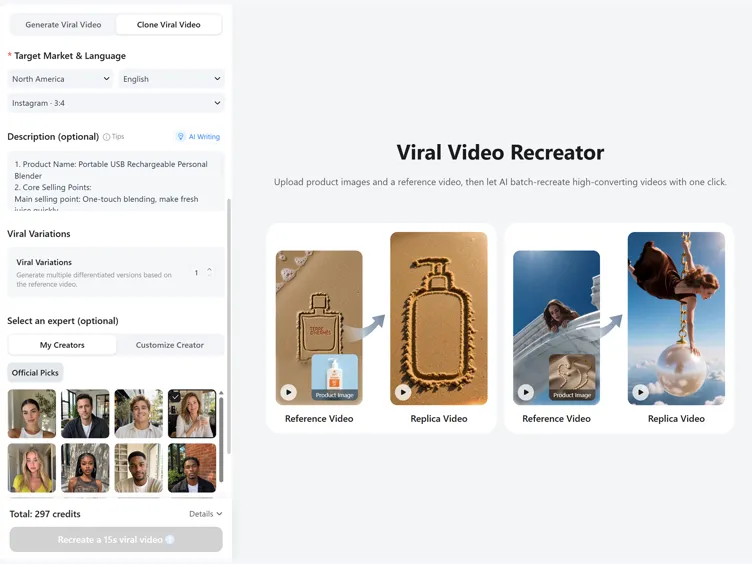
Match Presenters to Your Target Audience
Choose AI presenters that better match your product category, target audience, and brand personality. Adjust presenter styles and appearances to create videos that feel more natural and relevant to each campaign.
URL to Video Creation for Every Content Workflow
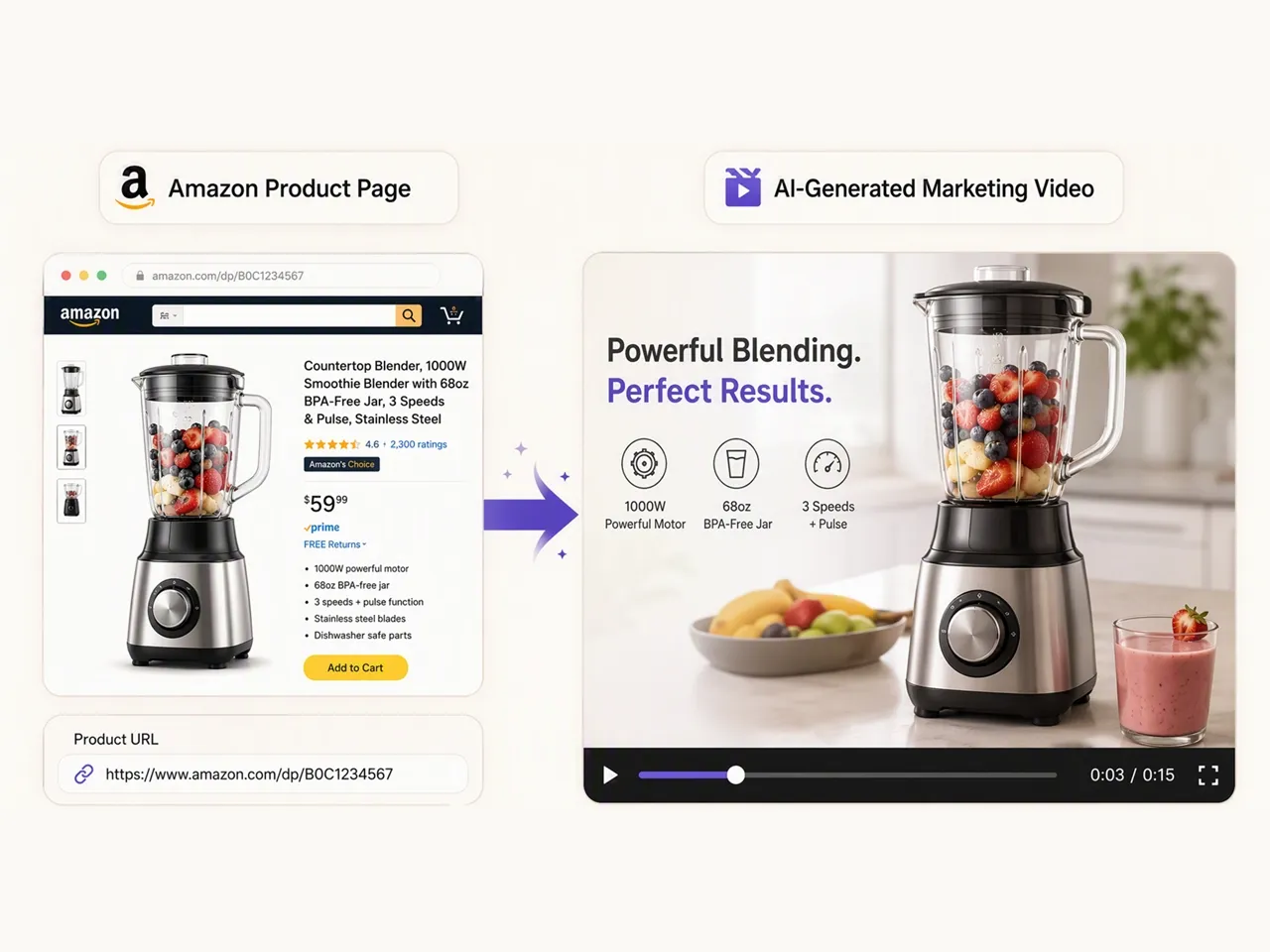
Turn Product Links into Amazon Store Videos
Transform your product URLs into engaging promotional videos that showcase features, benefits, and customer value. Create listing videos, product demos, and sales content for Amazon, Shopify, and ecommerce channels without expensive shoots or manual editing.
Why Choose Designkit for URL to Video

Simplify Video Creation for Non-Video Experts
You don't need professional video editing skills or marketing experience. Designkit guides you from product information to finished marketing videos through an automated workflow.

Reduce Creative Production Costs
Skip expensive shoots, creator coordination, and repeated editing cycles. Create professional product videos from existing resources while keeping your campaigns moving faster.

Start Creating With Free Credits
Try Designkit's URL to video workflow with free signup credits. Explore AI-powered video creation before upgrading for more content production needs.
Frequently Asked Questions
What is a URL to video tool?
What types of URLs can I convert into videos?
You can convert blog articles, product pages, landing pages, and other supported website links. The URL to video converter extracts key information and transforms existing webpages into engaging marketing videos for TikTok, Instagram, and Amazon.
Can I convert a YouTube URL into a video?
Yes. Import a YouTube link and let the URL to video AI analyze its structure to generate a fresh marketing video with original scripts, visuals, and messaging. Review the result, make edits if needed, and export the version that best fits your campaign.
How does the URL to video AI work?
Paste a webpage URL, and the URL to video AI extracts key selling points, generates AI scripts, and applies a structured video flow to create marketing videos. Preview the generated content, make adjustments, and export it to your preferred platform.
Can I edit the video after it's generated?
Yes. Review the generated video, then edit scenes, scripts, visuals, or messaging before exporting. This lets you refine the content to match your brand, campaign goals, and target audience without starting the project again.
Is the URL to video generator free to use?
Yes. New users receive signup credits to try the URL to video generator before upgrading. Create multiple video versions, compare the results, and export the one that best supports your product launch, promotion, or marketing campaign.
Can I convert a URL link to video online?
Yes. Designkit works entirely in your browser, allowing you to convert URL links to video for free with signup credits. No software installation is required, so you can generate, review, edit, and export videos from any compatible device.
Can I use AI-generated videos commercially?
Yes. Videos created on eligible paid plans can generally be used for ecommerce listings, social media campaigns, advertisements, and other commercial projects. Please review the latest licensing terms before publishing.
Turn Any URL Into an Engaging Video Today
Transform product pages, blogs, and websites into engaging AI marketing videos. Create content from your URLs with Designkit using signup credits.



What Users Say About Designkit URL to Video
See how ecommerce sellers, marketers, and creators transform existing webpages into engaging AI videos.
Repurpose TikTok Video Faster
Finding viral video ideas was easy, but recreating them took too much time. With Designkit, I can paste a trending TikTok link and generate a similar video structure with my own product, visuals, and messaging. It helps me create more engaging content without starting every video from scratch.
Simplify Product Launch on Amazon
Creating product videos for Amazon listings used to require hiring creators and planning shoots. Now I can upload my product link and quickly generate professional marketing videos that highlight key features, benefits, and use cases. It makes launching new products much faster and easier.
Turn Viral Ideas Into Instagram Reels
Keeping up with Instagram trends takes constant research and creativity. Designkit lets me use viral video references as inspiration and recreate them with my brand's products, messaging, and style. I can quickly produce fresh Reels that match current trends while keeping my content consistent.
Scale Product Videos Across Channels
Creating different videos for TikTok, Instagram, and Amazon usually means repeating the same work multiple times. Designkit helps me transform one product link into multiple marketing videos optimized for different platforms, making it easier to scale campaigns and test new creative ideas. FAQs