
Change Image Color Online with Studio-Grade Precision
Designkit provides a full suite of HSL sliders, batch color correction, and advanced light adjustments directly in your browser.
This web-based editor applies precise color shifts and high-resolution sharpening to your entire image library in a single automated workflow.
Every export delivers free, studio-quality results with one-click downloading for any digital project.
No image? Try one of these:
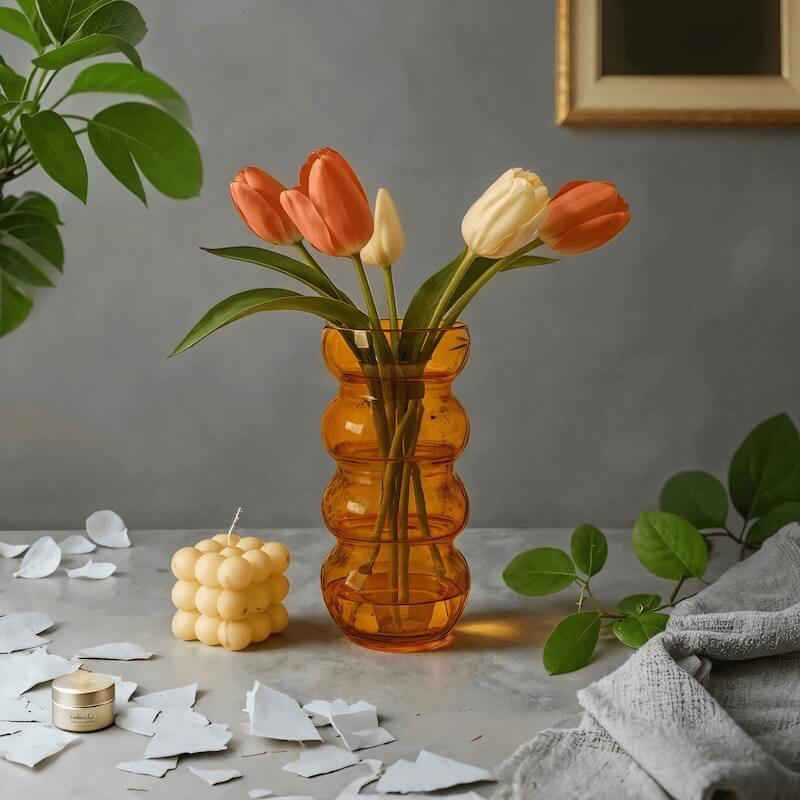
How To Change Image Color Online With Designkit
Upload an image
Upload starts the editor and places the photo on the canvas automatically. In seconds, you’ll see it ready for Retouch tools, so color correction images don’t require any setup or installs.
Adjust Color Intensity
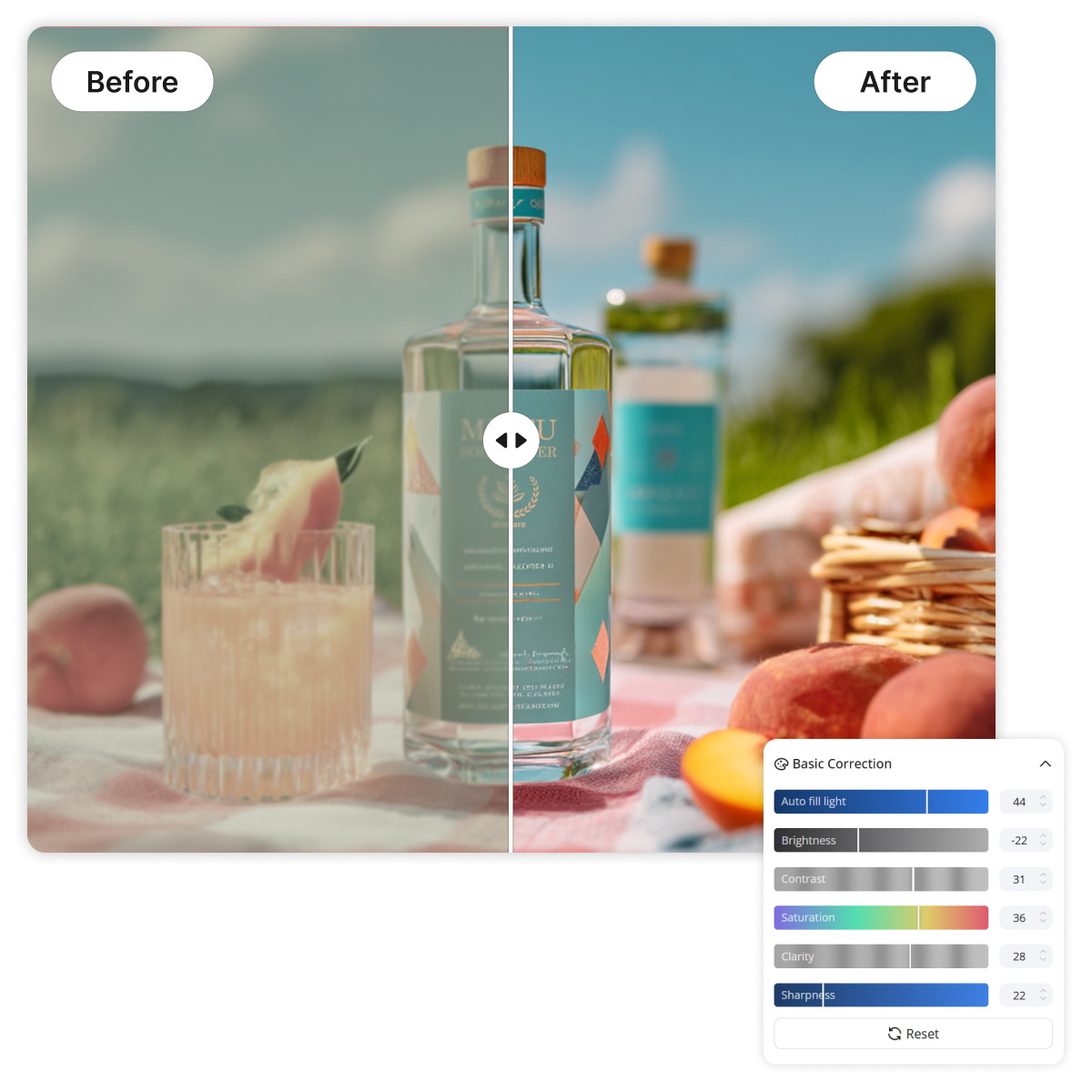
The "Retouch" menu houses both "Basic Correction" for brightness and "Advanced" sliders for granular HSL and split-toning control. You simply move the sliders to achieve the perfect tint, temperature, or saturation for your specific project.
Export Your Result
The final processing stage occurs automatically once you select your preferred file format. You'll receive a high-quality download of your color-adjusted image within seconds of clicking the save button.
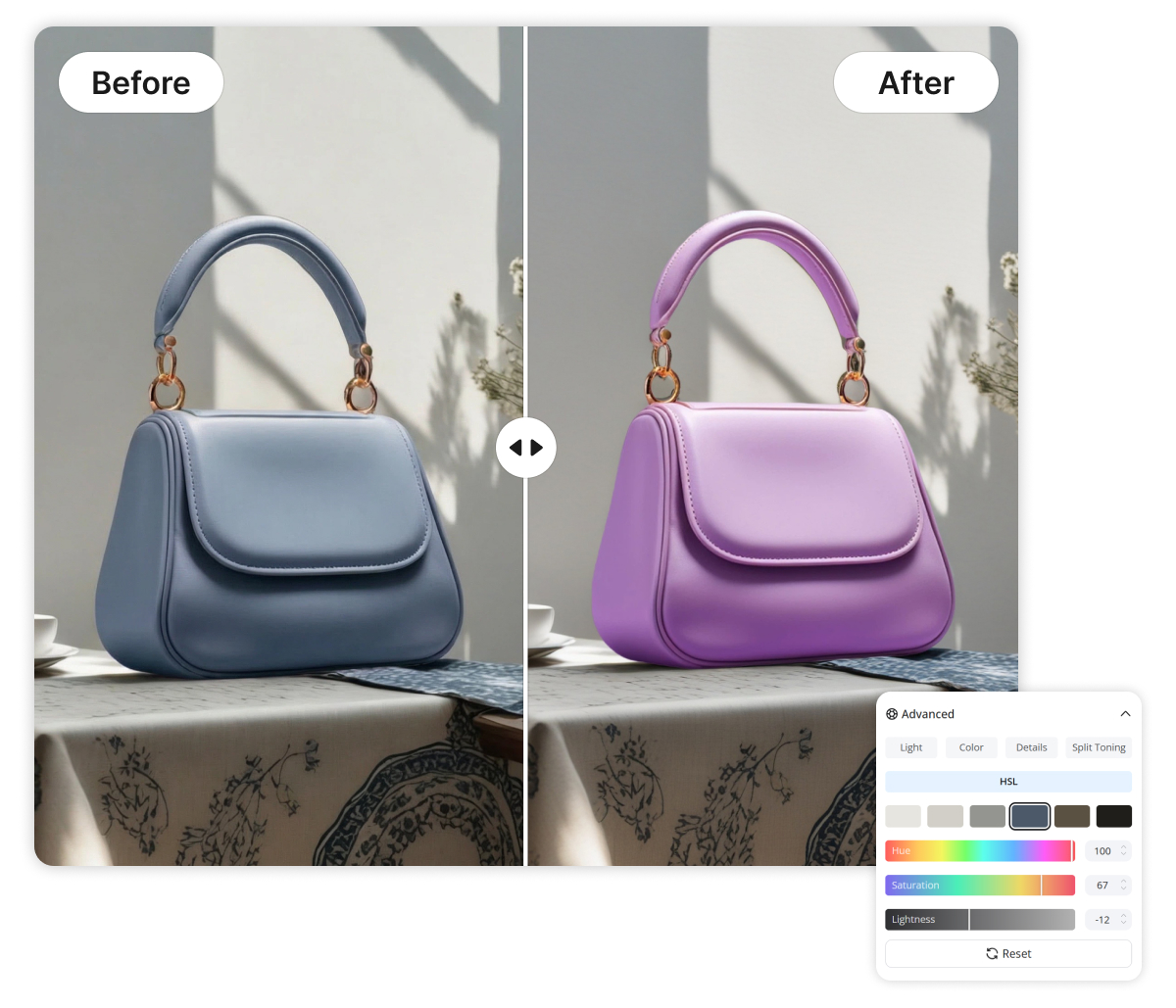
HSL Control to Change Color of Image Precisely
HSL sliders separate hue, saturation, and luminance so a single tone can be targeted without shifting the whole frame. In Designkit, Reds and Blues can be tuned independently to match brand palettes or skin tone goals. Unlike global saturation, which boosts noise everywhere, targeted edits stay natural. Small moves make visible, controlled change.
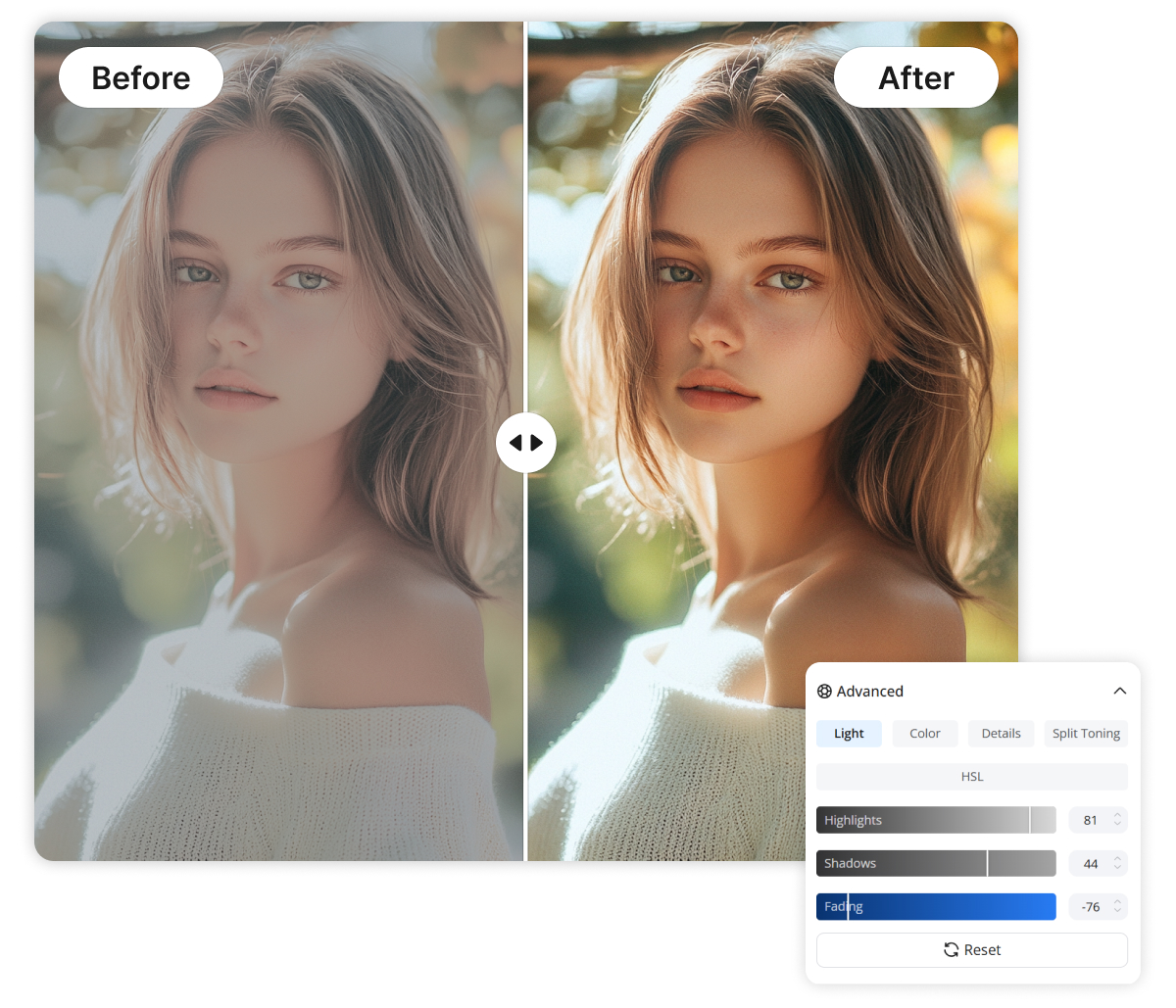
Split Toning for Highlights and Shadows
When highlights clip, colors look pale even at “correct” saturation levels. The Advanced Light panel shapes Highlights and Shadows first, then lets tint and temperature land accurately. Unlike basic brightness tools that flatten contrast, this workflow preserves depth. Edits read as intentional, not over-processed.
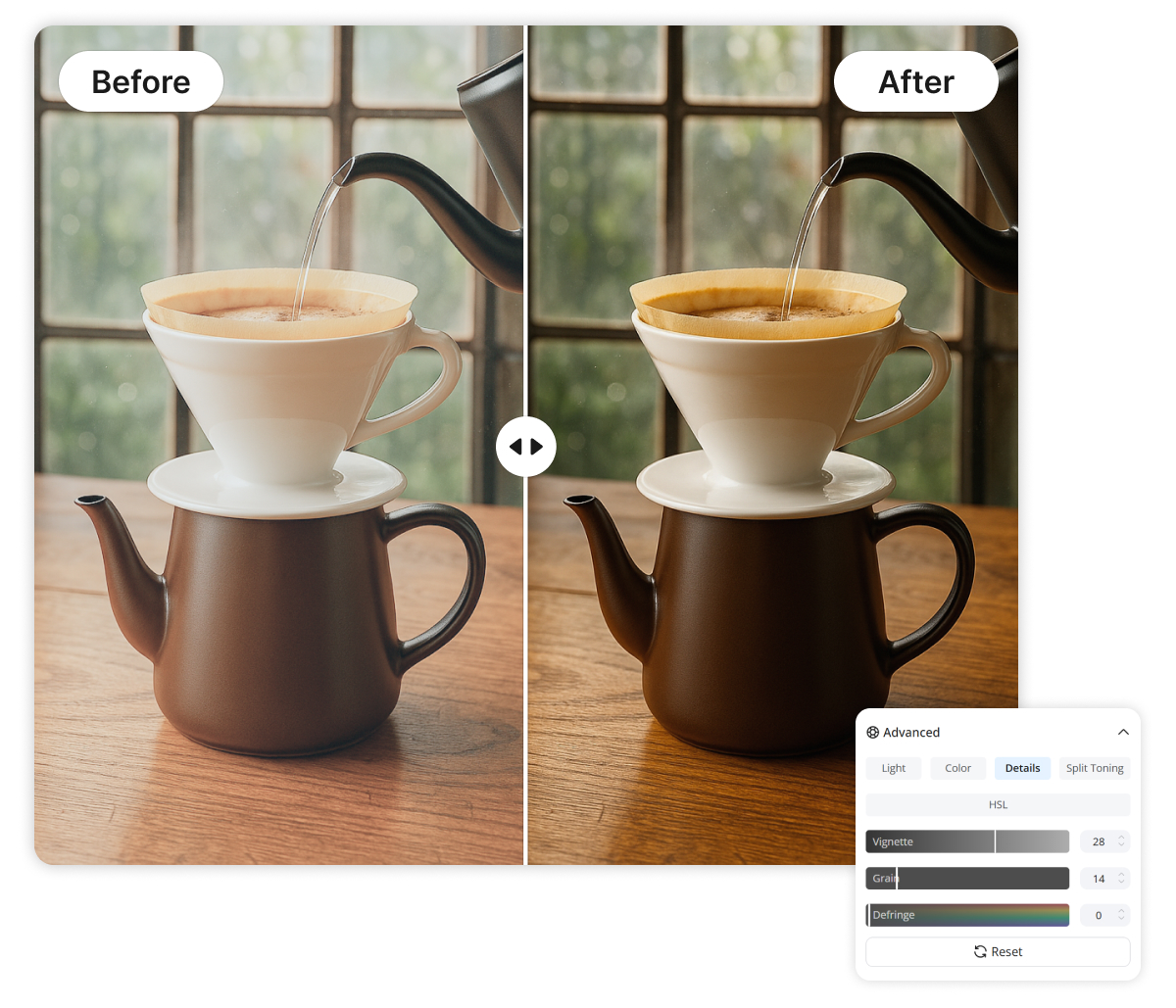
Vignette and Grain for consistent finishing
The exported image often needs a final “tie-together” pass after adjustment. Vignette and Grain add controlled falloff and texture so separate shots feel like one set. Unlike patchwork filters applied per photo, settings can be repeated with the same look. Consistency shows up immediately in feeds and catalogs.
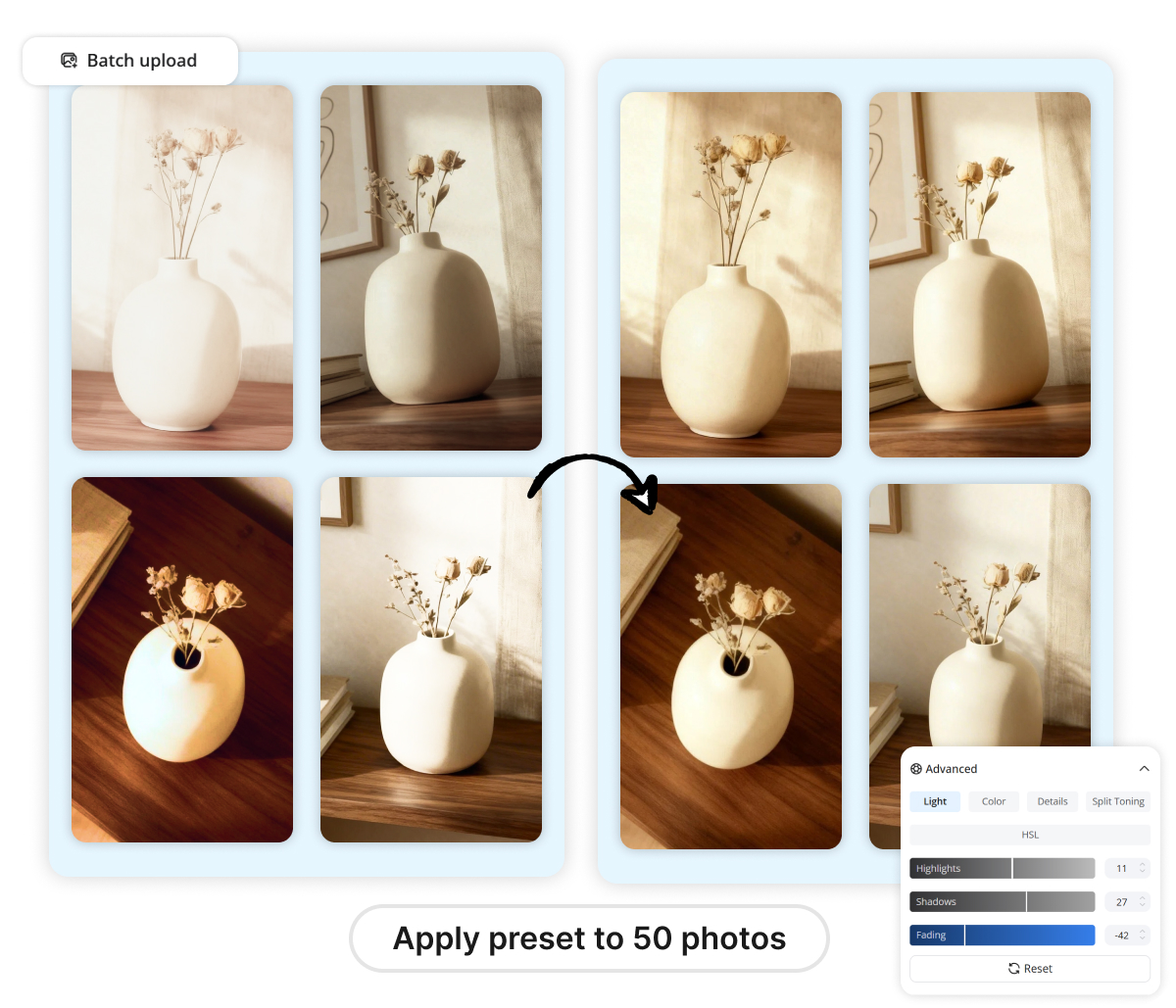
Batch Image Color Changer for High-Volume Projects
Consistency across a high-volume photoshoot emerges from the automated batch application of saved color profiles.
This processing pipeline replicates specific brightness, contrast, and saturation settings across every file in the queue. Traditional editing software often bottlenecks or crashes when forced to render multiple high-resolution assets simultaneously. Designkit's cloud-based architecture maintains steady processing speeds regardless of total folder size.
Diverse Scenarios for the Image Color Changer
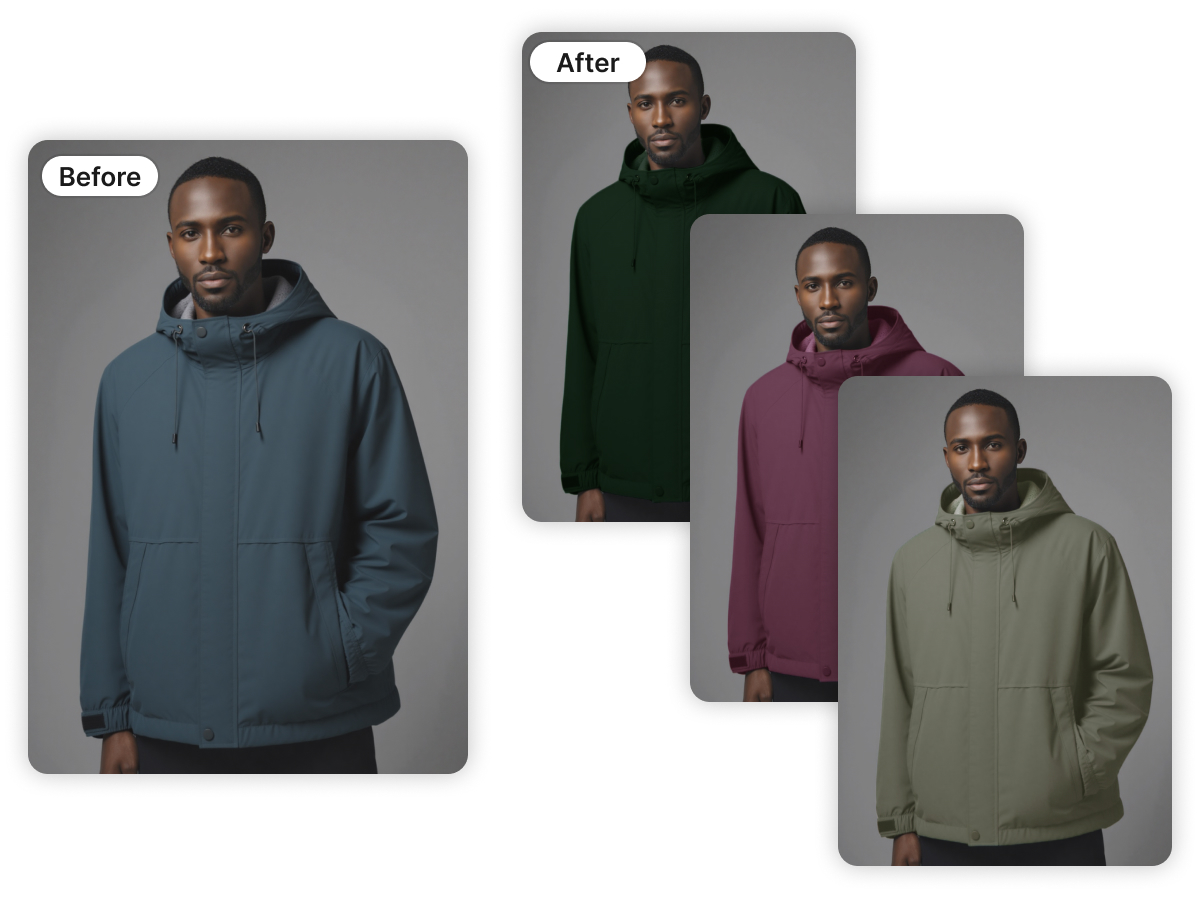
Change Image Color for Clothing and Apparel
Fashion retailers who need to showcase a single garment in multiple colorways utilize this tool to maintain texture while shifting hues. The HSL engine preserves the natural folds and highlights of the fabric during the transformation. You'll avoid the high cost of multi-color photoshoots by simply generating new product variations from a single master shot.
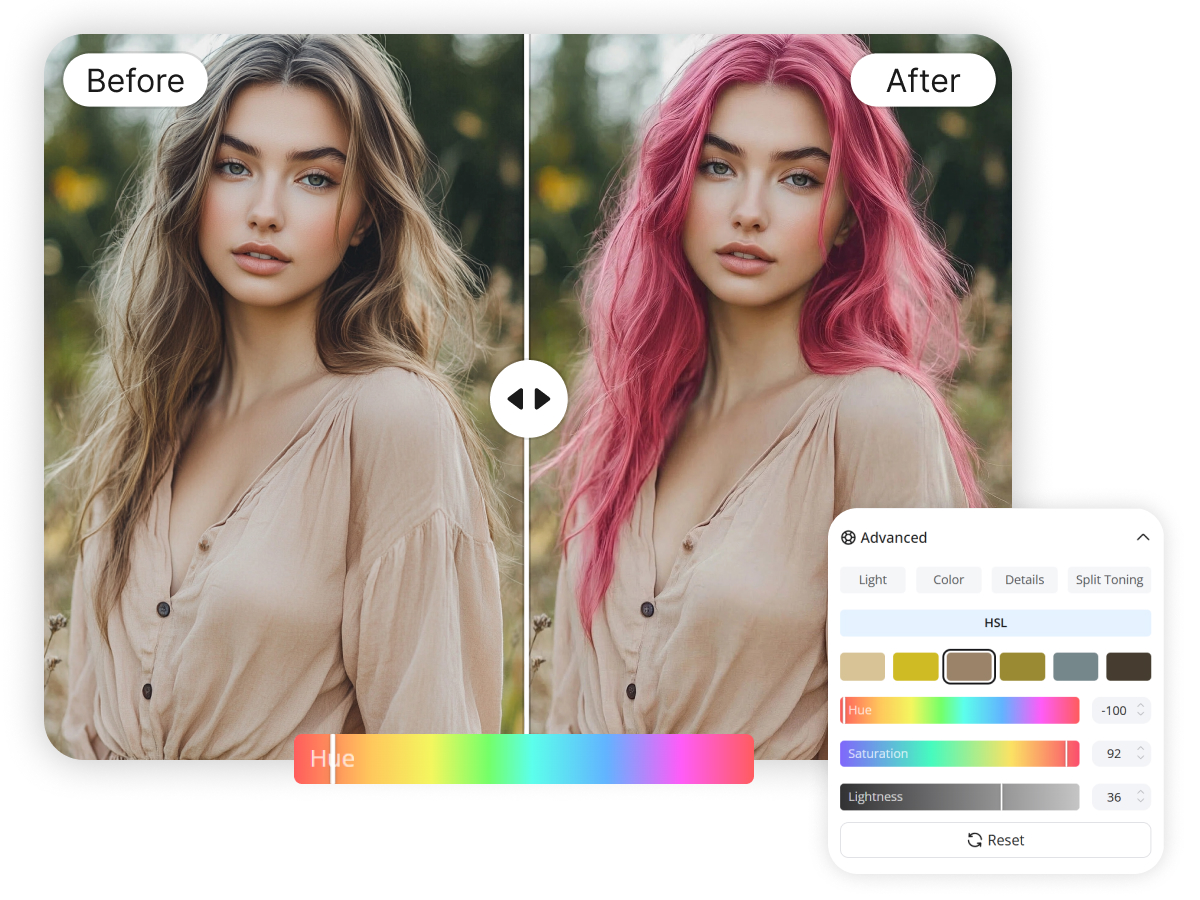
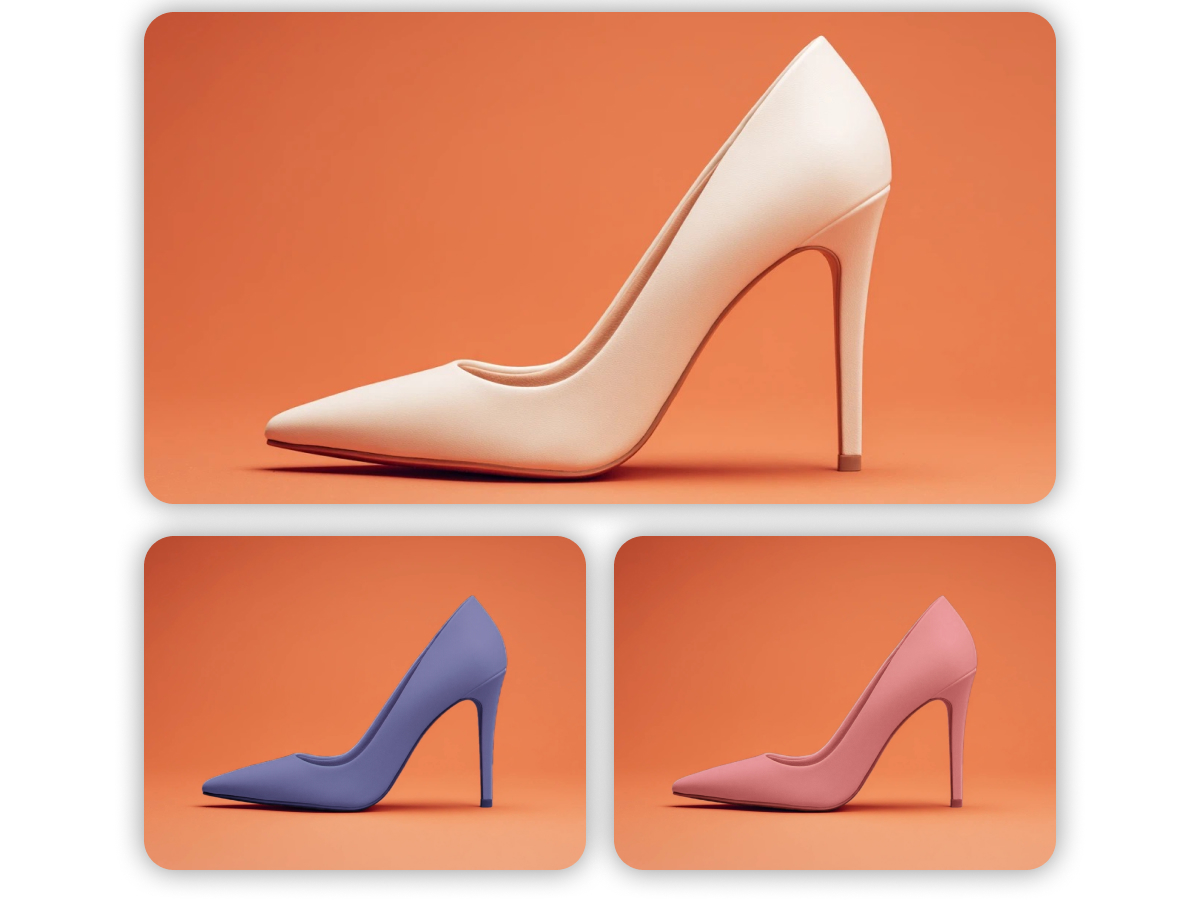
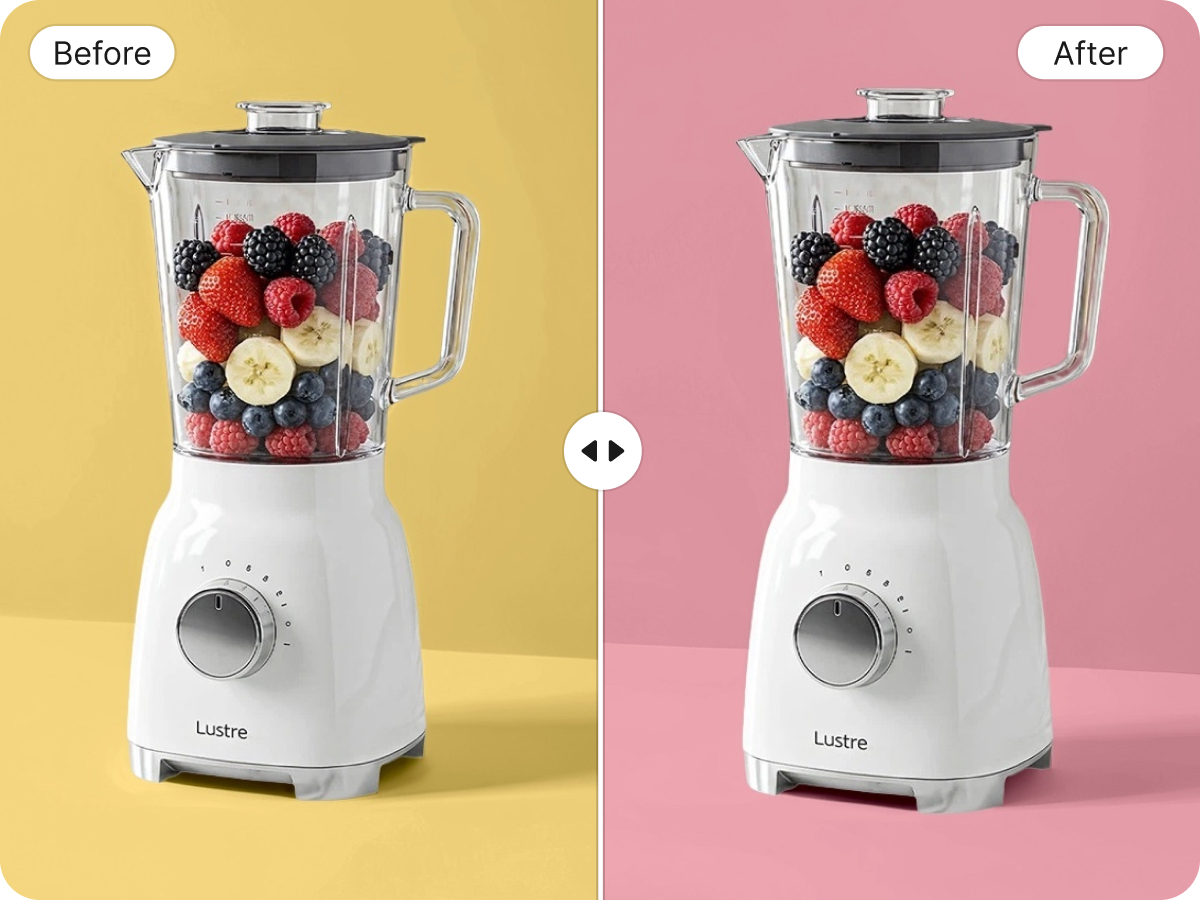
Not Just Basic Editing, But Professional Color Control

Studio-Grade Output Without Manual Cleanup
Advanced defringe and sharpening algorithms automatically remove the digital artifacts that usually appear during heavy color shifting. Resulting images maintain 100% of their original clarity even after significant temperature and tint modifications.
Rapid Workflow for Multi-Image Batches
A 10x increase in productivity occurs when users switch from one-by-one editing to Designkit’s batch adjustment system. Consistent lighting across an entire gallery is achieved with a single sync command rather than repeating the same five steps for every file.

Zero-Friction Web-Based Access
The cloud-integrated editor works instantly in any modern browser without requiring expensive hardware or 2GB software installations. European and American e-commerce sellers save hours of setup time by accessing their workspace from any device, anywhere.
Discover More Powerful Features in Designkit
FAQ About How to Change Image Color
What is the best way to change image color while maintaining quality?
Can I change the color of multiple images at the same time?
Yes, the batch processing feature is designed for exactly this scenario. You can upload a group of images and apply a single color correction profile to all of them simultaneously. This is especially useful for e-commerce sellers who need a uniform look across their entire product range.
Which file formats are supported for color correction?
Designkit supports all standard web formats including JPG, PNG, and WebP.
Is Designkit better for portraits or product photography?
The tool is versatile enough for both. Portrait photographers benefit from the "Skin Tone" protections within the HSL sliders, while e-commerce users value the precision of the batch color changer. It's a matter of which sliders you prioritize for your specific outcome.
Does Designkit work as an image color changer for product photos?
Yes, for common product-photo needs like correcting warm indoor casts, boosting dull colors, or matching a consistent brand tone across SKUs. Basic Correction is usually enough for quick normalization; HSL helps when only one color (like a fabric tone) needs adjustment. It’s a practical workflow for listings.
Change Image Color and Fix Lighting Instantly with Designkit
Designkit adjusts color via Basic Correction sliders and Advanced HSL. Best for social posts and product photos needing consistent tones. Change the color of an image fast, then download in one click.
